
JustPump
A simple pump module that enables the extraction and filling of fluids.
Screenshots
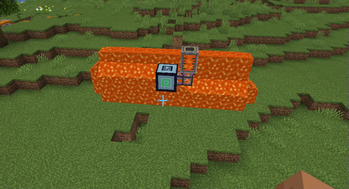
About this Mod
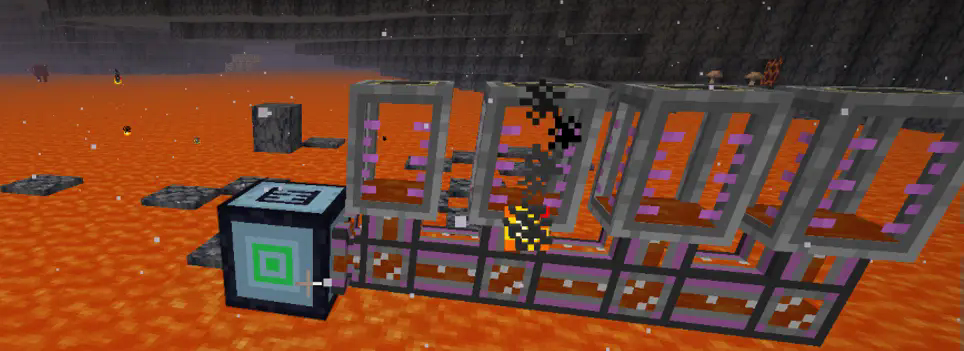
Description
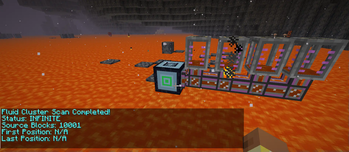
A simple MOD is designed to function similarly to a hose pulley. In automatic mode, it can draw the liquid below. When the liquid below exceeds 10,000 units, it is considered infinite. There is also a range - extraction mode, which can extract all the liquid within a specified range. Additionally, there is a fluid - filling mode, which fills the fluid within a designated range.
Installation
Put the jar-file into the mods folder in your .minecraft directory.
Configuration setting
You can configure the amount of fluid extracted per tick, the default capacity of the pump, and the threshold considered as infinite.
#Number of blocks processed per tick
# Default: 4096
# Range: > 1
blocksPerTick = 4096
#Pump fluid storage capacity in mB (1 bucket = 1000mB)
# Default: 16
# Range: 1 ~ 64
pumpCapacity = 16
#Fluid amount above this threshold will be considered infinite
# Default: 10000
# Range: > 0
infiniteThreshold = 10000
How to use
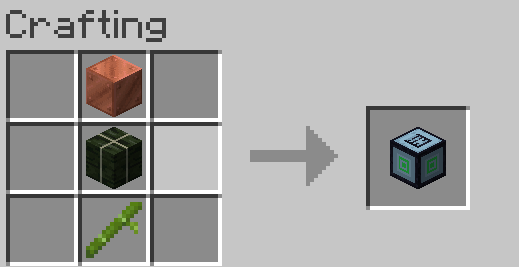
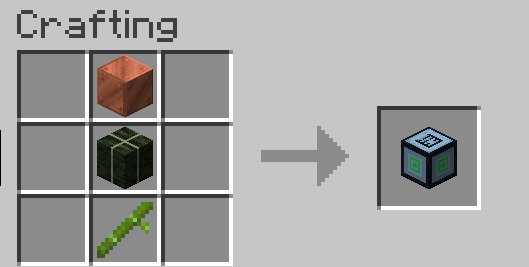
You can use copper blocks, kelp blocks, and bamboo for synthesis.
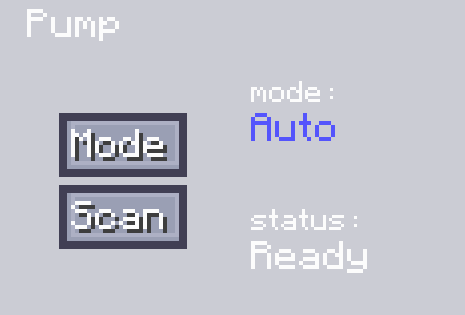
When in the auto mode, you need to place the machine above the fluid. Then click "Scan" to obtain the position of the extractable fluid. After that, use a pipeline for active output and connect it to the corresponding fluid - storage container, and thus the fluid output can be completed.
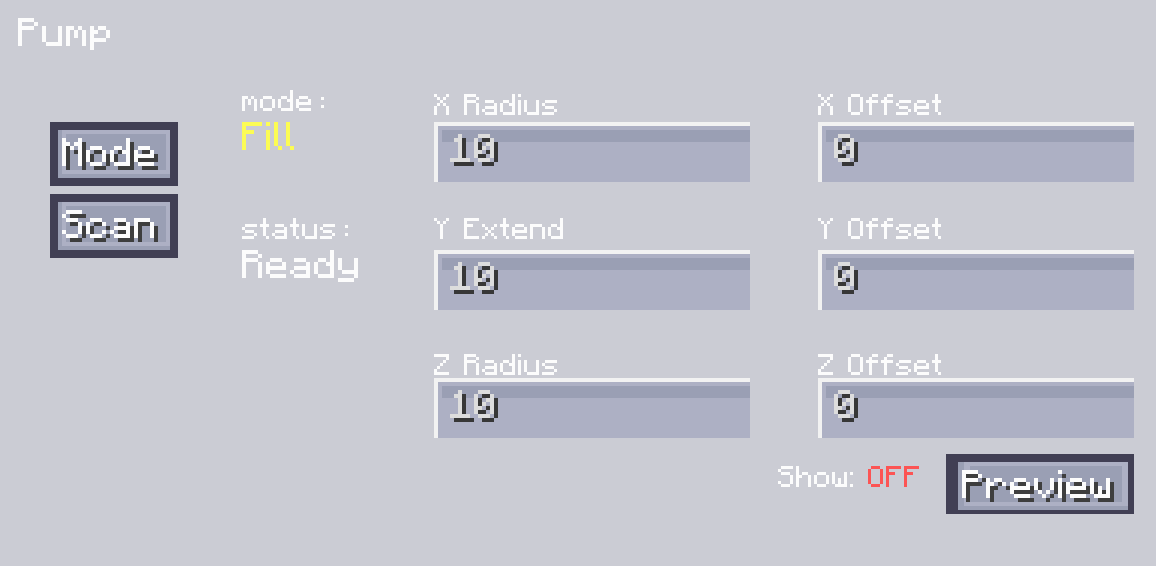
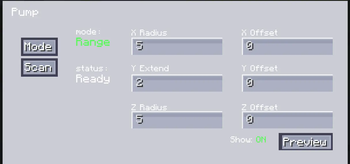
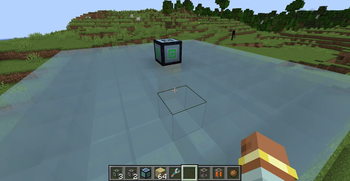
Another mode for liquid range extraction allows you to set the range. You can do this by setting the radii on the X, Y, and Z axes, and adjust the offset values of XYZ to set its specific position. You can view the range by clicking the "Display Range" button. After adjusting it to the appropriate position, you can click "Scan" to complete the scanning of all extractable fluids. After the scanning is finished, just like in the automatic mode, you can output the fluid through a pipeline for active output.
The filling mode is similar to the extraction mode. The difference is that you need to input fluid into our pump. First, set the range and adjust the position. After that, you can click "Scan". It will scan for positions where the fluid can be placed and obtain the position information. Then, input the fluid into the pump, and it will place the fluid at the corresponding positions.
Available Versions
How to Install JustPump on Your Server
Order Server
Order a Minecraft Java server with at least 3 GB RAM (4 GB recommended).
Set neoforge Loader
In the panel under "Egg", select the neoforge loader and matching Minecraft version (1.21.1).
Install Mod
Open the mod browser in the dashboard and search for "JustPump". Click "Install" – done! Alternatively, upload the .jar via SFTP to the /mods folder.
Compatibility
Mod Loaders
Minecraft Versions
1.21.1
Server-side
✓ RequiredRecommended RAM
4 GB(min. 3 GB)Frequently Asked Questions
JustPump server crashes on startup – what to do?
Most common cause: wrong neoforge version or insufficient RAM. Check the server log (latest.log) for "OutOfMemoryError" or "Mixin" errors. With Mado Hosting: ensure at least 3 GB RAM is allocated and the loader matches the mod version (1.21.1). You can switch loaders with one click in the panel.
Is JustPump compatible with neoforge?
JustPump officially supports neoforge for Minecraft 1.21.1. The Mado dashboard automatically detects incompatible loader combinations.
Server lagging with JustPump – how to optimize performance?
Recommended RAM: 4 GB (per 8 players). Use /spark profiler to check if JustPump consumes the most tick time. Common fixes: reduce server view-distance to 8-10, install "performant" or "starlight" as supplementary mods on Forge. With Mado Hosting, your server runs on NVMe SSDs with dedicated CPU cores for minimal latency.
Similar Mods




Rent Modded Server
Install JustPump with just one click on your server.