KantoModels
KantoModels is a decoration mod created for map building!
Screenshots
About this Mod
KantoModels
KantoModels is a Fabric decoration mod made for builders, map creators, and Cobblemon projects.
This mod was originally created for the CobbleKanto project, but it can also be used by other creators who want more decorative blocks for their own Minecraft worlds. Please, go check our main project and hop on in this adventure with us!
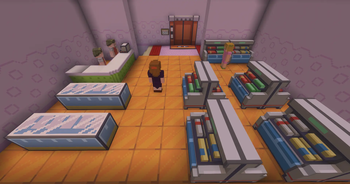
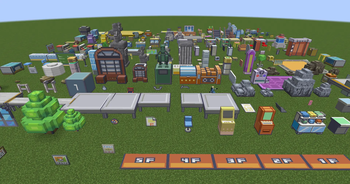
It adds more than 280 Kanto inspired decorative models, including furniture, machines, signs, fossils, shelves, counters, lab props, city decorations, cave props, gym details, and many other objects designed to help bring your custom maps to life.
Features
- 280+ decorative models and props
- Custom block shapes and directional placement
- Interactive signs with custom dialogue support
- Built-in EN-US and PT-BR dialogue files
- Additional dialogue languages supported through resource packs
- KantoModels Converter block
KantoModels Converter
KantoModels includes a custom block called the KantoModels Converter.
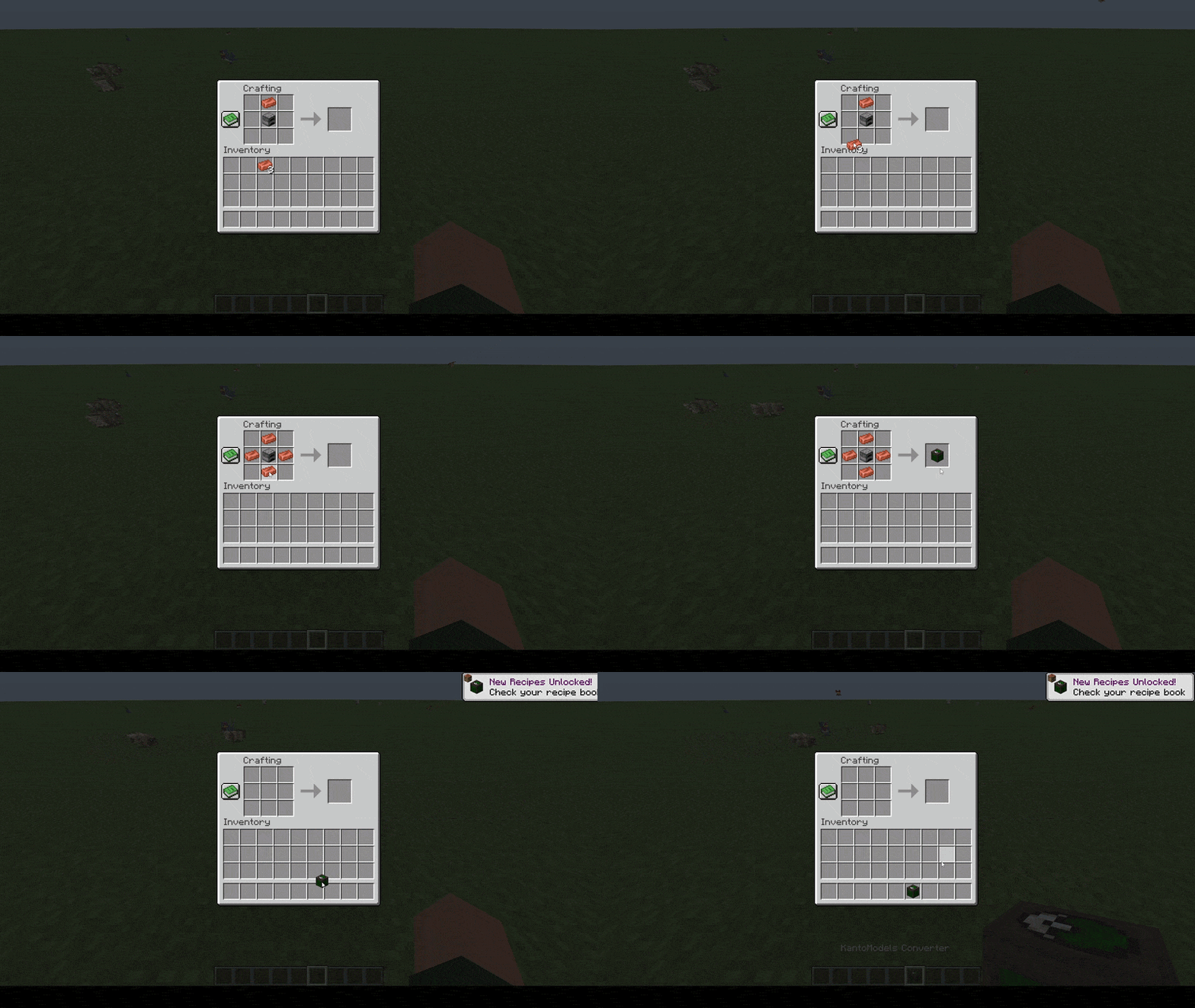
The converter works like a simple exchange table. Players can use supported currency items, such as copper ingots or all kinds of Poké Balls, to obtain decorative models from the mod.
The GIF below shows the Converter block opening its exchange screen and letting players trade supported currency items for decorative models.

This is useful for servers and adventure maps where you want players to unlock or buy decoration models without giving direct creative access.
Interactive Signs and Dialogues
Some blocks can open custom dialogue screens when clicked.
The GIF below shows an interactive KantoModels sign opening a custom dialogue screen after being clicked.

To configure an interactive sign or block:
- Place an interactive sign/block in the world.
- Look directly at the block.
- Run the command:
/kantomodels setsignid <dialogue_id>
The mod includes dialogue files for:
en_uspt_br
Additional languages and custom IDs can be added with resource packs using the same file format.
Example path:
assets/kantomodels/dialogs/dialogs_es_es.json
You can check the built-in dialogue files and available IDs here:
View KantoModels Default Available IDs Files
Known Issues
- Some models may still have imperfect hitboxes. For now, map builders can use barriers to prevent undesirable collision/bug in specific models.
- Not all models are interactive yet. We're currently working to improve this in a future update.
Compatibility & Dependencies
- Minecraft 1.21.1
- Fabric API
- Java 21
- Framework Mod by MrCrayfish
- GeckoLib
Note:
- Cobblemon — not required to launch the mod, but KantoModels was made with Cobblemon map building in mind!
FAQ
Does KantoModels only work with Cobblemon?
Not really! This mod can be part of any journey... even Vanilla maps!
Why are some models invisible or not loading?
Make sure you have all required dependencies installed:
- Fabric API
- Framework Mod
- GeckoLib
Can I use this mod in my modpack, server or content creation?
Yes, absolutely! Credit is appreciated, especially if the mod is being used in a public project, server, or map.
Will more models and interactive blocks be added?
Our plan is to finish and polish all the existing models! We might already have every "Kanto" model... Maybe more models in the next region?
Special Thanks
- To LunazStudios for early development help and the connected models!
- To everybody who is currently helping on polishing all the CobbleKanto mods!
If you have any ideas, feedback or multiblock/connected experience and want to assist us on delivering the best of the best that the Cobblemon community deserves, drop a direct message at "cobblekanto" Discord!
KantoModels is an unofficial fan-made Minecraft mod.
This project is not affiliated with, endorsed by, sponsored by, or approved by Nintendo, Game Freak, Creatures Inc., The Pokémon Company, Mojang Studios, Microsoft, or the Cobblemon team.
Minecraft is a trademark of Microsoft Corporation. Pokémon and related names are trademarks of their respective owners. Cobblemon belongs to its respective creators.
Available Versions
How to Install KantoModels on Your Server
Order Server
Order a Minecraft Java server with at least 3 GB RAM (4 GB recommended).
Set fabric Loader
In the panel under "Egg", select the fabric loader and matching Minecraft version (1.21.1).
Install Mod
Open the mod browser in the dashboard and search for "KantoModels". Click "Install" – done! Alternatively, upload the .jar via SFTP to the /mods folder.
Compatibility
Mod Loaders
Minecraft Versions
1.21.1
Server-side
✓ RequiredRecommended RAM
4 GB(min. 3 GB)Frequently Asked Questions
KantoModels server crashes on startup – what to do?
Most common cause: wrong fabric version or insufficient RAM. Check the server log (latest.log) for "OutOfMemoryError" or "Mixin" errors. With Mado Hosting: ensure at least 3 GB RAM is allocated and the loader matches the mod version (1.21.1). You can switch loaders with one click in the panel.
Is KantoModels compatible with fabric?
KantoModels officially supports fabric for Minecraft 1.21.1. The Mado dashboard automatically detects incompatible loader combinations.
Server lagging with KantoModels – how to optimize performance?
Recommended RAM: 4 GB (per 8 players). Use /spark profiler to check if KantoModels consumes the most tick time. Common fixes: reduce server view-distance to 8-10, install "performant" or "starlight" as supplementary mods on Forge. With Mado Hosting, your server runs on NVMe SSDs with dedicated CPU cores for minimal latency.
Similar Mods

![[ETF] Entity Texture Features](https://cdn.modrinth.com/data/BVzZfTc1/af683d206d50b05258d865b0d6e4aa2f2cee12f2_96.webp)
![[EMF] Entity Model Features](https://cdn.modrinth.com/data/4I1XuqiY/6e5bbd0d06b1741bfdab6c0cfab6de8fdaf0064c_96.webp)



Rent Modded Server
Install KantoModels with just one click on your server.