
Keep But Penalty
Keep inventory on death while applying configurable experience and equipped-item durability penalties.
Screenshots
About this Mod
Keep But Penalty
Keep your inventory. Pay a real death penalty.
Keep But Penalty is for modpacks and servers that want to avoid item drops, grave recovery loops, or corpse runs without making death free. Players keep their inventory, but death still removes experience and wears down equipped gear.
What it does
- Keeps player inventory on death while the mod is installed.
- Does not change the world's vanilla
keepInventorygamerule. - Reduces vanilla experience after player death.
- Damages selected equipped items after player death.
- Covers armor, main hand, and off hand by default.
- Supports equipped Curios items when Curios is installed.
- Supports equipped Accessories items when Accessories is installed.
- Can let death damage push items to 0 durability, making it pair well with no-break mods such as Keep My Sword.
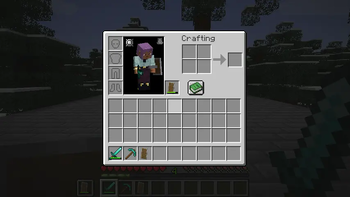
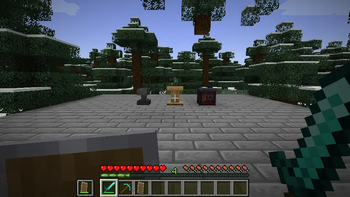
Screenshots above are captured in a Minecraft 1.21.1 NeoForge development client.
Default death penalty
The default settings are tuned for a simple keep-inventory survival loop:
- Players keep their inventory.
- Players keep one third of their total vanilla experience.
- Players lose two thirds of their total vanilla experience.
- Each selected damageable equipped item takes 80 durability damage.
- Armor, main hand, off hand, Curios slots, and Accessories slots are included.
This makes death gentler than losing everything, but still expensive enough to matter.
Configuration
Configure the rules in:
config/keep_but_penalty-common.toml
Useful options include:
[death]
keepInventory = true
enableExperiencePenalty = true
experienceKeepRatio = 0.333333333
[durability]
enableDurabilityPenalty = true
durabilityLoss = 80
allowZeroDurability = true
damageArmor = true
damageMainHand = true
damageOffHand = true
damageCurios = true
damageAccessories = true
Compatibility notes
Curios and Accessories are optional. If either mod is installed, Keep But Penalty can include its equipped item slots in the durability penalty.
For 0-durability item preservation, pair this mod with a no-break mod such as Keep My Sword. Keep But Penalty applies the death cost; a no-break mod controls whether max-damage items remain as repairable stacks instead of breaking normally.
Requirements
- Minecraft 1.21.1
- NeoForge
Optional integrations:
- Curios API
- Accessories
Source and issues
Available Versions
How to Install Keep But Penalty on Your Server
Order Server
Order a Minecraft Java server with at least 3 GB RAM (4 GB recommended).
Set neoforge Loader
In the panel under "Egg", select the neoforge loader and matching Minecraft version (1.21.1).
Install Mod
Open the mod browser in the dashboard and search for "Keep But Penalty". Click "Install" – done! Alternatively, upload the .jar via SFTP to the /mods folder.
Compatibility
Mod Loaders
Minecraft Versions
1.21.1
Server-side
✓ RequiredRecommended RAM
4 GB(min. 3 GB)Frequently Asked Questions
Keep But Penalty server crashes on startup – what to do?
Most common cause: wrong neoforge version or insufficient RAM. Check the server log (latest.log) for "OutOfMemoryError" or "Mixin" errors. With Mado Hosting: ensure at least 3 GB RAM is allocated and the loader matches the mod version (1.21.1). You can switch loaders with one click in the panel.
Is Keep But Penalty compatible with neoforge?
Keep But Penalty officially supports neoforge for Minecraft 1.21.1. The Mado dashboard automatically detects incompatible loader combinations.
Server lagging with Keep But Penalty – how to optimize performance?
Recommended RAM: 4 GB (per 8 players). Use /spark profiler to check if Keep But Penalty consumes the most tick time. Common fixes: reduce server view-distance to 8-10, install "performant" or "starlight" as supplementary mods on Forge. With Mado Hosting, your server runs on NVMe SSDs with dedicated CPU cores for minimal latency.
Similar Mods




Rent Modded Server
Install Keep But Penalty with just one click on your server.