
Keep Walking
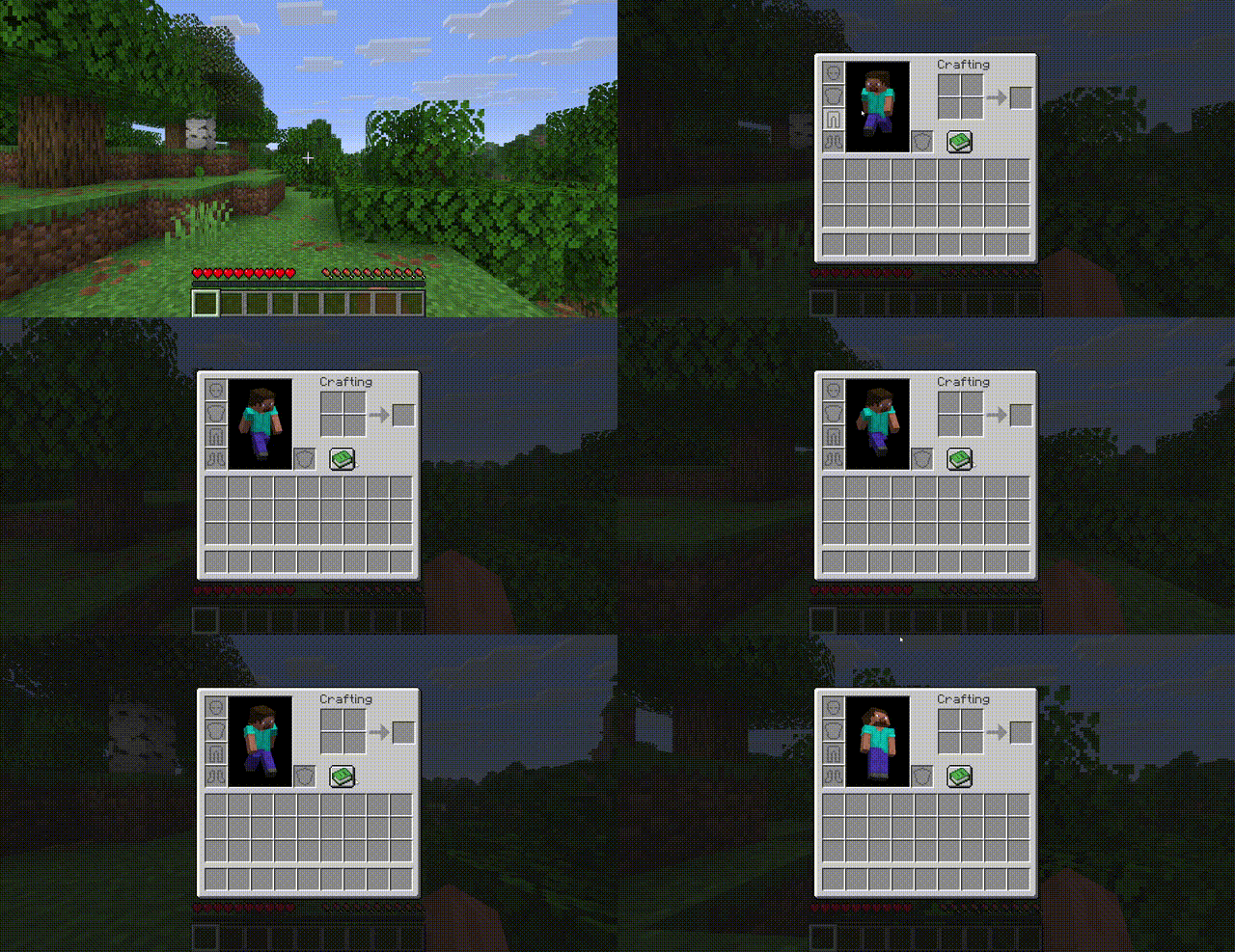
Move freely while your inventory is open — no more standing still when managing items.
About this Mod
Keep Walking
Move freely while your inventory is open.
No more freezing in place every time you open a chest, crafting table, or your inventory. With Keep Walking, your character keeps responding to movement keys even when a container screen is active.
Features
- Full WASD movement while any container screen is open (inventory, chests, furnaces, crafting tables, hoppers, dispensers, brewing stands, anvils, etc.)
- Jump while browsing your inventory
- Sprint and sneak still work as expected
- No singleplayer pause — the world keeps running behind your screen
- Respects your keybinds — works with remapped movement keys
- Zero configuration — install and go, nothing to set up
Compatibility
| Version | |
|---|---|
| Minecraft | 26.1.x |
| Mod Loader | Fabric |
| Fabric API | 0.145.4+ |
| Side | Client only |
This mod is client-side only — it works in singleplayer and on any server without the server needing the mod installed.
Installation
- Install Fabric Loader for Minecraft 26.1.x
- Install Fabric API
- Drop
keep-walking-1.0.0.jarinto your.minecraft/mods/folder - Launch the game
How does it work?
Vanilla Minecraft stops processing movement key inputs when a container screen is open. Keep Walking uses two lightweight mixins to bypass this:
- Movement keys are polled directly from the keyboard when a container screen is detected, bypassing the screen's input capture
- Singleplayer pause is disabled for container screens so the world keeps ticking
No packets are modified, no server-side changes are made. It simply lets your character respond to keys that were always being pressed.
License
Available Versions
How to Install Keep Walking on Your Server
Order Server
Order a Minecraft Java server with at least 3 GB RAM (4 GB recommended).
Set fabric Loader
In the panel under "Egg", select the fabric loader and matching Minecraft version (26.1.2).
Install Mod
Open the mod browser in the dashboard and search for "Keep Walking". Click "Install" – done! Alternatively, upload the .jar via SFTP to the /mods folder.
Compatibility
Mod Loaders
Minecraft Versions
26.1.2, 26.1.1, 26.1
Server-side
✗ UnsupportedRecommended RAM
4 GB(min. 3 GB)Frequently Asked Questions
Keep Walking server crashes on startup – what to do?
Most common cause: wrong fabric version or insufficient RAM. Check the server log (latest.log) for "OutOfMemoryError" or "Mixin" errors. With Mado Hosting: ensure at least 3 GB RAM is allocated and the loader matches the mod version (26.1.2). You can switch loaders with one click in the panel.
Is Keep Walking compatible with fabric and forge and neoforge?
Keep Walking officially supports fabric, forge, neoforge for Minecraft 26.1.2, 26.1.1, 26.1. Note: Forge and Fabric mods are NOT cross-compatible – pick one loader and stick with it. The Mado dashboard automatically detects incompatible loader combinations.
Server lagging with Keep Walking – how to optimize performance?
Recommended RAM: 4 GB (per 8 players). Use /spark profiler to check if Keep Walking consumes the most tick time. Common fixes: reduce server view-distance to 8-10, install "performant" or "starlight" as supplementary mods on Forge. With Mado Hosting, your server runs on NVMe SSDs with dedicated CPU cores for minimal latency.
Similar Mods




Rent Modded Server
Install Keep Walking with just one click on your server.