
Keybind Settings GUI
Keybinds Setting is a mod that, when you press a key (e.g. B), opens a simple GUI allowing you to quickly change assigned keybinds (such as movement or jumping) without going into the game settings.
Screenshots
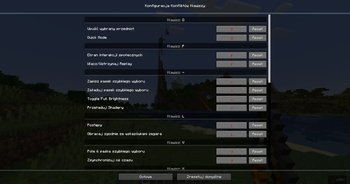
About this Mod
Keybinds Setting is a lightweight, quality-of-life mod designed to streamline how you manage your controls in-game. Instead of navigating through multiple menus in the standard settings interface, the mod lets you press a designated key (for example, B) to instantly open a clean, minimalistic GUI overlay. From there, you can quickly view and reassign keybinds for various actions such as movement, jumping, sprinting, or interacting.
The interface is built to be intuitive and fast, making it especially useful during gameplay when you need to adjust controls on the fly without interrupting your flow. Whether you’re experimenting with new key layouts, fixing conflicts between mods, or simply optimizing your setup for comfort, everything can be done in a few clicks directly from this popup.
Additionally, the mod often includes features like:
- Real-time key reassignment without restarting or leaving the game
- Clear indication of conflicting keybinds
- Support for modded actions alongside default controls
- A compact and responsive design that doesn’t clutter the screen
Overall, Keybinds Setting enhances convenience and accessibility, saving time and making control customization much more seamless, especially for players who frequently tweak their key setups.
Available Versions
How to Install Keybind Settings GUI on Your Server
Order Server
Order a Minecraft Java server with at least 3 GB RAM (4 GB recommended).
Set fabric Loader
In the panel under "Egg", select the fabric loader and matching Minecraft version (1.21.5).
Install Mod
Open the mod browser in the dashboard and search for "Keybind Settings GUI". Click "Install" – done! Alternatively, upload the .jar via SFTP to the /mods folder.
Compatibility
Mod Loaders
Minecraft Versions
1.21.5, 1.21.4, 1.21.3 (+3 more)
Server-side
✗ UnsupportedRecommended RAM
4 GB(min. 3 GB)Frequently Asked Questions
Keybind Settings GUI server crashes on startup – what to do?
Most common cause: wrong fabric version or insufficient RAM. Check the server log (latest.log) for "OutOfMemoryError" or "Mixin" errors. With Mado Hosting: ensure at least 3 GB RAM is allocated and the loader matches the mod version (1.21.5). You can switch loaders with one click in the panel.
Is Keybind Settings GUI compatible with fabric?
Keybind Settings GUI officially supports fabric for Minecraft 1.21.5, 1.21.4, 1.21.3. The Mado dashboard automatically detects incompatible loader combinations.
Server lagging with Keybind Settings GUI – how to optimize performance?
Recommended RAM: 4 GB (per 8 players). Use /spark profiler to check if Keybind Settings GUI consumes the most tick time. Common fixes: reduce server view-distance to 8-10, install "performant" or "starlight" as supplementary mods on Forge. With Mado Hosting, your server runs on NVMe SSDs with dedicated CPU cores for minimal latency.
Similar Mods




Rent Modded Server
Install Keybind Settings GUI with just one click on your server.