
KeybindsGalore Plus
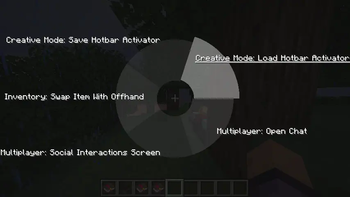
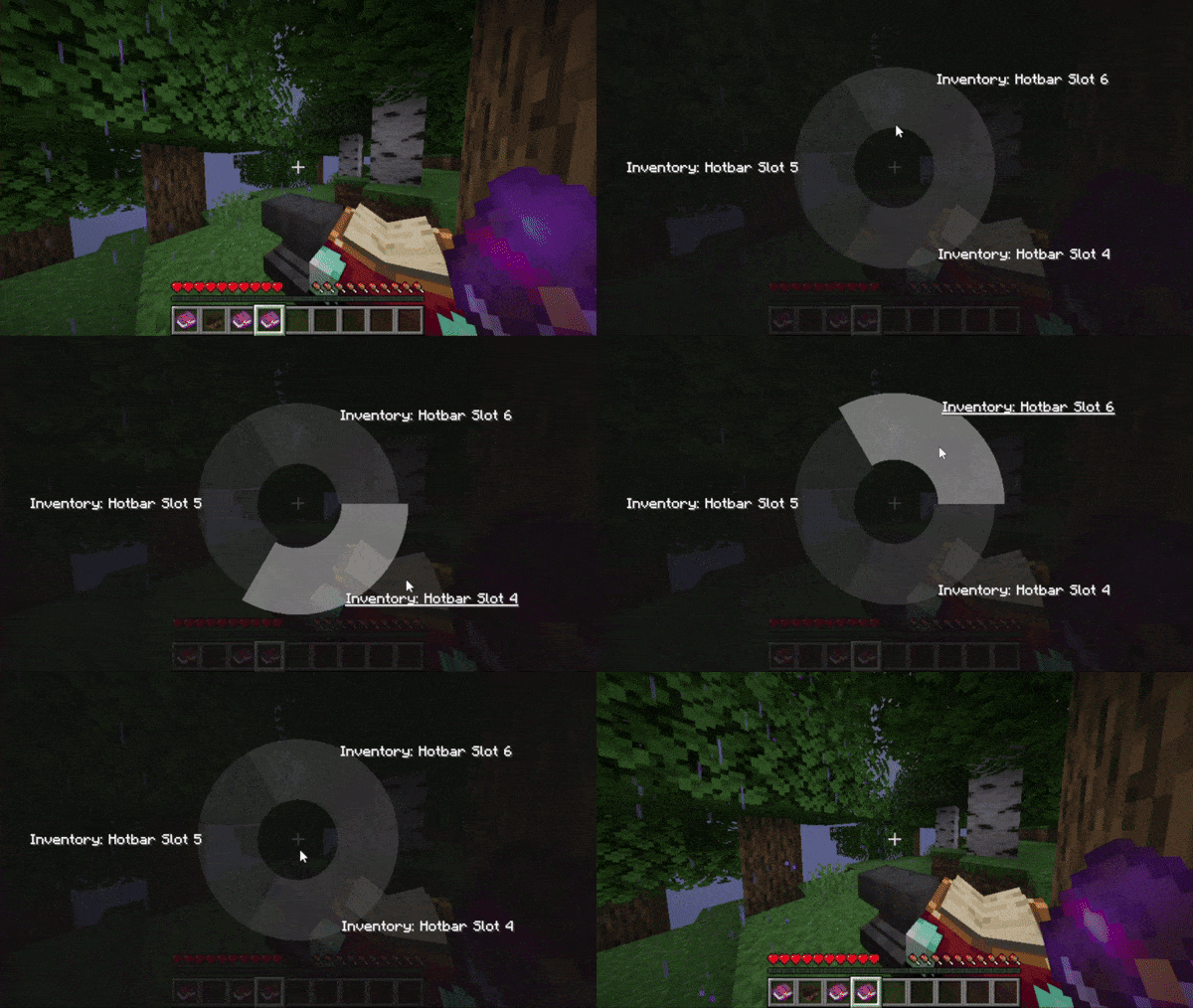
Shows a pie menu for keys with multiple bindings. A continuation of KeybindsGalore by Cael and HVB007!
Screenshots
About this Mod
KeybindsGalore Plus
[!NOTE]
This project is a fork of KeybindsGalore, originally by Cael and updated to 1.20 by HVB007.
HVB007's project is here, and Cael's original project is here.
A keybind conflict management and general quality-of-life mod!
- Provides a pie menu for conflicting keybinds
- Corrects vanilla conflict handling, similar to Keybinds Fix
- Supports mouse buttons
- Fixes many bugs and adds many improvements to the original mod
- Supports 1.20.x and 1.21.x
- Supports Fabric and Forge/NeoForge (via Sinytra Connector)

Modifications to Original
- Optimised conflict searching
- Keybind labels now show their category along with their name
- Customisable keybind labels (see this issue)
- Label texts no longer run off the screen
- Fully customisable pie menu
- Allows compatibility with non-vanilla keybinds (insert your keybinds into the conflict table whenever convenient!)
- And more...
Bug-busters :heart:
Bug reports and feature requests VERY welcome!
- lightmcxx
- mo9713
- Poopooracoocoo
- GabanKillasta
- Tgaisen
- GhostIsBeHere
- Alwis2000
- StarsShine11904
- ClutchMasterYT
- GuardedHoney53
- BumbleTree
- Mideks
- UNI717
- IG114514
(let me know if I missed you!)
Roadmap
1.3.5
- Bugfixes
1.4.0
- Per-keybind overrides in custom data for:
- Label text (category + name / name only / custom text)
- sector colour
- sector opacity
- Removal of non-lazy conflict check
[[ Old README below ]]
KeybindsGalore_HVB007_1.20.x
Updated to 1.20 by HVB007.
Github : https://github.com/HVB007og/KeybindsGalore_HVB007_1.20.x
Fabric mod Which opens an popup when there are multiple actions bound to the same key in the Minecraft>controls>Keybinds settings. then choose one of the options to use.
Changelog keybindsgalore-0.2-1.20:
Works with 1.20.2
Added Feature: Will not open the menu when pressing certain keys (Due to keys compatibility with other mods) as follows:
1.tab
2.caps lock
3.left shift
4.left control
5.space
6.left alt
7.w
8.a
9.s
10.d
Future Feature: Add mod setting to configure the keys to disable.
Does not support conflicting Keybinds not using the Minecraft Keybinds settings.
Updated to 1.20.x by HVB007
Updated version of keybindsgalore by Cael : https://github.com/CaelTheColher/KeybindsGalore
Available Versions
How to Install KeybindsGalore Plus on Your Server
Order Server
Order a Minecraft Java server with at least 3 GB RAM (4 GB recommended).
Set fabric Loader
In the panel under "Egg", select the fabric loader and matching Minecraft version (1.21.11).
Install Mod
Open the mod browser in the dashboard and search for "KeybindsGalore Plus". Click "Install" – done! Alternatively, upload the .jar via SFTP to the /mods folder.
Compatibility
Mod Loaders
Minecraft Versions
1.21.11, 1.21.6, 1.21.5 (+12 more)
Server-side
✗ UnsupportedRecommended RAM
4 GB(min. 3 GB)Frequently Asked Questions
KeybindsGalore Plus server crashes on startup – what to do?
Most common cause: wrong fabric version or insufficient RAM. Check the server log (latest.log) for "OutOfMemoryError" or "Mixin" errors. With Mado Hosting: ensure at least 3 GB RAM is allocated and the loader matches the mod version (1.21.11). You can switch loaders with one click in the panel.
Is KeybindsGalore Plus compatible with fabric and neoforge?
KeybindsGalore Plus officially supports fabric, neoforge for Minecraft 1.21.11, 1.21.6, 1.21.5. The Mado dashboard automatically detects incompatible loader combinations.
Server lagging with KeybindsGalore Plus – how to optimize performance?
Recommended RAM: 4 GB (per 8 players). Use /spark profiler to check if KeybindsGalore Plus consumes the most tick time. Common fixes: reduce server view-distance to 8-10, install "performant" or "starlight" as supplementary mods on Forge. With Mado Hosting, your server runs on NVMe SSDs with dedicated CPU cores for minimal latency.
Similar Mods




Rent Modded Server
Install KeybindsGalore Plus with just one click on your server.