
Kill Effects
Adds client sided kill effects and custom critical hit particles
Screenshots
About this Mod
KillFX
Fully client-side, ridiculously customizable kill effects for Minecraft.
Trigger real lightning, 3D skin-matched ghosts, custom PNG particles, fireworks, shockwaves, and more the instant something dies — plus fully customizable critical hit particles and hit sounds.
No server install. No packets. Works on any server.
Fabric • 1.21.4 • 1.21.10 • 1.21.11 • Java 21
What is KillFX?
KillFX is a fully client-side cosmetic mod that plays visual effects whenever an entity dies.
Everything is rendered locally on your client:
- No server installation required
- No packets sent
- No gameplay changes
- Safe to use on any multiplayer server
Rather than being a single effect, KillFX is a complete customization toolkit with editable presets, entity filters, custom particles, and sound effects.
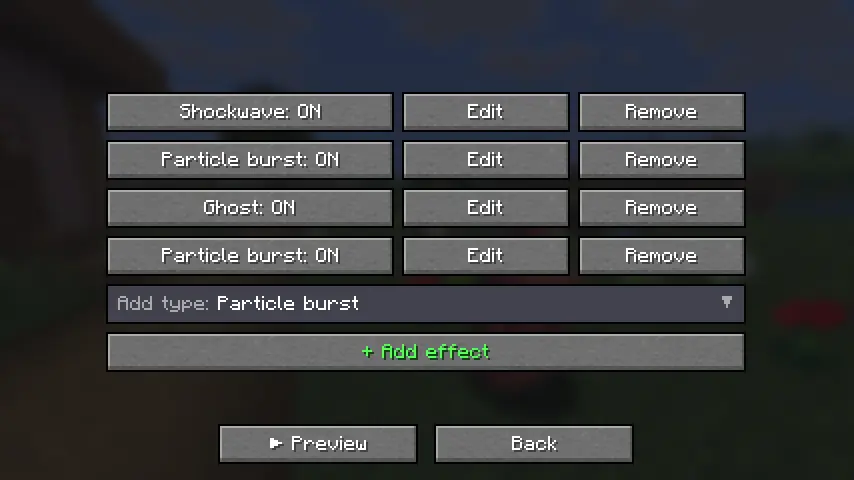
Kill Effects
Create anything from simple kill flashes to over-the-top cinematic effects.
Included Effects
Real Lightning
- Spawns a client-side
minecraft:lightning_bolt - Uses vanilla lightning visuals and thunder
- No damage or fire
- Spawns a client-side
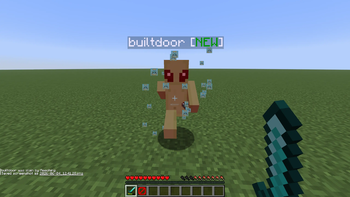
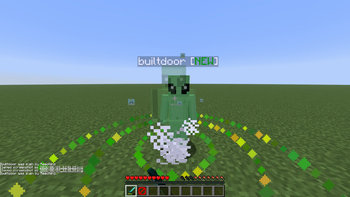
3D Ghosts
- Creates a translucent, skin-matched ghost of the victim
- Floats upward and fades away
Custom PNG Particles
- Import your own PNG images
- Render them as custom billboard particles
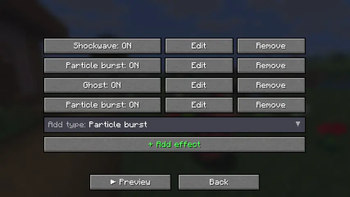
Additional Effects
- Fireworks
- Particle bursts
- Shockwaves
- Floating text
- And more
Advanced Customization
Every effect supports:
- Full RGB color control
- Size scaling
- Particle count
- Lifetime
- Motion settings
- Gravity
- Glow effects
- Trails
- Additive blending
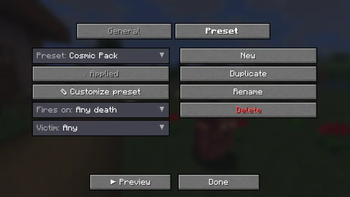
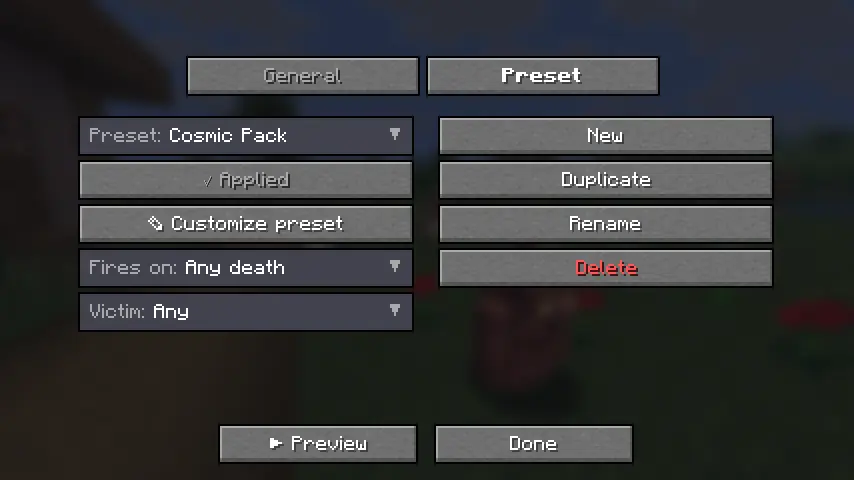
Presets
Includes built-in presets such as:
- PvP
- Cosmic
- Fire
- Lightning
- Minimal
Or create your own from scratch.
Filters
Only trigger effects when:
- Players die
- Mobs die
- Specific entities die
- Custom conditions are met
Critical Hits
Replace Minecraft's vanilla crit particle with your own custom design.
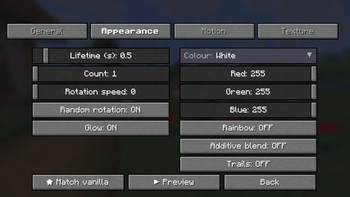
Custom PNG Crit Particles
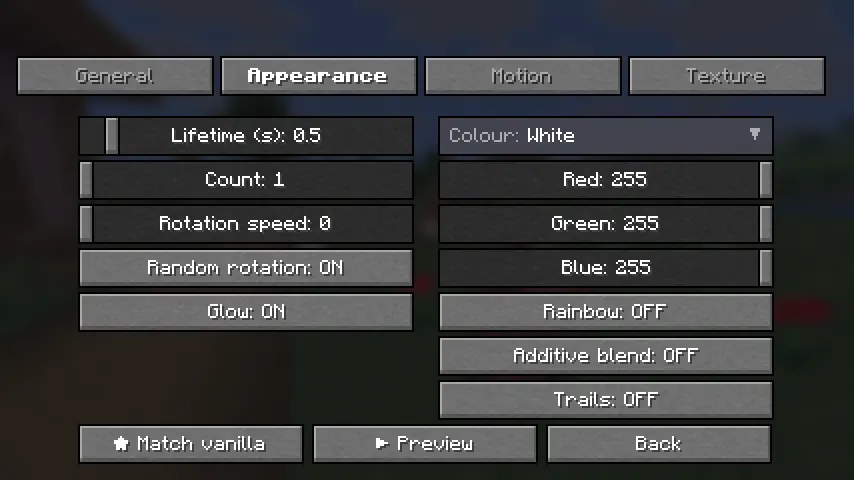
Import any PNG and customize:
- Size
- Opacity
- Particle count
- Rotation
- RGB colors
- Rainbow mode
- Additive blending
- Trails
- Gravity
- Spread
Includes a one-click "Match Vanilla" option.
Configuration Tabs
- Setup
- Appearance
- Motion
- Texture
Hit Sounds
Play a custom sound whenever you land a hit.
Features
- Choose from built-in sounds
- Import your own
.oggfiles - Volume control
- Pitch control
- Crit-only playback
- ▶ Sound preview button
Vanilla Sound Override
Mute Minecraft's default hit and crit sounds so your custom sound completely replaces them.
Share Your Setup
Export and import your entire configuration.
Includes:
- Global settings
- All presets
- Effect configurations
- Crit particle settings
- Sound settings
Configurations can be copied directly to the clipboard or saved to a file for easy sharing.
Quality & Compatibility
Built for Multiple Versions
Supports:
- Minecraft 1.21.4
- Minecraft 1.21.10
- Minecraft 1.21.11
All versions are built from a single source using proper production mappings.
Modern Codebase
- Java 21
- Fabric
- Mixins
- Tested before release
Easy Configuration
Access settings through:
- A dedicated keybind
- Mod Menu integration
Installation
Requirements
- Fabric Loader 0.16+
- Fabric API
Steps
- Install Fabric Loader and Fabric API for your Minecraft version.
- Download the matching
killfx-<version>+<mc>.jarfrom the latest release. - Place the file inside your
mods/folder. - Launch Minecraft.
Optional
Install Mod Menu for quick access from the Mods screen, or assign the KillFX keybind in Controls.
Create anything from subtle PvP effects to complete visual chaos — all client-side, all customizable, and compatible with any server.
Available Versions
How to Install Kill Effects on Your Server
Order Server
Order a Minecraft Java server with at least 3 GB RAM (4 GB recommended).
Set fabric Loader
In the panel under "Egg", select the fabric loader and matching Minecraft version (1.21.11).
Install Mod
Open the mod browser in the dashboard and search for "Kill Effects". Click "Install" – done! Alternatively, upload the .jar via SFTP to the /mods folder.
Compatibility
Mod Loaders
Minecraft Versions
1.21.11, 1.21.10, 1.21.4
Server-side
✗ UnsupportedRecommended RAM
4 GB(min. 3 GB)Frequently Asked Questions
Kill Effects server crashes on startup – what to do?
Most common cause: wrong fabric version or insufficient RAM. Check the server log (latest.log) for "OutOfMemoryError" or "Mixin" errors. With Mado Hosting: ensure at least 3 GB RAM is allocated and the loader matches the mod version (1.21.11). You can switch loaders with one click in the panel.
Is Kill Effects compatible with fabric?
Kill Effects officially supports fabric for Minecraft 1.21.11, 1.21.10, 1.21.4. The Mado dashboard automatically detects incompatible loader combinations.
Server lagging with Kill Effects – how to optimize performance?
Recommended RAM: 4 GB (per 8 players). Use /spark profiler to check if Kill Effects consumes the most tick time. Common fixes: reduce server view-distance to 8-10, install "performant" or "starlight" as supplementary mods on Forge. With Mado Hosting, your server runs on NVMe SSDs with dedicated CPU cores for minimal latency.
Similar Mods

![[ETF] Entity Texture Features](https://cdn.modrinth.com/data/BVzZfTc1/af683d206d50b05258d865b0d6e4aa2f2cee12f2_96.webp)
![[EMF] Entity Model Features](https://cdn.modrinth.com/data/4I1XuqiY/6e5bbd0d06b1741bfdab6c0cfab6de8fdaf0064c_96.webp)



Rent Modded Server
Install Kill Effects with just one click on your server.