Create: Klinks n' Klangs
A compatibility mod for Cobblemon and Create
Screenshots
About this Mod
This is a compatibilty mod for Cobblemon that allows you to automate better with Create.
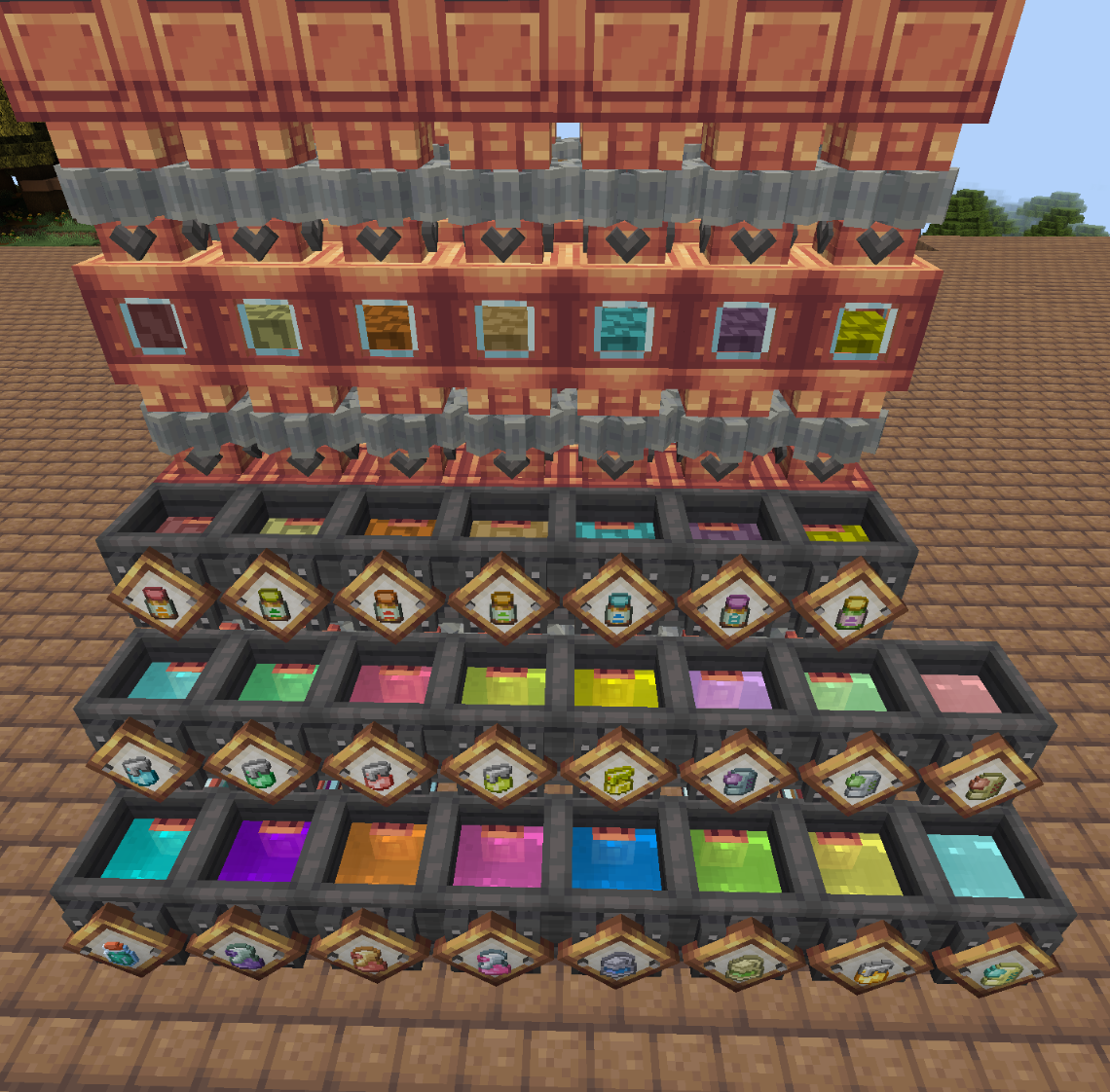
What we have:
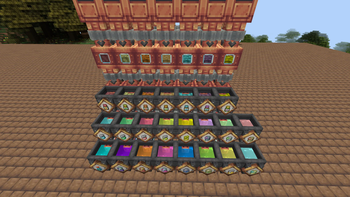
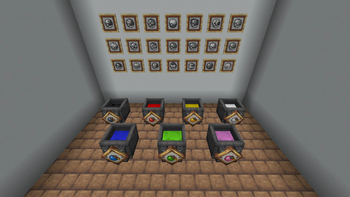
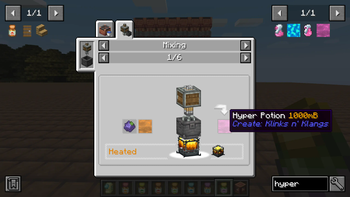
Cobblemon Potions - Brew and bottle all of the medicine in Cobblemon, the Create way!
Cobblemon Vitamins - Mix up the vitamins your Mons need in bulk, and bottle them in style.
Pokeball Assembly - Setup a large-scale Pokeball factory with a fresh and interesting take on how pokeballs should be crafted and assembled. Create blank balls, apply a stencil via deployer and finish with paint. All recipes are in JEI.
Cobblemon and Beginner Friendly - I made sure every crafting process shows up in JEI, and that no original Cobblemon recipes were disabled to make sure you can follow along, and play your way.
This mod was mainly something I wanted to build for my friends and I, as there wasn't any alternatives that supported the Cobblemon Potions. It is the first mod I have made ever, and I hope you can enjoy it as much as I am.
Huge thanks to the Cobblemon Team! I appreciate everything they do, and they do it well.
https://modrinth.com/mod/cobblemon
For the moment this is Forge only, until I can look into how difficult it would be to get it on Fabric. I will be sure to make this discription nicer and upload photos in the near future.
Available Versions
How to Install Create: Klinks n' Klangs on Your Server
Order Server
Order a Minecraft Java server with at least 4 GB RAM (6 GB recommended).
Set forge Loader
In the panel under "Egg", select the forge loader and matching Minecraft version (1.21.1).
Install Mod
Open the mod browser in the dashboard and search for "Create: Klinks n' Klangs". Click "Install" – done! Alternatively, upload the .jar via SFTP to the /mods folder.
Compatibility
Mod Loaders
Minecraft Versions
1.21.1, 1.20.1
Server-side
✓ RequiredRecommended RAM
6 GB(min. 4 GB)Frequently Asked Questions
Create: Klinks n' Klangs server crashes on startup – what to do?
Most common cause: wrong forge version or insufficient RAM. Check the server log (latest.log) for "OutOfMemoryError" or "Mixin" errors. With Mado Hosting: ensure at least 4 GB RAM is allocated and the loader matches the mod version (1.21.1). You can switch loaders with one click in the panel.
Is Create: Klinks n' Klangs compatible with forge and neoforge?
Create: Klinks n' Klangs officially supports forge, neoforge for Minecraft 1.21.1, 1.20.1. The Mado dashboard automatically detects incompatible loader combinations.
Server lagging with Create: Klinks n' Klangs – how to optimize performance?
Recommended RAM: 6 GB (per 5 players). Use /spark profiler to check if Create: Klinks n' Klangs consumes the most tick time. Common fixes: reduce server view-distance to 8-10, install "performant" or "starlight" as supplementary mods on Forge. With Mado Hosting, your server runs on NVMe SSDs with dedicated CPU cores for minimal latency.
Similar Mods




![[ETF] Entity Texture Features](https://cdn.modrinth.com/data/BVzZfTc1/af683d206d50b05258d865b0d6e4aa2f2cee12f2_96.webp)
![[EMF] Entity Model Features](https://cdn.modrinth.com/data/4I1XuqiY/6e5bbd0d06b1741bfdab6c0cfab6de8fdaf0064c_96.webp)
Rent Modded Server
Install Create: Klinks n' Klangs with just one click on your server.