
Konfig
Ergonomic multiloader configuration library with sync support.
About this Mod
Konfig
Konfig is a multiloader configuration library for Minecraft mods.
It lets mods declare typed config values in common code, save them as commented TOML, sync selected values to clients, and generate config screens for Fabric, Forge, and NeoForge.
Konfig is built for shared common code. Loader-specific integration stays in the loader roots, while config declaration, validation, migration, sync metadata, and screen metadata can live beside the rest of your mod logic.
What You Get
- Typed config values for booleans, numbers, enums, strings, string lists, RGB/ARGB colors, and custom codecs
- Side-aware config scopes:
CLIENT,COMMON, andSERVER - Commented TOML files at
config/<modid>/<name>.toml - Built-in sync modes:
NONE,LOGIN, andLOGIN_AND_RELOAD - Schema versioning and step-by-step migrations
- Generated config screens for registered handles
- Inline screen decorations: headers, images, descriptive text, and clickable URLs
- Explicit tooltips for generated screen rows
- Rich hover info panels for global, category, and value-specific help
- Fabric Mod Menu integration
- Forge and NeoForge config button helpers
Pics
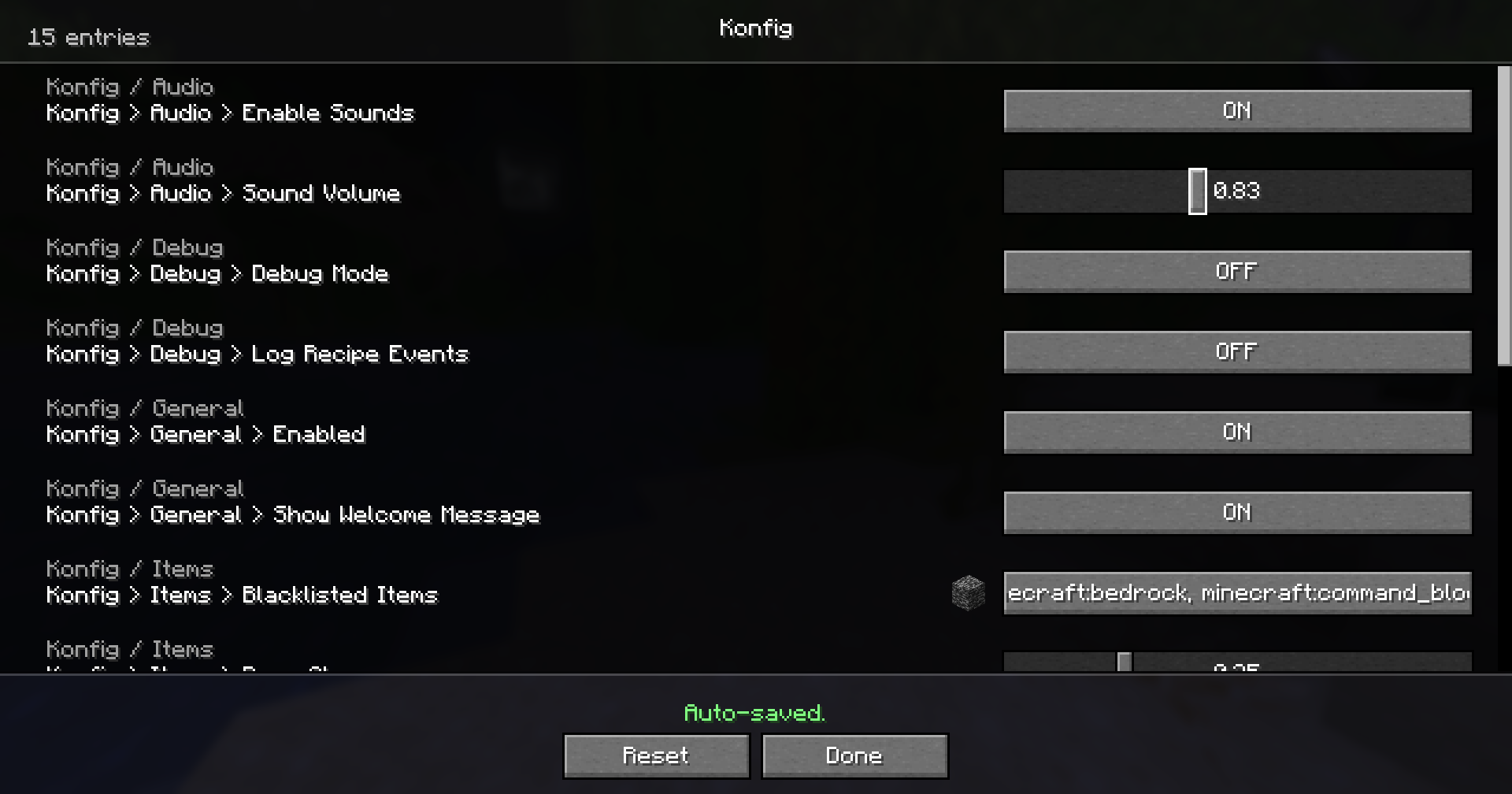
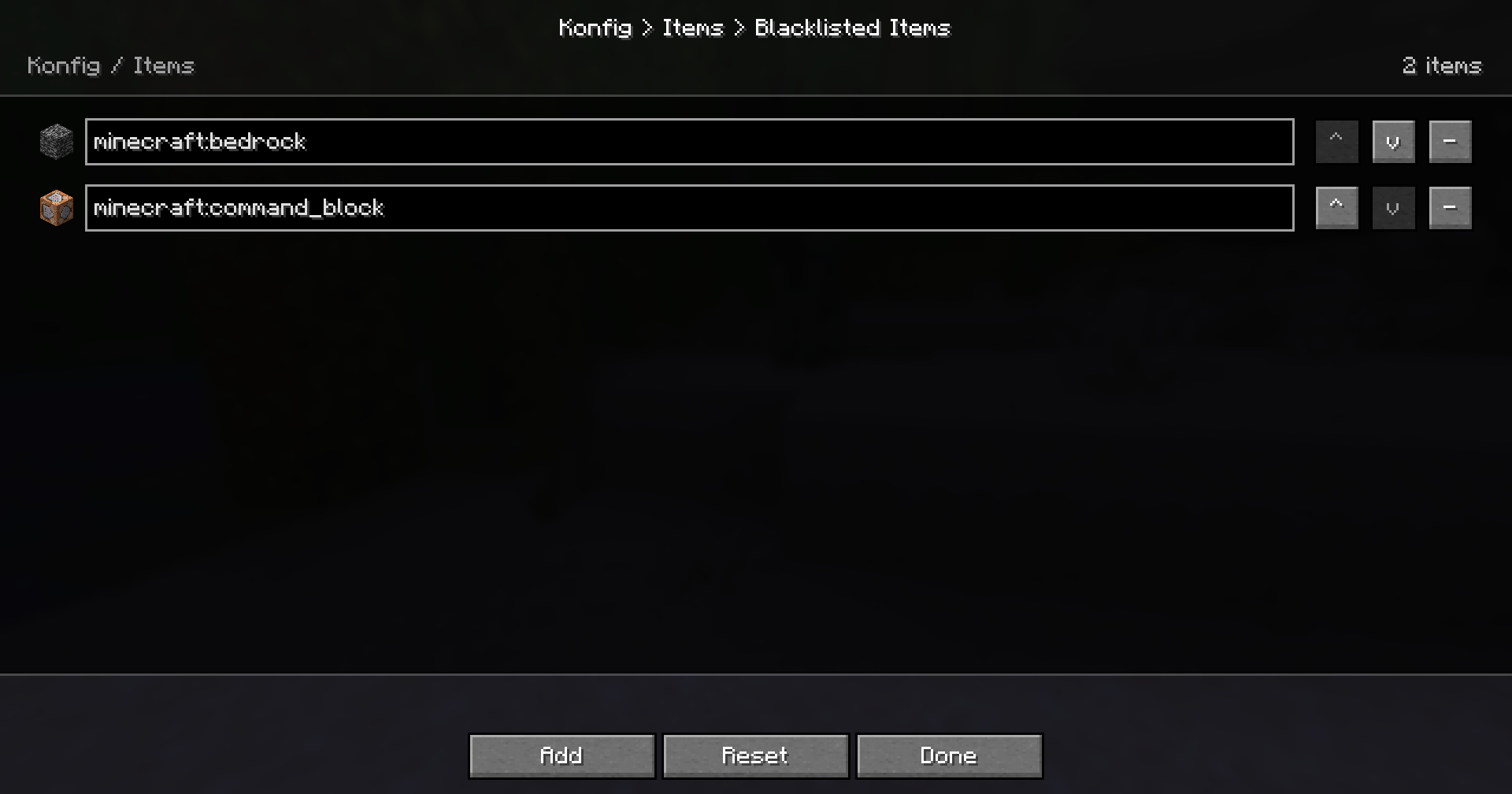
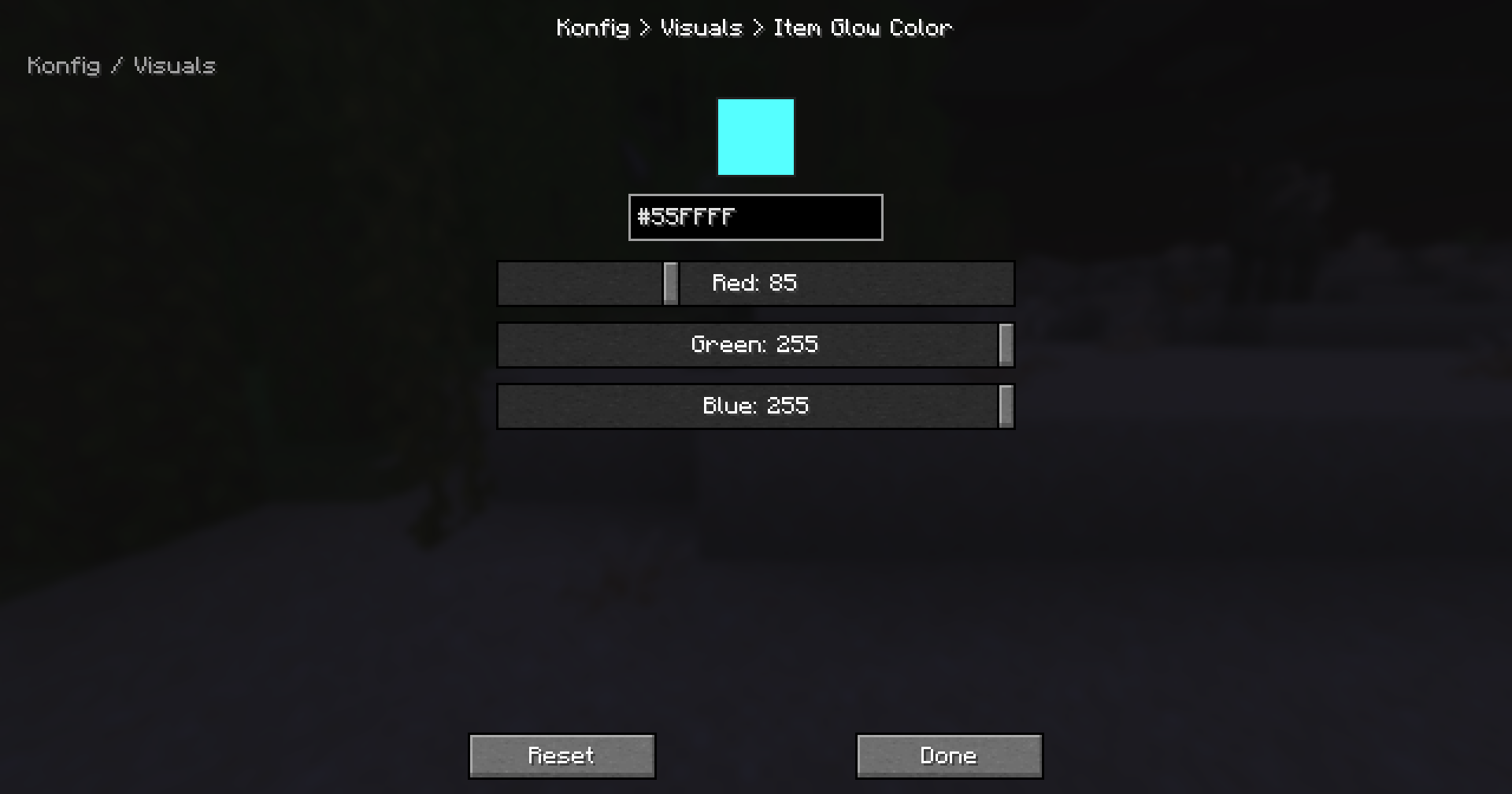
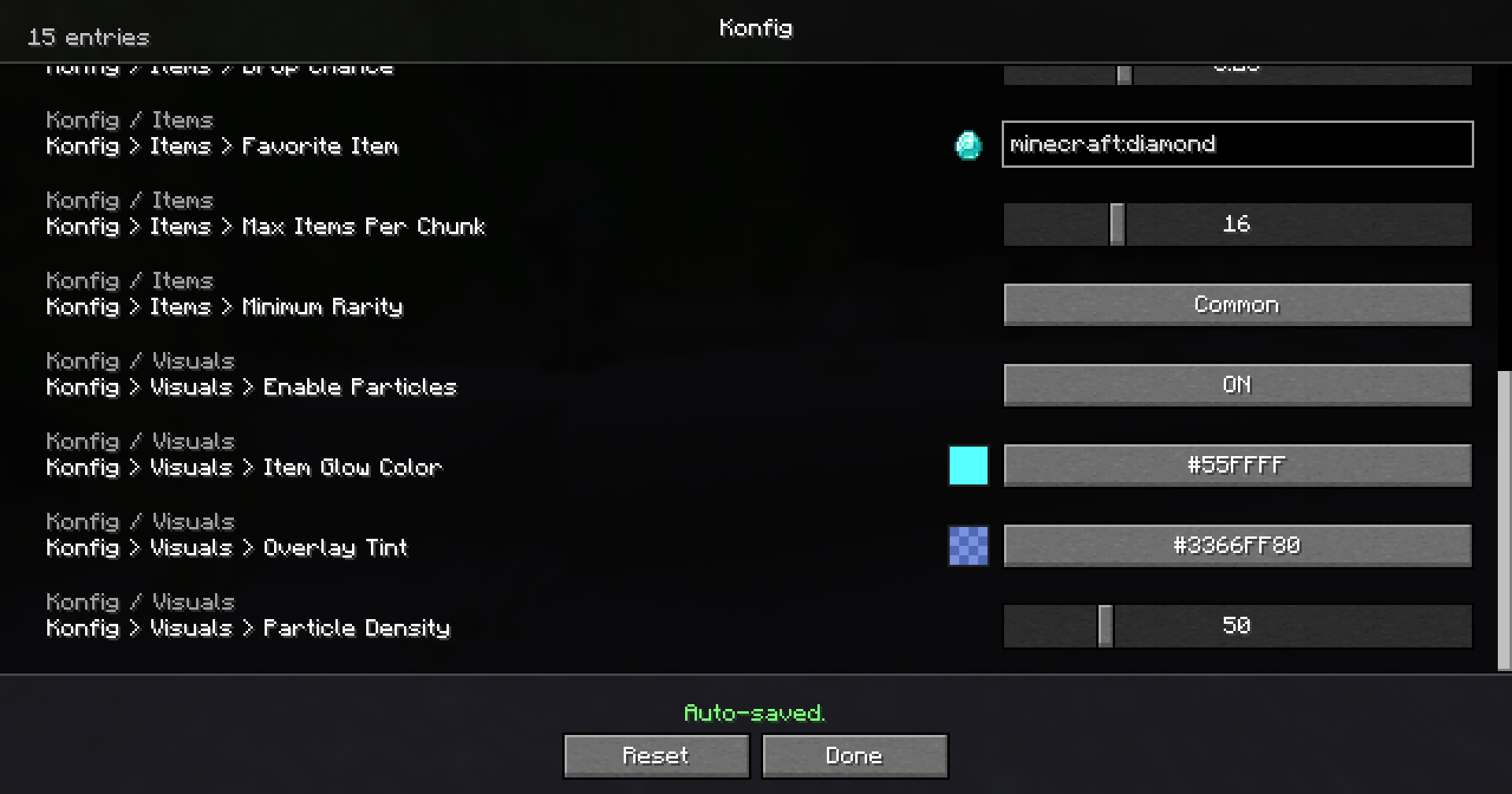
Supported Versions
Konfig 0.3.0 supports every Minecraft line from 1.14.4 through 26.1.2.
- Fabric starts at
1.14.4 - Forge starts at
1.16.5 - NeoForge starts at
1.21.1
Konfig uses one semantic release across supported Minecraft lines. The +<mc> suffix tells you which Minecraft version the artifact targets, for example 0.3.0+1.21.11 or 0.3.0+26.1.2.
Quick Example
import com.iamkaf.konfig.api.v1.ConfigBuilder;
import com.iamkaf.konfig.api.v1.ConfigHandle;
import com.iamkaf.konfig.api.v1.ConfigScope;
import com.iamkaf.konfig.api.v1.ConfigValue;
import com.iamkaf.konfig.api.v1.Konfig;
import com.iamkaf.konfig.api.v1.RestartRequirement;
import com.iamkaf.konfig.api.v1.SyncMode;

public final class ExampleConfig {
    public static final ConfigHandle HANDLE;
    public static final ConfigValue<Boolean> ENABLED;
    public static final ConfigValue<Integer> RANGE;

    static {
        ConfigBuilder builder = Konfig.builder("examplemod", "common")
                .scope(ConfigScope.COMMON)
                .syncMode(SyncMode.LOGIN)
                .comment("Example mod config")
                .info(info -> info
                        .header("Example Mod")
                        .inlineText("These settings control shared gameplay behavior.")
                        .url("Documentation", "https://example.invalid/docs"));

        builder.header("Example Mod Settings");
        builder.inlineText("These entries are saved automatically.");
        builder.url("Documentation", "https://example.invalid/docs");

        builder.push("general");
        builder.categoryComment("General gameplay tuning");
        builder.categoryTooltip("General gameplay tuning");
        builder.categoryInfo(info -> info
                .header("General")
                .inlineText("Values in this section affect the whole mod."));

        ENABLED = builder.bool("enabled", true)
                .comment("Master toggle")
                .tooltip("Enable example mod features")
                .sync(true)
                .info(info -> info
                        .header("Master Toggle")
                        .inlineText("Turns the main feature set on or off."))
                .build();

        RANGE = builder.intRange("range", 8, 1, 64)
                .comment("Effect radius")
                .tooltip("Controls the effect radius in blocks")
                .sync(true)
                .restart(RestartRequirement.WORLD)
                .build();

        builder.pop();
        HANDLE = builder.build();
    }
}
Use ConfigValue#get() when reading a value and ConfigValue#set(value) when changing it programmatically.
Comments are written to TOML. Generated-screen hover text is explicit through tooltip(...) and richer info(...) content, so your config files and UI help can say different things when needed.
Dependencies
Add the Kaf Maven repository:
repositories {
    maven { url = "https://maven.kaf.sh" }
}
Use the loader artifact for the Minecraft line you target:
modImplementation "com.iamkaf.konfig:konfig-fabric:<version>"
modImplementation "com.iamkaf.konfig:konfig-forge:<version>"
modImplementation "com.iamkaf.konfig:konfig-neoforge:<version>"
Do not depend on Konfig common directly. Use the loader-specific artifact.
Help Translate Konfig
Want to help translate this mod into your language? Join the community translation project:
🇺🇸 🇪🇸 🇧🇷 🇫🇷 🇩🇪 🇷🇺 🇹🇷 🇯🇵 🇰🇷 🇨🇳
Q&A
Q: Where can I ask something that is not listed here?
A: Make an issue here or join the Discord and shoot me a message.
Q: Can you port it to [MC version/Mod loader]?
A: If enough people request it I'll give it some time, but this really is a 1-man team so it might take a while.
Q: Can I include it in my modpack?
A: Yes, no need to give credit or ask.
More mods by me
 Bonded |
 Kaf's Valentine Special |
 Liteminer |
 Mochila |
 Torch Toss |
Available Versions
How to Install Konfig on Your Server
Order Server
Order a Minecraft Java server with at least 3 GB RAM (4 GB recommended).
Set fabric Loader
In the panel under "Egg", select the fabric loader and matching Minecraft version (26.2).
Install Mod
Open the mod browser in the dashboard and search for "Konfig". Click "Install" – done! Alternatively, upload the .jar via SFTP to the /mods folder.
Compatibility
Mod Loaders
Minecraft Versions
26.2, 26.1.2, 26.1.1 (+40 more)
Server-side
✗ UnsupportedRecommended RAM
4 GB(min. 3 GB)Frequently Asked Questions
Konfig server crashes on startup – what to do?
Most common cause: wrong fabric version or insufficient RAM. Check the server log (latest.log) for "OutOfMemoryError" or "Mixin" errors. With Mado Hosting: ensure at least 3 GB RAM is allocated and the loader matches the mod version (26.2). You can switch loaders with one click in the panel.
Is Konfig compatible with fabric and forge and neoforge?
Konfig officially supports fabric, forge, neoforge for Minecraft 26.2, 26.1.2, 26.1.1. Note: Forge and Fabric mods are NOT cross-compatible – pick one loader and stick with it. The Mado dashboard automatically detects incompatible loader combinations.
Server lagging with Konfig – how to optimize performance?
Recommended RAM: 4 GB (per 8 players). Use /spark profiler to check if Konfig consumes the most tick time. Common fixes: reduce server view-distance to 8-10, install "performant" or "starlight" as supplementary mods on Forge. With Mado Hosting, your server runs on NVMe SSDs with dedicated CPU cores for minimal latency.
Similar Mods




![[ETF] Entity Texture Features](https://cdn.modrinth.com/data/BVzZfTc1/af683d206d50b05258d865b0d6e4aa2f2cee12f2_96.webp)
![[EMF] Entity Model Features](https://cdn.modrinth.com/data/4I1XuqiY/6e5bbd0d06b1741bfdab6c0cfab6de8fdaf0064c_96.webp)
Rent Modded Server
Install Konfig with just one click on your server.