
Lag Removal
Easily Clear and configure entity server lag
Screenshots
About this Mod
What Does This Mod Do?
This mod helps reduce server lag caused by excessive entities on your Minecraft Fabric server. It includes an automated clear-lag system that periodically removes loaded entities to improve server performance and stability.
The mod also supports configurable warnings, automatic cleanup intervals, and a customizable entity blacklist to prevent important entities from being removed.
Commands
The mod currently includes 4 commands:
/killall
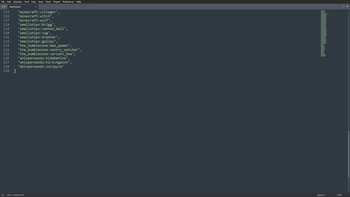
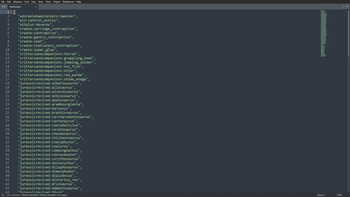
Instantly removes all loaded entities across the server, excluding any entities added to the blacklist./lr-blacklist-add [entity]
Adds a specified entity to the blacklist so it will not be removed during cleanup./lr-blacklist-remove [entity]
Removes a specified entity from the blacklist./lr-config-reload
Reloads the mod configuration and blacklist files without requiring a server restart.
Configuration Files
The mod configuration files are located in:
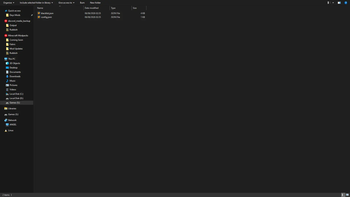
config/Lag Removal/
Inside this folder you will find:
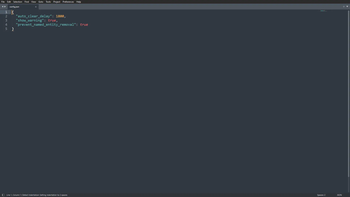
config.json— Main configuration file
Using this file, you can:
- Change the delay between automatic cleanup executions
- Enable or disable warning messages before cleanup
- Prevent named entities from being removed, even if they are not blacklisted
Supported Minecraft Version
This version is currently built for:
- Minecraft Fabric
1.20.1
- Minecraft Fabric
1.21.5
Does Every Player Need the Mod Installed?
No. This is a server-side only mod.
Only the server needs to have the mod installed for it to function. Players can join normally without installing anything client-side.
The mod can technically run in singleplayer, but it is primarily designed for multiplayer server environments.
Installation
- Download the mod
.jarfile - Place it into your server’s
modsfolder - Start or restart the server
The mod will automatically generate its configuration files on first launch.
Credits
This mod is based on the original Lag Removal mod created by SWDTeam.
Original project page: Lag Removal on CurseForge
Please support the original creators and their work.
Important Information
This mod is designed specifically for multiplayer Fabric servers to help manage entity-related lag and improve overall server performance.
Always review your blacklist and configuration settings before running automatic cleanup tasks to avoid removing important entities.
If you would like to see a feature added to this mod or any of our other mods, feel free to hit us up on our Discord server.
Available Versions
How to Install Lag Removal on Your Server
Order Server
Order a Minecraft Java server with at least 3 GB RAM (4 GB recommended).
Set fabric Loader
In the panel under "Egg", select the fabric loader and matching Minecraft version (1.21.5).
Install Mod
Open the mod browser in the dashboard and search for "Lag Removal". Click "Install" – done! Alternatively, upload the .jar via SFTP to the /mods folder.
Compatibility
Mod Loaders
Minecraft Versions
1.21.5, 1.20.1
Server-side
✓ RequiredRecommended RAM
4 GB(min. 3 GB)Frequently Asked Questions
Lag Removal server crashes on startup – what to do?
Most common cause: wrong fabric version or insufficient RAM. Check the server log (latest.log) for "OutOfMemoryError" or "Mixin" errors. With Mado Hosting: ensure at least 3 GB RAM is allocated and the loader matches the mod version (1.21.5). You can switch loaders with one click in the panel.
Is Lag Removal compatible with fabric?
Lag Removal officially supports fabric for Minecraft 1.21.5, 1.20.1. The Mado dashboard automatically detects incompatible loader combinations.
Server lagging with Lag Removal – how to optimize performance?
Recommended RAM: 4 GB (per 8 players). Use /spark profiler to check if Lag Removal consumes the most tick time. Common fixes: reduce server view-distance to 8-10, install "performant" or "starlight" as supplementary mods on Forge. With Mado Hosting, your server runs on NVMe SSDs with dedicated CPU cores for minimal latency.
Similar Mods




![[ETF] Entity Texture Features](https://cdn.modrinth.com/data/BVzZfTc1/af683d206d50b05258d865b0d6e4aa2f2cee12f2_96.webp)
![[EMF] Entity Model Features](https://cdn.modrinth.com/data/4I1XuqiY/6e5bbd0d06b1741bfdab6c0cfab6de8fdaf0064c_96.webp)
Rent Modded Server
Install Lag Removal with just one click on your server.