
LandOfSignals (Railroad Signal Mod)
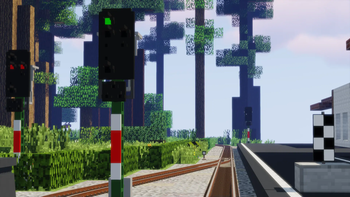
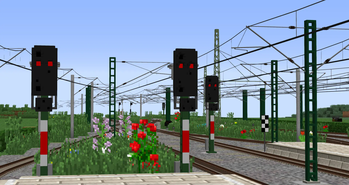
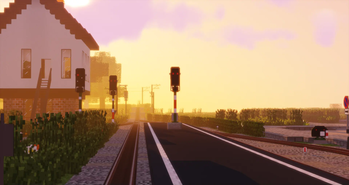
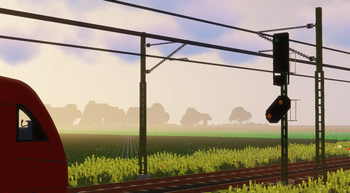
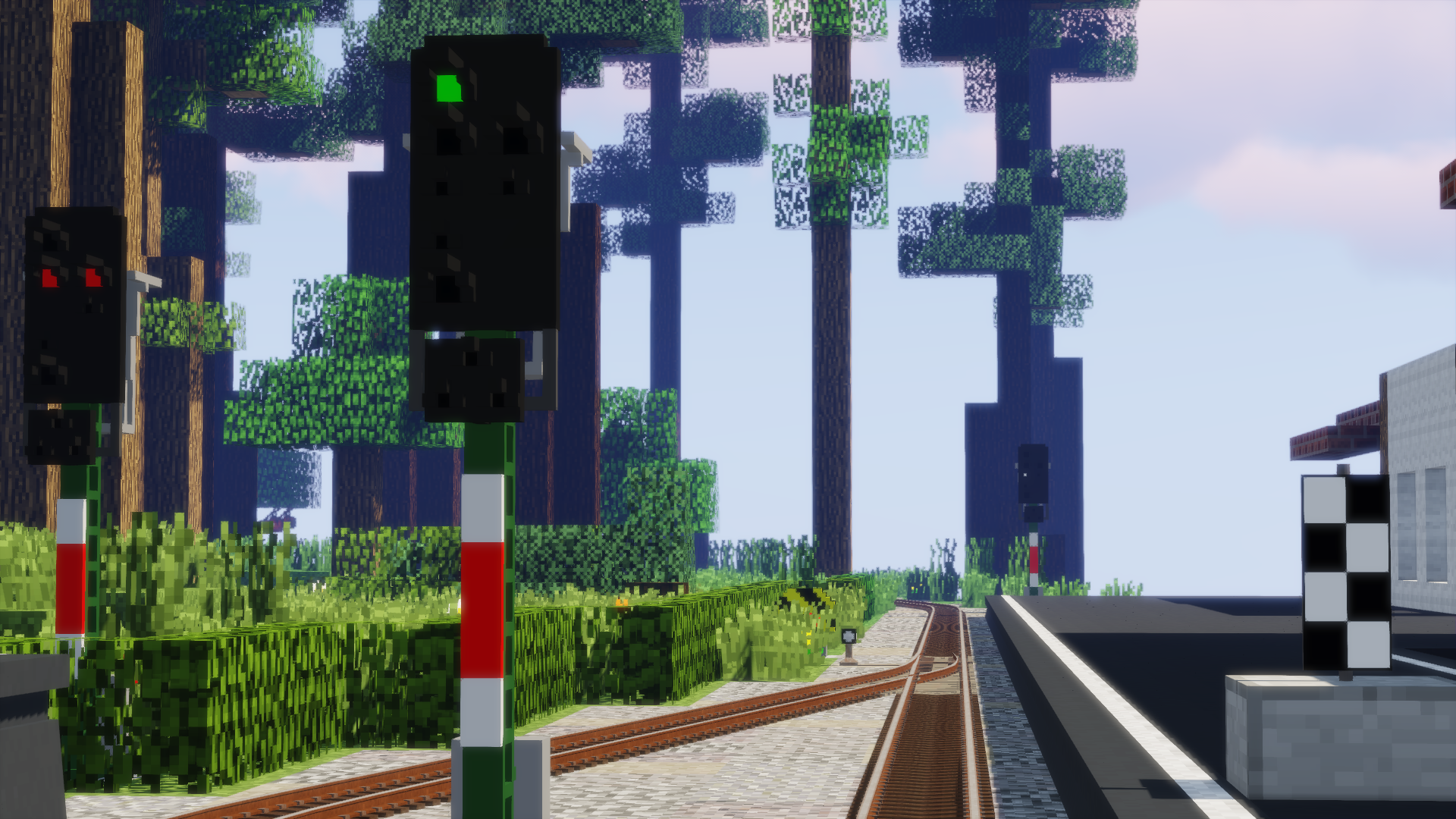
Adds many different railroading signals.
Screenshots
About this Mod
LandOfSignals
Currently accepted Minecraft versions: 1.7.10, 1.10.2 - 1.16.5
This mod adds many different railroad signals, as well as railroad assets from different countries.
 Requires Universal Mod
Core
Join our Discord! You'll find exciting content packs and we'll keep you up to date.

Please note:
- The mod is still work in progress! Bugs can not be ruled out.
- We generally recommend to make a backup of the world before each update.
- Some performance settings are not yet perfect.
- We are always very happy to receive feedback!
Usage
- Select a signal from the signals tab
- Place the signal at the desired location
- Place the "Signal box" in any location
- Take the "Connector tool", right click on a signal and connect with a right click the box with the placed signal
- Open the GUI with a right click on the box and select the desired signal image
- Control the signal with a redstone signal to the signal box
Compatibility
The mod is compatible with all existing railroad mods. This is made possible by addressing the signals with a universal
signal box. When this gets a redstone signal the displayed signal image changes. In addition, you can determine the
signal height independently, because you assemble the signals themselves / put on top of each other. Thus the height can
be adapted to e.g. Traincraft
and Zora no Densha, but also
to Immersive Railroading
and Real Train Mod.
Custom content
Yes! You can create and add your own signals.
You can find a list of all available content-packs and the latest updates of already existing ones on
our Discord in the #content-packs channel.
Here you will learn how to create your own signals.
List of known content packs (as of 06.05.2023)
- German KS Signals Pack (by Skyman_Luna#2484)
- German Hv Signals (by Skyman_Luna#2484)
- German Sperrsignal Pack (by Skyman_Luna#2484)
- Danish Signals Pack (by Mr. J.#1997)
- UK Signals Pack (by Oxalin#3020)
- Synicate's Northeast Foamer Pack (by Syndicate909#0141)
- H/V Kompaktsignale (by poizzy#9594)
- Non-functioning german "Formsignale" (by ZusiTrainSim#4365)
- SBB Voxel Signals (by SebastianD334#0024)
- SBB Voxel Signal Extras (by SebastianD334#0024)
Please note that the mod is still quite new, so not many packs exist yet. Especially therefore we would be very happy if
you feel like creating your own pack!
How do I use content packs?
Client & Server: After the first start the folder "landofsignals" is created in the "config" folder ( MINECRAFT_FOLDER/config/landofsignals). Put your signalpack in there and start the game. The pack will be loaded
automatically. Please note that both server and client must have the pack.
Modpack & Server
Everybody is allowed to use this mod in any modpack and server you want, I really don't care, have fun :)
And I mean it's also great for us if you use our mod, that makes us very happy! Whether everyone downloads it via Curseforge or through a modpack is relatively unimportant to me, even if the download counter remains somewhat lower here, who cares.
Available Versions
How to Install LandOfSignals (Railroad Signal Mod) on Your Server
Order Server
Order a Minecraft Java server with at least 3 GB RAM (4 GB recommended).
Set forge Loader
In the panel under "Egg", select the forge loader and matching Minecraft version (1.16.5).
Install Mod
Open the mod browser in the dashboard and search for "LandOfSignals (Railroad Signal Mod)". Click "Install" – done! Alternatively, upload the .jar via SFTP to the /mods folder.
Compatibility
Mod Loaders
Minecraft Versions
1.16.5, 1.16.4, 1.15.2 (+5 more)
Server-side
✓ RequiredRecommended RAM
4 GB(min. 3 GB)Frequently Asked Questions
LandOfSignals (Railroad Signal Mod) server crashes on startup – what to do?
Most common cause: wrong forge version or insufficient RAM. Check the server log (latest.log) for "OutOfMemoryError" or "Mixin" errors. With Mado Hosting: ensure at least 3 GB RAM is allocated and the loader matches the mod version (1.16.5). You can switch loaders with one click in the panel.
Is LandOfSignals (Railroad Signal Mod) compatible with forge?
LandOfSignals (Railroad Signal Mod) officially supports forge for Minecraft 1.16.5, 1.16.4, 1.15.2. The Mado dashboard automatically detects incompatible loader combinations.
Server lagging with LandOfSignals (Railroad Signal Mod) – how to optimize performance?
Recommended RAM: 4 GB (per 8 players). Use /spark profiler to check if LandOfSignals (Railroad Signal Mod) consumes the most tick time. Common fixes: reduce server view-distance to 8-10, install "performant" or "starlight" as supplementary mods on Forge. With Mado Hosting, your server runs on NVMe SSDs with dedicated CPU cores for minimal latency.
Similar Mods

![[ETF] Entity Texture Features](https://cdn.modrinth.com/data/BVzZfTc1/af683d206d50b05258d865b0d6e4aa2f2cee12f2_96.webp)
![[EMF] Entity Model Features](https://cdn.modrinth.com/data/4I1XuqiY/6e5bbd0d06b1741bfdab6c0cfab6de8fdaf0064c_96.webp)



Rent Modded Server
Install LandOfSignals (Railroad Signal Mod) with just one click on your server.