
LanguageFixer
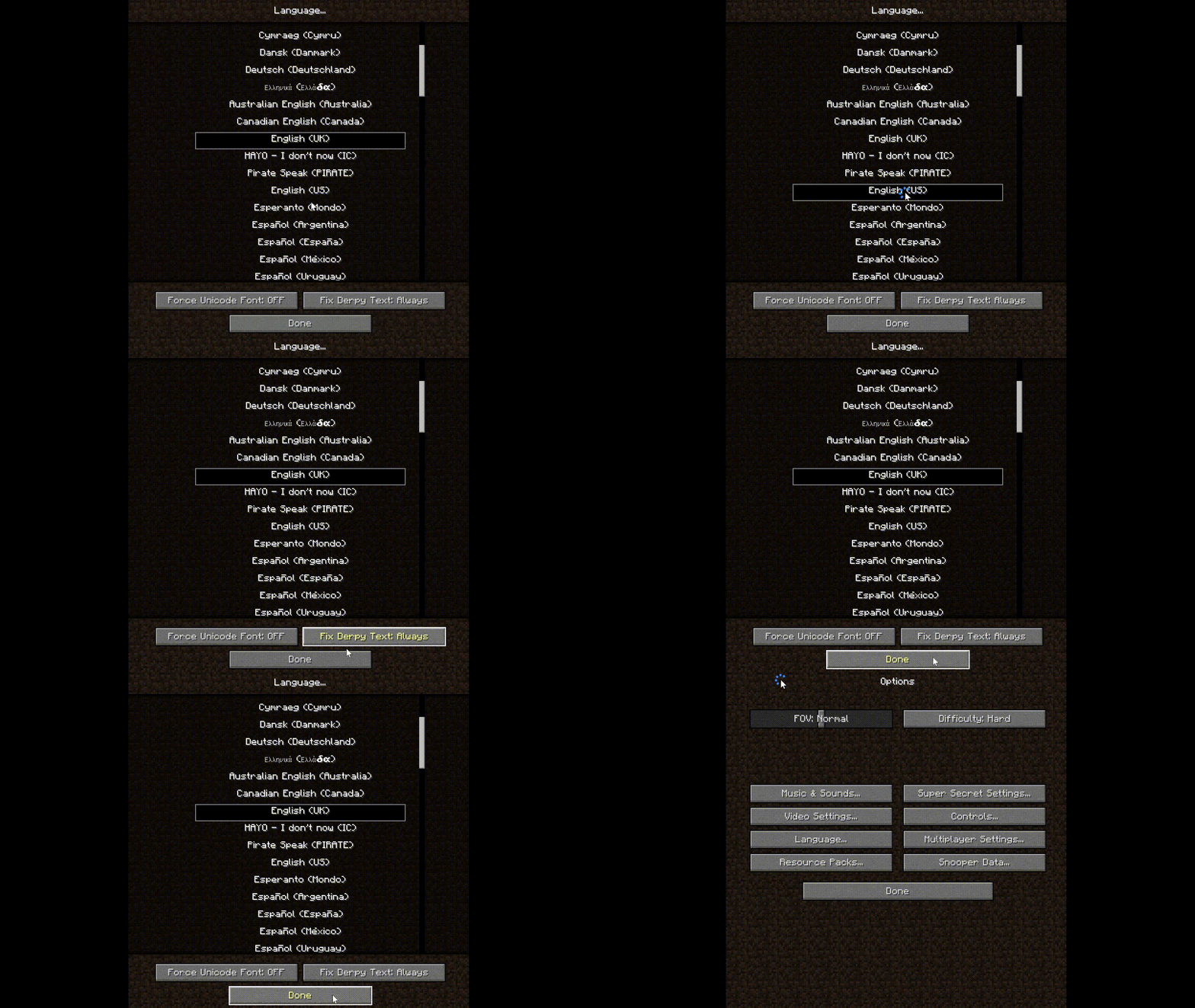
This mod fixed minecraft language change logic: Cilck "Done" is the start to reload
Screenshots
About this Mod
LanguageFixer
A small mod focused on fixing the language selection UX in Minecraft.
What problem does this solve?
In vanilla Minecraft, the language menu behaves in an extremely inconvenient way:
- You click a language by accident.
- Minecraft immediately starts reloading the language resources.
- In a heavily modded environment, language loading can take a very long time.
- If you misclick multiple times, you are forced to wait through multiple full reloads.
This becomes especially painful in large modpacks where resource and language initialization is slow.
What does LanguageFixer change?
LanguageFixer changes the language menu logic:
- Clicking a language no longer instantly reloads the game language.
- The selected language is only applied after pressing the Done button.
- You can freely browse or correct accidental clicks without triggering repeated reloads.
Result
- No more accidental multi-second or multi-minute reloads.
- Much better experience in large modpacks.
- Language selection finally behaves like a normal settings menu.
Before
- Click wrong language.
- Game immediately reloads.
- Wait.
- Click again.
- Reload again.
- Repeat suffering.
After
- Click languages freely.
- Nothing reloads immediately.
- Press Done when finished.
- Only one reload happens.
Demonstrate
The animated picture is cut out the unnecessary portions of long waiting periods.
Spoiler
Compatibility
Designed primarily for heavily modded Minecraft environments where language reload times are significant.
Available Versions
How to Install LanguageFixer on Your Server
Order Server
Order a Minecraft Java server with at least 3 GB RAM (4 GB recommended).
Set forge Loader
In the panel under "Egg", select the forge loader and matching Minecraft version (1.7.10).
Install Mod
Open the mod browser in the dashboard and search for "LanguageFixer". Click "Install" – done! Alternatively, upload the .jar via SFTP to the /mods folder.
Compatibility
Mod Loaders
Minecraft Versions
1.7.10
Server-side
✗ UnsupportedRecommended RAM
4 GB(min. 3 GB)Frequently Asked Questions
LanguageFixer server crashes on startup – what to do?
Most common cause: wrong forge version or insufficient RAM. Check the server log (latest.log) for "OutOfMemoryError" or "Mixin" errors. With Mado Hosting: ensure at least 3 GB RAM is allocated and the loader matches the mod version (1.7.10). You can switch loaders with one click in the panel.
Is LanguageFixer compatible with forge?
LanguageFixer officially supports forge for Minecraft 1.7.10. The Mado dashboard automatically detects incompatible loader combinations.
Server lagging with LanguageFixer – how to optimize performance?
Recommended RAM: 4 GB (per 8 players). Use /spark profiler to check if LanguageFixer consumes the most tick time. Common fixes: reduce server view-distance to 8-10, install "performant" or "starlight" as supplementary mods on Forge. With Mado Hosting, your server runs on NVMe SSDs with dedicated CPU cores for minimal latency.
Similar Mods




![[ETF] Entity Texture Features](https://cdn.modrinth.com/data/BVzZfTc1/af683d206d50b05258d865b0d6e4aa2f2cee12f2_96.webp)
![[EMF] Entity Model Features](https://cdn.modrinth.com/data/4I1XuqiY/6e5bbd0d06b1741bfdab6c0cfab6de8fdaf0064c_96.webp)
Rent Modded Server
Install LanguageFixer with just one click on your server.