
Legacy OptiFabric
OptiFabric for Legacy Fabric (1.3.1 to 1.13.2) and Ornithe (b1.7.3 to 1.14.4)
Screenshots
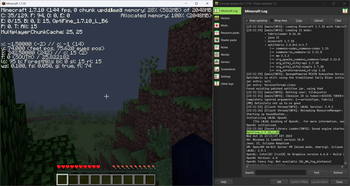
About this Mod
for mcsr: use mods.tildejustin.dev
If you're looking for OptiFabric for 1.14 to 1.15.2 for regular Fabric instead of Ornithe, check out OptiFabric Origins
Legacy OptiFabric
OptiFabric for Legacy Fabric (1.3.1-1.13.2) and Ornithe (b1.7.3-1.14.4)
- Legacy Fabric installer and official MultiMC instances: https://legacyfabric.net/downloads.html
- Ornithe installer (can generate MultiMC instances): https://ornithemc.net
- Legal speedrunning MultiMC instances for Ornithe and Legacy Fabric (vanilla LWJGL, no extra libraries or mods): Minecraft-Java-Edition-Speedrunning/legacy-fabric-instance-generator/releases
based on the work of RedLime's OptiFabric-Pre1.14, a fork of hYdos's OptiFabric 1.8.9 which
in turn is a derivative of modmuss' original OptiFabric
installing
this mod requires an optifine jar in the mods folder alongside optifabric. for 1.7.2 and onwards this can be sourced
from OptiFine's official website, and older versions these can be retrieved either
from SpeedyCube64's Pre-1.9 Optifine Archive or on
the OptiFine history thread.
how it works
this mod uses Minecraft-Java-Edition-Speedrunning/fabric-asm, a minor derivative
of Cat Core's Fabric-ASM/no-guava which itself is an updated version
of Chocohead's fabric-asm. fabric asm allows more extreme asm modification and the fork used has no dependency on guava or apache
commons, which older minecraft versions don't provide.
steps
- the mod looks for an optifine installer or mod jar or zip in the current mods folder
- if it finds an installer jar it runs the extract task in its own throwaway classloader
- the optifine mod jar is a set of classes that need to replace the ones that minecraft provides
- optifine's replacement classes change the name of some lambda methods, so it take a good guess at the old name (using the original minecraft jar)
- remap optifine to intermediary
- move the patched classes out as they won't do much good on the classpath twice
- add optifine to the classpath
- register the patching tweaker for every class that needs replacing
- replace the target class with the class that was extracted, also do some more fixes to it, and make it public (due to access issues)
- hope it works
notes
- this mod does not really work in dev or named environments. In Legacy Fabric's case the yarn builds are corrupted in some versions so this cannot work atm, feather is better but still has issues.
- the accessWideners are created based on the output of tiny remapper's checkPackageAccess option, but they are unlikely to ever be 100% complete. if you have a crash that has to do with and invalid access, report it and it may be able to be fixed.
class excluder
this is a kind of hidden feature that is occasionally useful to remove files when remapping the jar. to do this, it reads the optifabric-excluded-classes.json file
in .minecraft/config/ if it exists, and expects the file to contain a mapping of versions (field names) to an array of removable classes (or textures or anything else, it's just
a filename).
an example file contents to revert the removal of the profiler for 1.3.2 light is provided below. if the optifine version you are trying to make an excluder extry for has already
been loaded before in your instance, delete its folder in the .optifine folder in .minecraft to force a recache.
{
  "OptiFine_1.3.2_L_B2": [
    "ik.class"
  ]
}
Available Versions
How to Install Legacy OptiFabric on Your Server
Order Server
Order a Minecraft Java server with at least 3 GB RAM (4 GB recommended).
Set legacy-fabric Loader
In the panel under "Egg", select the legacy-fabric loader and matching Minecraft version (1.14.4).
Install Mod
Open the mod browser in the dashboard and search for "Legacy OptiFabric". Click "Install" – done! Alternatively, upload the .jar via SFTP to the /mods folder.
Compatibility
Mod Loaders
Minecraft Versions
1.14.4, 1.14.3, 1.14.2 (+62 more)
Server-side
✗ UnsupportedRecommended RAM
4 GB(min. 3 GB)Frequently Asked Questions
Legacy OptiFabric server crashes on startup – what to do?
Most common cause: wrong legacy-fabric version or insufficient RAM. Check the server log (latest.log) for "OutOfMemoryError" or "Mixin" errors. With Mado Hosting: ensure at least 3 GB RAM is allocated and the loader matches the mod version (1.14.4). You can switch loaders with one click in the panel.
Is Legacy OptiFabric compatible with legacy-fabric and ornithe?
Legacy OptiFabric officially supports legacy-fabric, ornithe for Minecraft 1.14.4, 1.14.3, 1.14.2. The Mado dashboard automatically detects incompatible loader combinations.
Server lagging with Legacy OptiFabric – how to optimize performance?
Recommended RAM: 4 GB (per 8 players). Use /spark profiler to check if Legacy OptiFabric consumes the most tick time. Common fixes: reduce server view-distance to 8-10, install "performant" or "starlight" as supplementary mods on Forge. With Mado Hosting, your server runs on NVMe SSDs with dedicated CPU cores for minimal latency.
Similar Mods


Rent Modded Server
Install Legacy OptiFabric with just one click on your server.