
Legacy Input Patch
A mixin patch like InputFix that lets players input multi-byte characters (like Chinese, Korean and Japanese) ingame for Legacy Fabric.
Screenshots
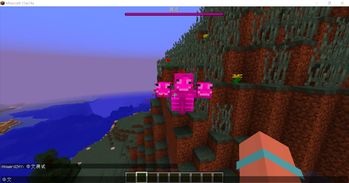
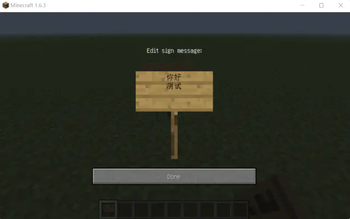
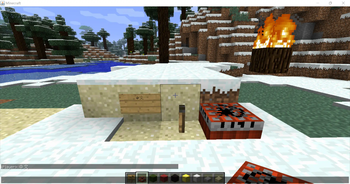
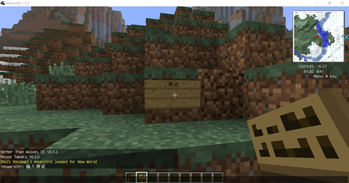
About this Mod
A mixin patch like InputFix that lets players input multi-byte characters (like Chinese, Korean and Japanese) ingame for Legacy Fabric.
Supports 1.3.2, 1.4.0-1.4.3, 1.4.4-1.4.7, 1.5.X and April Fools 2.0, 1.6.1-1.6.2, 1.6.3-1.6.4, 1.7.10-1.8.9 and 15w14a.
and 1.5.2 Cursed Fabric BTW CE.
Only need Fabric Loader.
The versions for 1.6.4 and below also include a sign input patch. You must install it on Serverside if you want signs with multi-byte characters texts in your -1.6.4 LF server.
Notice
This mod might no longer updated, as most versions were done.
Why there's no 1.7.X : Legacy Fabric's 1.7-1.7.8's mappings are very corrupt, and LF 1.7.9 can't even launch. Send me a github issue if you really want 1.7.2 one.
1.7-1.7.9 Compact:
1.7.X (1.7.0-1.7.9) LF Intermediary mappings can be fixed by https://github.com/HowardZHY/Legacy-Intermediaries/tree/master/mappings. Delete .fabric folder and use a zip software to open .minecraft/libraries/net/fabricmc or legacyfabric/intermediary/[version]/intermediary-1.7..jar, there's a mapping folder in it, download the one from github and rename it to mappings.tiny to replace the one in the mappings folder in the intermediary-1.7..jar then launch the game.
50 Downloads 22.11.25
100 Downloads 23.01.14
200 Downloads 23.04.21
Available Versions
How to Install Legacy Input Patch on Your Server
Order Server
Order a Minecraft Java server with at least 3 GB RAM (4 GB recommended).
Set legacy-fabric Loader
In the panel under "Egg", select the legacy-fabric loader and matching Minecraft version (1.8.9).
Install Mod
Open the mod browser in the dashboard and search for "Legacy Input Patch". Click "Install" – done! Alternatively, upload the .jar via SFTP to the /mods folder.
Compatibility
Mod Loaders
Minecraft Versions
1.8.9, 1.8.8, 1.8.7 (+34 more)
Server-side
~ OptionalRecommended RAM
4 GB(min. 3 GB)Frequently Asked Questions
Legacy Input Patch server crashes on startup – what to do?
Most common cause: wrong legacy-fabric version or insufficient RAM. Check the server log (latest.log) for "OutOfMemoryError" or "Mixin" errors. With Mado Hosting: ensure at least 3 GB RAM is allocated and the loader matches the mod version (1.8.9). You can switch loaders with one click in the panel.
Is Legacy Input Patch compatible with legacy-fabric?
Legacy Input Patch officially supports legacy-fabric for Minecraft 1.8.9, 1.8.8, 1.8.7. The Mado dashboard automatically detects incompatible loader combinations.
Server lagging with Legacy Input Patch – how to optimize performance?
Recommended RAM: 4 GB (per 8 players). Use /spark profiler to check if Legacy Input Patch consumes the most tick time. Common fixes: reduce server view-distance to 8-10, install "performant" or "starlight" as supplementary mods on Forge. With Mado Hosting, your server runs on NVMe SSDs with dedicated CPU cores for minimal latency.
Similar Mods




Rent Modded Server
Install Legacy Input Patch with just one click on your server.