
Legacy VanillaFix
A port of Runemoro's VanillaFix to Legacy Fabric 1.8.9
Screenshots
About this Mod
This mod does not require the Legacy Fabric API, but it is recommended you have the Resource Loader and Crash Report Info parts of the API installed.
Legacy VanillaFix
A port of Runemoro's VanillaFix to Legacy Fabric with a few extras
Features:
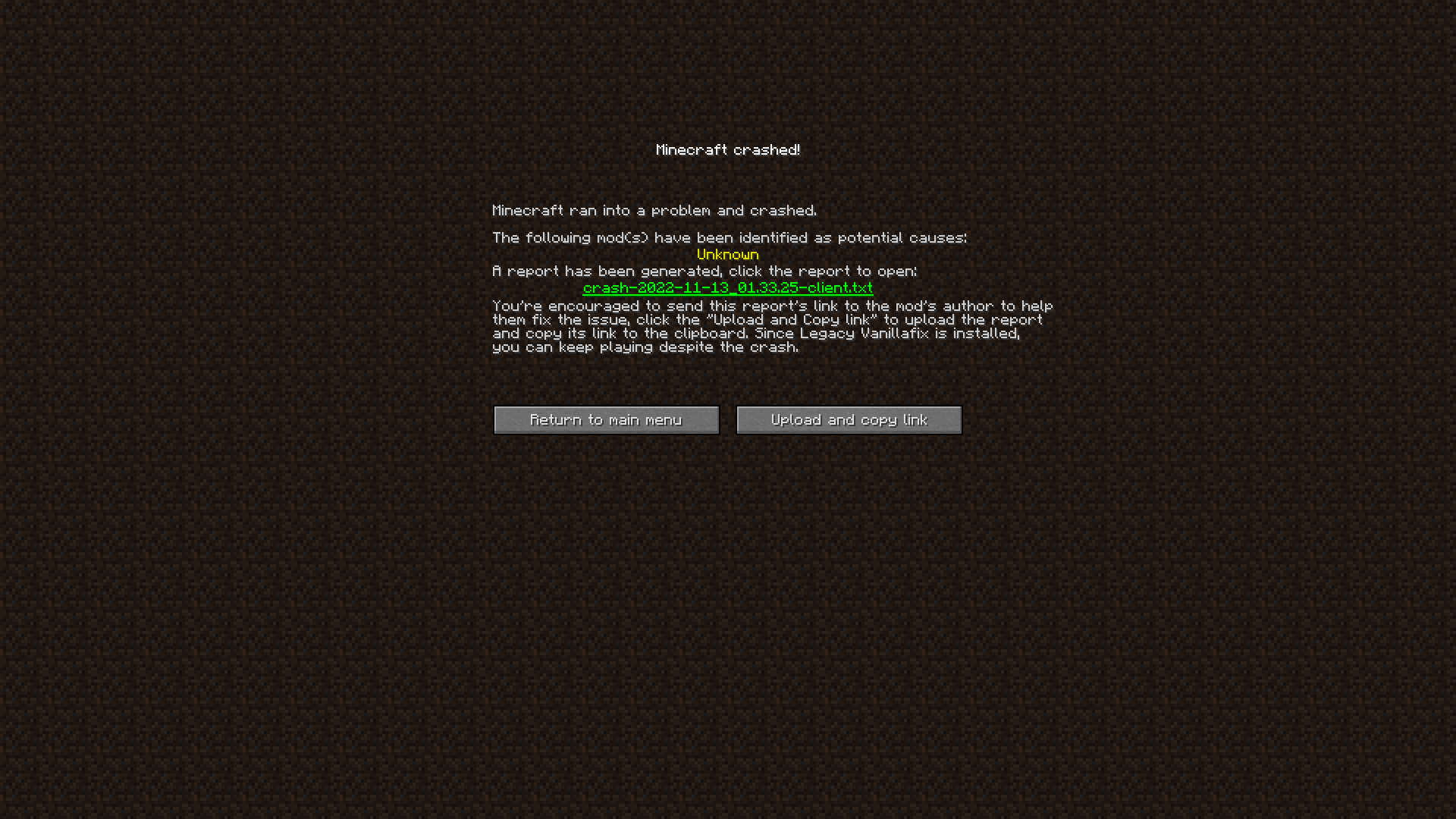
Better Crashes: Minecraft will no longer fully crash, but rather will redirect you to a menu where you can choose to:
- Go back to the main menu
- Upload the crash report to a paste website
Catch crashes during startup: Minecraft will still start even if a fatal error was thrown by a mod,
unfortunately you can't play, but a menu will tell you which mod caused the crash.Faster interdimensional teleportation
Particle culling
The ability to open GUIs in nether portals
Disable loading spawn chunks for faster load times
Thirdperson camera passes throught non-solid objects
Pressing F11 (fullscreen toggle) will save fullscreen setting in options
Allows semi-transparent pixels on skins to properly render
Fixes the sky darkening when the player stands inside a block
Fixes the player hand glitching out when riding an entity.
Planned Features
Smart Animations option(just use Optifine, this feature is discontinued in this mod)
Credits
Mod Identification code for crashes is from Not Enough Crashes
Fullscreen option not saving fix is from Borderless Mining
This mod used to include the entirety of MixinTrace
Available Versions
How to Install Legacy VanillaFix on Your Server
Order Server
Order a Minecraft Java server with at least 3 GB RAM (4 GB recommended).
Set fabric Loader
In the panel under "Egg", select the fabric loader and matching Minecraft version (1.8.9).
Install Mod
Open the mod browser in the dashboard and search for "Legacy VanillaFix". Click "Install" – done! Alternatively, upload the .jar via SFTP to the /mods folder.
Compatibility
Mod Loaders
Minecraft Versions
1.8.9, 1.8.8, 1.8.7 (+7 more)
Server-side
~ OptionalRecommended RAM
4 GB(min. 3 GB)Frequently Asked Questions
Legacy VanillaFix server crashes on startup – what to do?
Most common cause: wrong fabric version or insufficient RAM. Check the server log (latest.log) for "OutOfMemoryError" or "Mixin" errors. With Mado Hosting: ensure at least 3 GB RAM is allocated and the loader matches the mod version (1.8.9). You can switch loaders with one click in the panel.
Is Legacy VanillaFix compatible with fabric?
Legacy VanillaFix officially supports fabric for Minecraft 1.8.9, 1.8.8, 1.8.7. The Mado dashboard automatically detects incompatible loader combinations.
Server lagging with Legacy VanillaFix – how to optimize performance?
Recommended RAM: 4 GB (per 8 players). Use /spark profiler to check if Legacy VanillaFix consumes the most tick time. Common fixes: reduce server view-distance to 8-10, install "performant" or "starlight" as supplementary mods on Forge. With Mado Hosting, your server runs on NVMe SSDs with dedicated CPU cores for minimal latency.
Similar Mods




![[ETF] Entity Texture Features](https://cdn.modrinth.com/data/BVzZfTc1/af683d206d50b05258d865b0d6e4aa2f2cee12f2_96.webp)
![[EMF] Entity Model Features](https://cdn.modrinth.com/data/4I1XuqiY/6e5bbd0d06b1741bfdab6c0cfab6de8fdaf0064c_96.webp)
Rent Modded Server
Install Legacy VanillaFix with just one click on your server.