Level Text Fix
Fixes issues related to the level text in Minecraft.
Screenshots
About this Mod
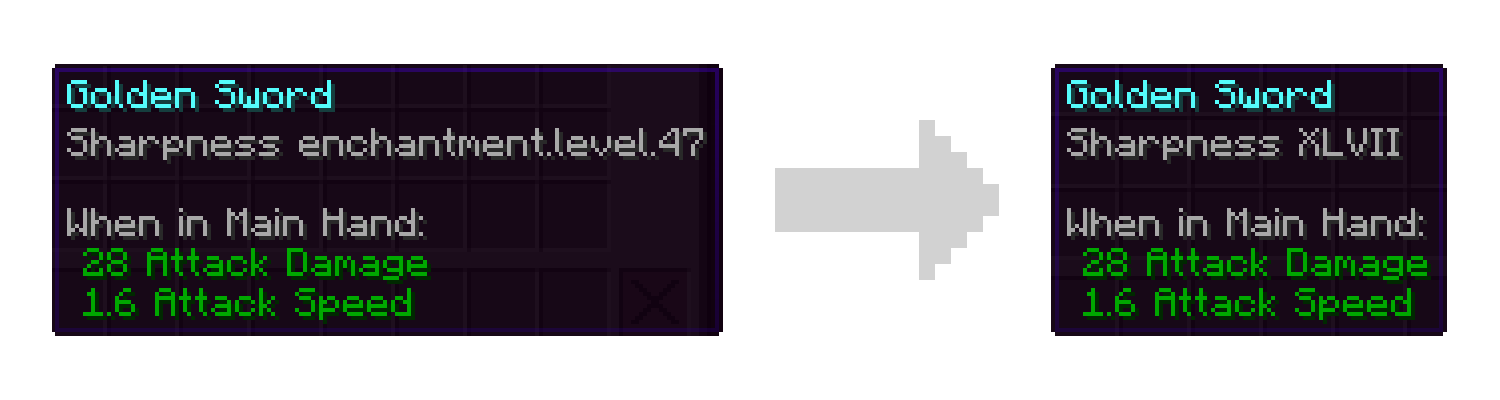
This mod aims to fix several issues related to the level text used by enchantments and potions in Minecraft. These fixes will be applied automatically when the mod is installed however config options are also provided.
What this mod does:
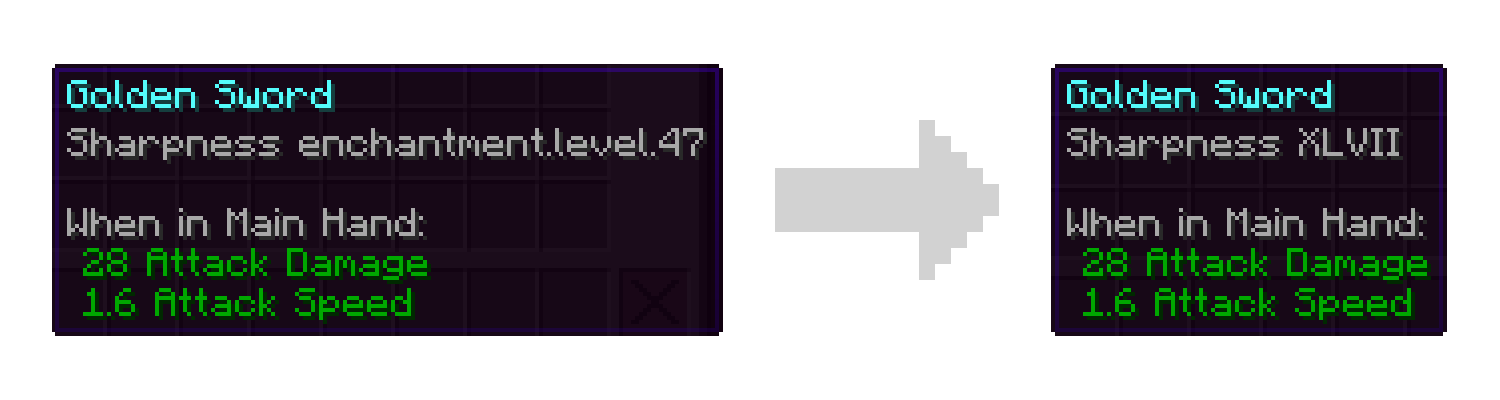
- Fix missing localization entries for levels greater than 10. Rather than showing "enchantment.level.11" you will see "XI".
- Add accessibility options for those less familiar with roman numerals. You can replace all roman numerals with their modern counterparts or set a threshold for when they should switch over. For example you may be comfortable with numbers 10 and below, but not know that "XLVII" means 47. These options are disabled by default meaning you will only see roman numerals.
What this mod does NOT do:
- Allow you to get enchantments with higher levels in survival.
- Change the maximum level of enchantments that can be applied.
- Remove the technical cap on how high an enchantment level can be.
Note: Versions of this mod for legacy versions of Minecraft may not have the full feature set. For example versions prior to 1.19.2 only fix the missing level text and do not provide the accessibility features.
Like the mod and want to support me?

This project is sponsored by Nodecraft. Use code DARKHAX for 30% off your first month of service!
Available Versions
How to Install Level Text Fix on Your Server
Order Server
Order a Minecraft Java server with at least 3 GB RAM (4 GB recommended).
Set fabric Loader
In the panel under "Egg", select the fabric loader and matching Minecraft version (26.1.2).
Install Mod
Open the mod browser in the dashboard and search for "Level Text Fix". Click "Install" – done! Alternatively, upload the .jar via SFTP to the /mods folder.
Compatibility
Mod Loaders
Minecraft Versions
26.1.2, 26.1.1, 26.1 (+11 more)
Server-side
~ OptionalRecommended RAM
4 GB(min. 3 GB)Frequently Asked Questions
Level Text Fix server crashes on startup – what to do?
Most common cause: wrong fabric version or insufficient RAM. Check the server log (latest.log) for "OutOfMemoryError" or "Mixin" errors. With Mado Hosting: ensure at least 3 GB RAM is allocated and the loader matches the mod version (26.1.2). You can switch loaders with one click in the panel.
Is Level Text Fix compatible with fabric and forge and neoforge and quilt?
Level Text Fix officially supports fabric, forge, neoforge, quilt for Minecraft 26.1.2, 26.1.1, 26.1. Note: Forge and Fabric mods are NOT cross-compatible – pick one loader and stick with it. The Mado dashboard automatically detects incompatible loader combinations.
Server lagging with Level Text Fix – how to optimize performance?
Recommended RAM: 4 GB (per 8 players). Use /spark profiler to check if Level Text Fix consumes the most tick time. Common fixes: reduce server view-distance to 8-10, install "performant" or "starlight" as supplementary mods on Forge. With Mado Hosting, your server runs on NVMe SSDs with dedicated CPU cores for minimal latency.
Similar Mods





Rent Modded Server
Install Level Text Fix with just one click on your server.