
Lag Goggles: Legacy
A backport of TerminatorNL's LagGoggles to 1.7.10
Screenshots
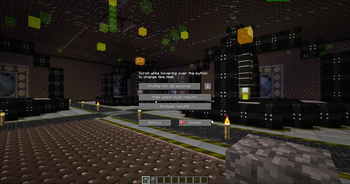
About this Mod
LagGoggles Legacy
A backport of TerminatorNL's LagGoggles to 1.7.10.
Dependencies
Original description:
Intuitive lag hunting!
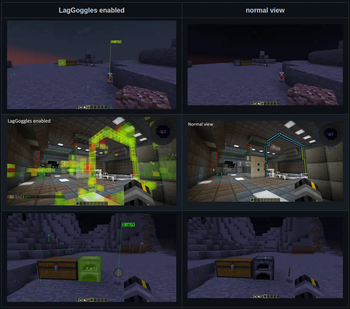
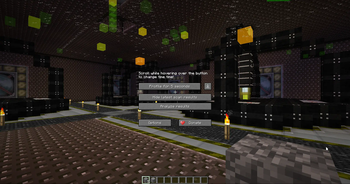
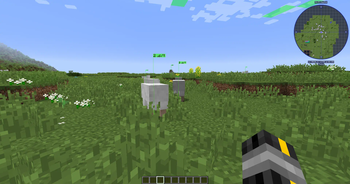
LagGoggles is a profiler where you can see timings in the world, visually. It comes with a custom GUI using a
configurable keybind.
You can use LagGoggles as a player too! This is my attempt to create an understanding of what causes lag on a server to regular players.
I noticed some common misconceptions like having machines spread out over different chunks causes less lag than putting it in one chunk.
With LagGoggles, you can look around and see that alot of small things like pipes or cables cause a tiny bit of lag most of the time, often resulting in more lag than a machine right next to the source would.
Video explaining the concept
Massive thanks to Grok DuckFarmer for making this video.
Minecraft Talk 35 - LagGoggles and Better Server Play

Features
- Teleporting to sources of lag
- Client GUI, including overlay and clickable menus
- Colour scale for easy spotting of sources of lag.
- Calculations are done on the client, so each client can have a different colour scale.
- Clientside FPS support!
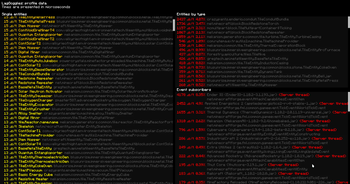
- Checks render time for Entities, Tile entities and event subscribers
- It's very young, but it should give some insight in what may cause FPS issues.
- Config for client:
- Custom gradients
- Colorblindess support
- Config for server
- Custom permissions for players (non-operators)
Configuration
- Drop the jar in the /mods folder
- Serverside configuration is not required and has no effect.
- Clients can edit the config to change the colour scale.
How it works
Entities, blocks and event-subscribers are timed using System.nanotime() before and after the tick() and update() methods. These times are being recorded and sent to the client when the profiler is done.
Benefits
- Visualisation of various sources of lag
- Learn your players to build lag-free bases.
Available Versions
How to Install Lag Goggles: Legacy on Your Server
Order Server
Order a Minecraft Java server with at least 3 GB RAM (4 GB recommended).
Set forge Loader
In the panel under "Egg", select the forge loader and matching Minecraft version (1.7.10).
Install Mod
Open the mod browser in the dashboard and search for "Lag Goggles: Legacy". Click "Install" – done! Alternatively, upload the .jar via SFTP to the /mods folder.
Compatibility
Mod Loaders
Minecraft Versions
1.7.10
Server-side
~ OptionalRecommended RAM
4 GB(min. 3 GB)Frequently Asked Questions
Lag Goggles: Legacy server crashes on startup – what to do?
Most common cause: wrong forge version or insufficient RAM. Check the server log (latest.log) for "OutOfMemoryError" or "Mixin" errors. With Mado Hosting: ensure at least 3 GB RAM is allocated and the loader matches the mod version (1.7.10). You can switch loaders with one click in the panel.
Is Lag Goggles: Legacy compatible with forge?
Lag Goggles: Legacy officially supports forge for Minecraft 1.7.10. The Mado dashboard automatically detects incompatible loader combinations.
Server lagging with Lag Goggles: Legacy – how to optimize performance?
Recommended RAM: 4 GB (per 8 players). Use /spark profiler to check if Lag Goggles: Legacy consumes the most tick time. Common fixes: reduce server view-distance to 8-10, install "performant" or "starlight" as supplementary mods on Forge. With Mado Hosting, your server runs on NVMe SSDs with dedicated CPU cores for minimal latency.
Similar Mods




![[ETF] Entity Texture Features](https://cdn.modrinth.com/data/BVzZfTc1/af683d206d50b05258d865b0d6e4aa2f2cee12f2_96.webp)
![[EMF] Entity Model Features](https://cdn.modrinth.com/data/4I1XuqiY/6e5bbd0d06b1741bfdab6c0cfab6de8fdaf0064c_96.webp)
Rent Modded Server
Install Lag Goggles: Legacy with just one click on your server.