
Librarian
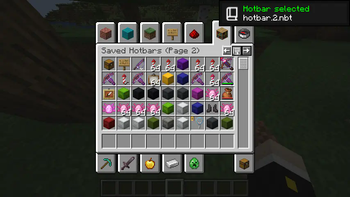
Improves the saved hotbars system by adding new features, optimizing existing functions, and increasing the overall capacity with a page system
Screenshots
About this Mod
Librarian
Librarian is a mod for Fabric that improves the saved hotbar system by adding new features and increasing the overall
capacity with a page system. It is the successor to Hotbars+, a mod by the same author.
Features
Infinite saved hotbar capacity
Never run out of space in your hotbars again. Librarian introduces a page system which allows you to store as many items
as you could possibly ever want or need.
Since this system is vanilla-compatible, you won't need to worry about having to convert or do any transfers should you
decide to not use the mod anymore.
Better saved hotbar performance
Got a lot of data in your saved hotbars? Not a problem. Librarian optimizes the way the game loads and saved hotbars to
run entirely in the background, completely eliminating some notorious lagspikes many have experienced while working with
saved hotbars in the process.
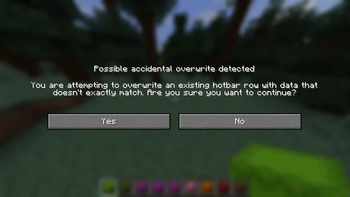
Accidental overwrite protection
A common problem people experience with the saved hotbar system is the potential to unintentionally overwrite existing
hotbars by pressing the wrong key, losing many items by complete accident in the process. Librarian tries to help
prevent this from happening by comparing the data of the items being saved to that of the items already saved. If it
doesn't exactly match, a prompt will come up asking for confirmation before continuing, potentially saving you and your
items.
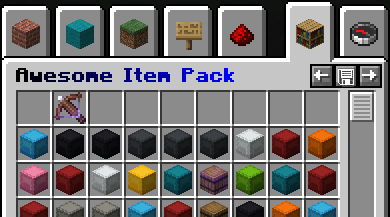
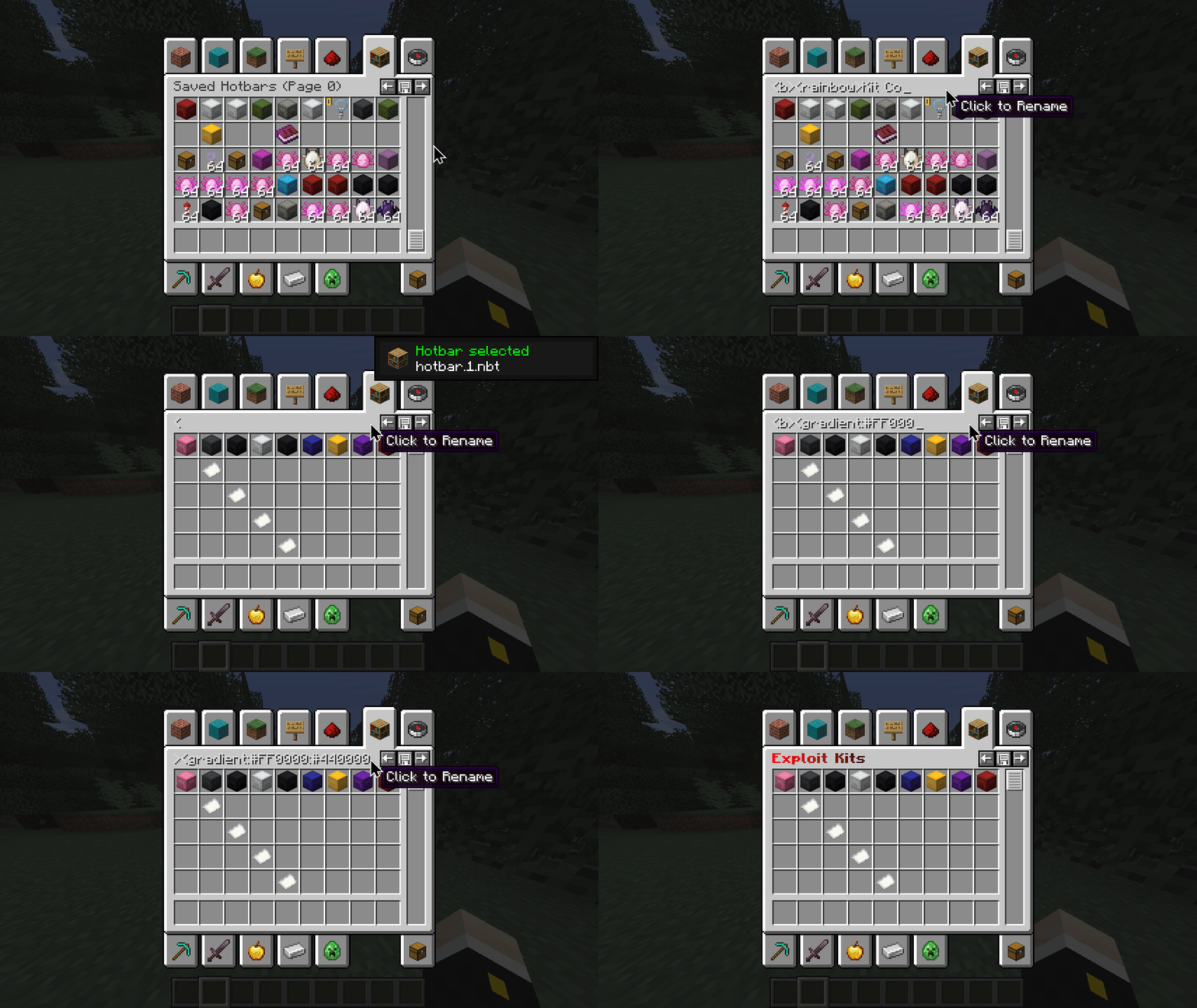
Renamable saved hotbars
To help facilitate distribution and organization, Librarian introduces a new vanilla-compatible hotbar metadata system
which allows you to rename your saved hotbars to literally anything you want along with other bits of metadata like a
description and even a list of authors. Names and descriptions support both chat color codes and also
MiniMessage.
All metadata can be customized in-game with the client-side command /librarian meta*, but users can also rename their
hotbar page by simply clicking the text in the creative inventory menu.
* - Some versions (such as pre-1.14.4) do not currently have client-side command libraries available, so with these
versions you will have to apply the changes manually with an NBT editor. I personally recommend using NBTExplorer for
this purpose.
Multi-version support
To account for those holding out on specifics game versions, Librarian supports a wide range of Minecraft versions as
recent as 26.1.1 and as old as 1.12.2 (with the help of Legacy Fabric and
Ornithe). I am committed to supporting as many versions as reasonably possible. The foundation
of Librarian, while similar to its predecessor, is written with the goal of not relying on any particular
version-specific code. This helps make it more future-proof in the long run.
Currently supported versions:
- 1.12.2 (Legacy Fabric or Ornithe)
- 1.13.2 (Legacy Fabric or Ornithe)
- 1.14.4 (Regular Fabric or Ornithe)
- 1.15.2
- 1.16.5
- 1.17.1
- 1.18.2
- 1.19
- 1.19.2
- 1.19.4
- 1.20.1
- 1.20.2
- 1.20.4
- 1.20.6
- 1.21.1
- 1.21.3
- 1.21.4
- 1.21.5
- 1.21.8
- 1.21.10
- 1.21.11
- 26.1.x
Installing
Download the mod JAR and copy it to your 'mods' folder. Depending on the version of Minecraft you are running, you may
need to install some extra mods as well. Here is a table explaining exactly that for each case:
| Version | Loader | Required Mod(s) | Optional Mod(s) |
|---|---|---|---|
| 1.12.2 | Legacy Fabric | Legacy Fabric API | |
| 1.12.2 | Ornithe | Ornithe Standard Libraries | |
| 1.13.2 | Legacy Fabric | None | |
| 1.13.2 | Ornithe | Ornithe Standard Libraries | |
| 1.14.4 | Fabric | Fabric API | Cotton Client Commands (for client-side commands) |
| 1.14.4 | Ornithe | Ornithe Standard Libraries | |
| 1.15.2 | Fabric | Fabric API | Cotton Client Commands (for client-side commands) |
| 1.16.5 | Fabric | Fabric API | |
| 1.17.1 | Fabric | Fabric API | |
| 1.18.2 | Fabric | Fabric API | |
| 1.19 | Fabric | Fabric API | |
| 1.19.2 | Fabric | Fabric API | |
| 1.19.4 | Fabric | Fabric API | |
| 1.20.1 | Fabric | Fabric API | |
| 1.20.2 | Fabric | Fabric API | |
| 1.20.4 | Fabric | Fabric API | |
| 1.20.6 | Fabric | Fabric API | |
| 1.21.1 | Fabric | Fabric API | |
| 1.21.3 | Fabric | Fabric API | |
| 1.21.4 | Fabric | Fabric API | |
| 1.21.5 | Fabric | Fabric API | |
| 1.21.8 | Fabric | Fabric API | |
| 1.21.10 | Fabric | Fabric API | |
| 1.21.11 | Fabric | Fabric API | |
| 26.1.x | Fabric | Fabric API |
Available Versions
How to Install Librarian on Your Server
Order Server
Order a Minecraft Java server with at least 3 GB RAM (4 GB recommended).
Set fabric Loader
In the panel under "Egg", select the fabric loader and matching Minecraft version (26.1.2).
Install Mod
Open the mod browser in the dashboard and search for "Librarian". Click "Install" – done! Alternatively, upload the .jar via SFTP to the /mods folder.
Compatibility
Mod Loaders
Minecraft Versions
26.1.2, 26.1.1, 26.1 (+24 more)
Server-side
✗ UnsupportedRecommended RAM
4 GB(min. 3 GB)Frequently Asked Questions
Librarian server crashes on startup – what to do?
Most common cause: wrong fabric version or insufficient RAM. Check the server log (latest.log) for "OutOfMemoryError" or "Mixin" errors. With Mado Hosting: ensure at least 3 GB RAM is allocated and the loader matches the mod version (26.1.2). You can switch loaders with one click in the panel.
Is Librarian compatible with fabric and legacy-fabric and ornithe and quilt?
Librarian officially supports fabric, legacy-fabric, ornithe, quilt for Minecraft 26.1.2, 26.1.1, 26.1. The Mado dashboard automatically detects incompatible loader combinations.
Server lagging with Librarian – how to optimize performance?
Recommended RAM: 4 GB (per 8 players). Use /spark profiler to check if Librarian consumes the most tick time. Common fixes: reduce server view-distance to 8-10, install "performant" or "starlight" as supplementary mods on Forge. With Mado Hosting, your server runs on NVMe SSDs with dedicated CPU cores for minimal latency.
Similar Mods




Rent Modded Server
Install Librarian with just one click on your server.