
LightAura
A mod that makes the player holding any light source, such as a torch , glowstone, etc, automatically illuminate the surrounding area.
Screenshots
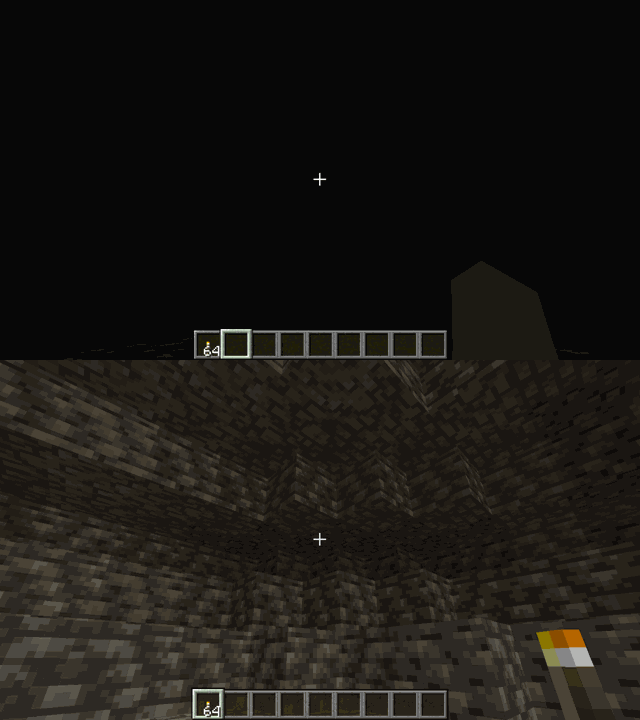
About this Mod

🌟 LightAura - Dynamic Lighting Anywhere! 🌟
Tired of the darkness while exploring caves? Struggling to see at night? 🔦 LightAura is here to help!
✨ What does this mod do?
- Automatic Lighting 💡: When holding light sources like Torches, Lanterns, Glowstone, Sea Lanterns, or Soul Lanterns, LightAura will automatically illuminate the area around you—no need to place blocks manually!
- Dropped Items Glow 🏮: Even if you drop a light source, such as a torch or lantern, it will still illuminate the surroundings!
- Enhanced Visibility 🔍: Say goodbye to dark caves 🏔️ and nighttime blindness 🌙—LightAura ensures you can always see your surroundings.
- Supports Various Light Sources: Works with Torches, Sea Lanterns, Soul Lanterns, Glowstone, and more!
🚀 Why download LightAura?
✔️ Explore caves effortlessly without wasting torches.
✔️ Adds immersive and realistic lighting for a better gameplay experience.
✔️ Enhances vanilla gameplay without feeling overpowered!
📥 Download now and enjoy a brighter Minecraft adventure!
📞 Support & Collaboration:
If you have experience testing Minecraft mods or programming skills, and want to collaborate or help improve the mod, please join our Discord server .
Join us to contribute, collaborate, and get salary!
🔗 Discord 🔥: [https://discord.gg/QFn3D5KP](https://discord.gg/QFn3D5KP)
📦 Modpack Policy This mod is open for modpack inclusion
Available Versions
How to Install LightAura on Your Server
Order Server
Order a Minecraft Java server with at least 3 GB RAM (4 GB recommended).
Set fabric Loader
In the panel under "Egg", select the fabric loader and matching Minecraft version (26.1.2).
Install Mod
Open the mod browser in the dashboard and search for "LightAura". Click "Install" – done! Alternatively, upload the .jar via SFTP to the /mods folder.
Compatibility
Mod Loaders
Minecraft Versions
26.1.2, 26.1.1, 26.1 (+26 more)
Server-side
✗ UnsupportedRecommended RAM
4 GB(min. 3 GB)Frequently Asked Questions
LightAura server crashes on startup – what to do?
Most common cause: wrong fabric version or insufficient RAM. Check the server log (latest.log) for "OutOfMemoryError" or "Mixin" errors. With Mado Hosting: ensure at least 3 GB RAM is allocated and the loader matches the mod version (26.1.2). You can switch loaders with one click in the panel.
Is LightAura compatible with fabric and forge and neoforge and quilt?
LightAura officially supports fabric, forge, neoforge, quilt for Minecraft 26.1.2, 26.1.1, 26.1. Note: Forge and Fabric mods are NOT cross-compatible – pick one loader and stick with it. The Mado dashboard automatically detects incompatible loader combinations.
Server lagging with LightAura – how to optimize performance?
Recommended RAM: 4 GB (per 8 players). Use /spark profiler to check if LightAura consumes the most tick time. Common fixes: reduce server view-distance to 8-10, install "performant" or "starlight" as supplementary mods on Forge. With Mado Hosting, your server runs on NVMe SSDs with dedicated CPU cores for minimal latency.
Similar Mods




Rent Modded Server
Install LightAura with just one click on your server.