
Limina
A simple and lightweight Minecraft mod that allows you to enable or disable access to dimensions like the Nether, End, or Overworld using in-game commands. Perfect for adventure maps, servers, or custom gameplay control.
Screenshots
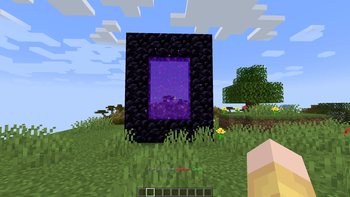
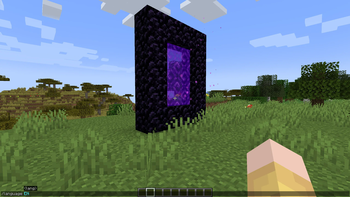
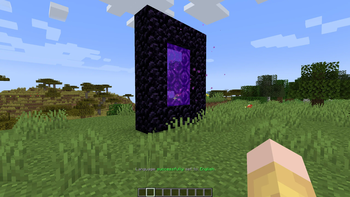
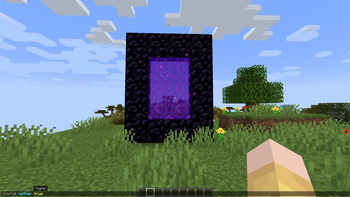
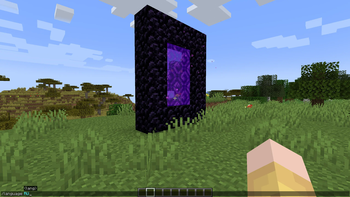
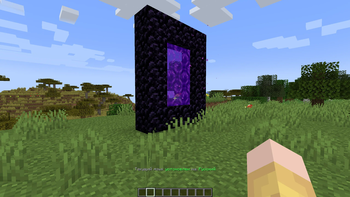
About this Mod
[EN]
Limina is a lightweight Minecraft mod that allows you to control access to dimensions such as the Overworld, Nether, and End using simple commands. It's great for map makers, server owners, or anyone who wants more control over gameplay.
🔧 Features:
Block or allow access to the Overworld, Nether, or End with one command.
One-way blocking: if a dimension is disabled, players cannot enter it, but they can return from it (if the destination is open).
Change mod language between English and Russian.
📜 Available Commands:
/portal <dimension> <true/false>
Enable or disable access to a specific dimension.
Example:
/portal nether false – disables entry into the Nether.
Valid dimensions: overworld, nether, end
true = access allowed, false = access denied
Note: Only prevents entry into a dimension, not exit from it.
/language <EN/RU>
Changes the language of the mod’s messages.
Example:
/language RU
🛠️ Planned Feature: If possible, I hope to create a plugin version for servers in the future.
💡 This is my first fully self-made mod, so thank you for checking it out!
[RU]
Limina — это лёгкий мод для Minecraft, позволяющий управлять доступом к измерениям: Верхнему миру, Аду и Краю. Идеален для создателей карт, владельцев серверов и просто тех, кто хочет больше контроля над игрой.
🔧 Возможности:
Включение и отключение доступа к Аду, Краю и Верхнему миру с помощью команды.
Одностороннее отключение: если доступ в измерение закрыт — в него нельзя войти, но выйти из него можно (если целевое измерение не закрыто).
Смена языка мода между русским и английским.
📜 Доступные команды:
/portal <измерение> <true/false>
Включает или отключает доступ к измерению.
Пример:
/portal nether false — закрывает доступ в Ад.
Возможные значения: overworld, nether, end
true — доступ разрешён, false — доступ запрещён
Примечание: блокируется вход в измерение, но не выход из него.
/language <EN/RU>
Меняет язык сообщений мода.
Пример:
/language RU
🛠️ Планы: Если получится — сделаю плагин-версию для серверов.
💡 Это мой первый полностью собственный мод, спасибо, что попробовали!
Available Versions
How to Install Limina on Your Server
Order Server
Order a Minecraft Java server with at least 3 GB RAM (4 GB recommended).
Set forge Loader
In the panel under "Egg", select the forge loader and matching Minecraft version (1.21.1).
Install Mod
Open the mod browser in the dashboard and search for "Limina". Click "Install" – done! Alternatively, upload the .jar via SFTP to the /mods folder.
Compatibility
Mod Loaders
Minecraft Versions
1.21.1, 1.20.4, 1.20.1 (+2 more)
Server-side
✓ RequiredRecommended RAM
4 GB(min. 3 GB)Frequently Asked Questions
Limina server crashes on startup – what to do?
Most common cause: wrong forge version or insufficient RAM. Check the server log (latest.log) for "OutOfMemoryError" or "Mixin" errors. With Mado Hosting: ensure at least 3 GB RAM is allocated and the loader matches the mod version (1.21.1). You can switch loaders with one click in the panel.
Is Limina compatible with forge and neoforge?
Limina officially supports forge, neoforge for Minecraft 1.21.1, 1.20.4, 1.20.1. The Mado dashboard automatically detects incompatible loader combinations.
Server lagging with Limina – how to optimize performance?
Recommended RAM: 4 GB (per 8 players). Use /spark profiler to check if Limina consumes the most tick time. Common fixes: reduce server view-distance to 8-10, install "performant" or "starlight" as supplementary mods on Forge. With Mado Hosting, your server runs on NVMe SSDs with dedicated CPU cores for minimal latency.
Similar Mods




Rent Modded Server
Install Limina with just one click on your server.