
List Craft
Never forget what you need again - create, save, and share inventory checklists with live progress tracking
Screenshots
About this Mod

What is this?
Ever started building something massive in Minecraft, only to realize halfway through that you forgot half the materials? Or spent ages wandering around trying to remember what you still needed for that complex recipe? Yeah, me too. That's why I made ListCraft.
It's basically a to-do list for your inventory. You tell it what you need, it keeps track of what you have, and shows you the progress in real time. Simple as that.
Default Keybind: I
- Make lists of items you need (with amounts)
- See your progress live as you collect stuff
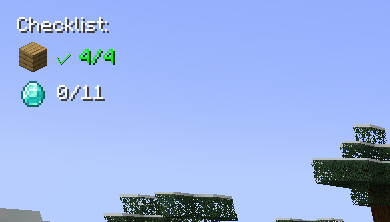
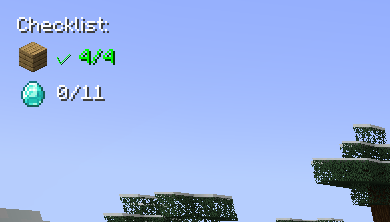
- Items show up like "32/64 Oak Planks" or get a green checkmark when done
- Everything appears as a small overlay in the corner of your screen
- Auto-suggests items as you type (works with modded items too! so you can even use create mod items)
- Click on any item in your list to change how many you need
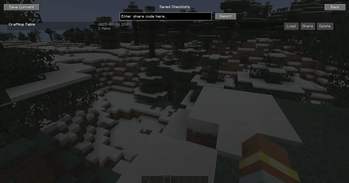
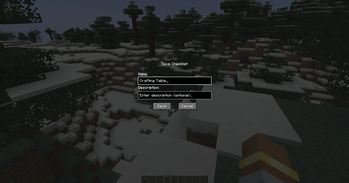
- Save your lists with names
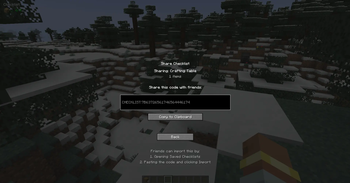
- Share lists with friends using simple codes
- Works on any server since it's client-side only
Common questions
"Does this work with [insert mod here]?" Probably yes. It automatically finds items from any mod.
"Can I use this on servers?" Yep, since it's client-side only.
"What if I want to change the hotkey?" Controls menu, look for "Inventory Checklist"
"Found a bug" Let me know! I actually read the comments and try to fix stuff.
Contact Me: X Link
Available Versions
How to Install List Craft on Your Server
Order Server
Order a Minecraft Java server with at least 3 GB RAM (4 GB recommended).
Set forge Loader
In the panel under "Egg", select the forge loader and matching Minecraft version (1.20.6).
Install Mod
Open the mod browser in the dashboard and search for "List Craft". Click "Install" – done! Alternatively, upload the .jar via SFTP to the /mods folder.
Compatibility
Mod Loaders
Minecraft Versions
1.20.6, 1.20.5, 1.20.4 (+6 more)
Server-side
✗ UnsupportedRecommended RAM
4 GB(min. 3 GB)Frequently Asked Questions
List Craft server crashes on startup – what to do?
Most common cause: wrong forge version or insufficient RAM. Check the server log (latest.log) for "OutOfMemoryError" or "Mixin" errors. With Mado Hosting: ensure at least 3 GB RAM is allocated and the loader matches the mod version (1.20.6). You can switch loaders with one click in the panel.
Is List Craft compatible with forge?
List Craft officially supports forge for Minecraft 1.20.6, 1.20.5, 1.20.4. The Mado dashboard automatically detects incompatible loader combinations.
Server lagging with List Craft – how to optimize performance?
Recommended RAM: 4 GB (per 8 players). Use /spark profiler to check if List Craft consumes the most tick time. Common fixes: reduce server view-distance to 8-10, install "performant" or "starlight" as supplementary mods on Forge. With Mado Hosting, your server runs on NVMe SSDs with dedicated CPU cores for minimal latency.
Similar Mods




Rent Modded Server
Install List Craft with just one click on your server.