
Litematica Zone List
An addon to Litematica that allows you to select several zones of the scheme and create a list of materials only for these selected zones
Screenshots
About this Mod
ENG
Litematica Zone List
A client-side addon for Litematica designed for convenient material counting by schematic sections.
Instructions:
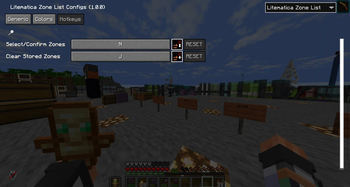
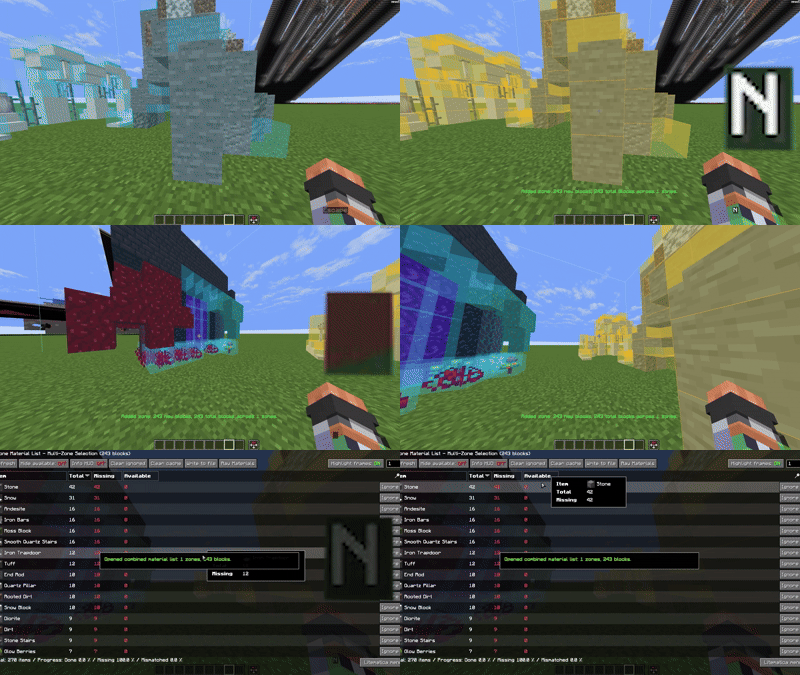
Hold N while aiming at a schematic block to select a zone, then release it to keep the zone highlighted and saved. You can repeat this as many times as needed to add more zones. A quick tap of N opens the resource list only for all saved zones. J clears the current set of selections.
RUS
Litematica Zone List
Клиентский аддон для Litematica, созданный для удобного подсчёта материалов по частям схемы.
Инструкция:
Зажмите N на блоке схемы, чтобы выделить зону, отпустите и зона останется выделенной и сохранится. Можно повторить сколько угодно раз для добавления новых зон. Короткое нажатие N открывает список ресурсов только для всех сохранённых зон. J очищает текущий набор выделений.
Available Versions
How to Install Litematica Zone List on Your Server
Order Server
Order a Minecraft Java server with at least 3 GB RAM (4 GB recommended).
Set fabric Loader
In the panel under "Egg", select the fabric loader and matching Minecraft version (1.21.8).
Install Mod
Open the mod browser in the dashboard and search for "Litematica Zone List". Click "Install" – done! Alternatively, upload the .jar via SFTP to the /mods folder.
Compatibility
Mod Loaders
Minecraft Versions
1.21.8
Server-side
✗ UnsupportedRecommended RAM
4 GB(min. 3 GB)Frequently Asked Questions
Litematica Zone List server crashes on startup – what to do?
Most common cause: wrong fabric version or insufficient RAM. Check the server log (latest.log) for "OutOfMemoryError" or "Mixin" errors. With Mado Hosting: ensure at least 3 GB RAM is allocated and the loader matches the mod version (1.21.8). You can switch loaders with one click in the panel.
Is Litematica Zone List compatible with fabric?
Litematica Zone List officially supports fabric for Minecraft 1.21.8. The Mado dashboard automatically detects incompatible loader combinations.
Server lagging with Litematica Zone List – how to optimize performance?
Recommended RAM: 4 GB (per 8 players). Use /spark profiler to check if Litematica Zone List consumes the most tick time. Common fixes: reduce server view-distance to 8-10, install "performant" or "starlight" as supplementary mods on Forge. With Mado Hosting, your server runs on NVMe SSDs with dedicated CPU cores for minimal latency.
Similar Mods




![[ETF] Entity Texture Features](https://cdn.modrinth.com/data/BVzZfTc1/af683d206d50b05258d865b0d6e4aa2f2cee12f2_96.webp)
![[EMF] Entity Model Features](https://cdn.modrinth.com/data/4I1XuqiY/6e5bbd0d06b1741bfdab6c0cfab6de8fdaf0064c_96.webp)
Rent Modded Server
Install Litematica Zone List with just one click on your server.