
LitematicaSearcher
Search and download schematics from Redenmc inside Minecraft
Screenshots
About this Mod
LitematicaSearcher投影搜索器
RedenMC Litematica machine search and download integration for Minecraft.
在Minecraft内直接搜索和下载投影文件,通过Redenmc网站。
Features功能
Opens a RedenMC search screen from the Litematica main menu, Mod Menu config button, or the default
Okeybinding.Searches
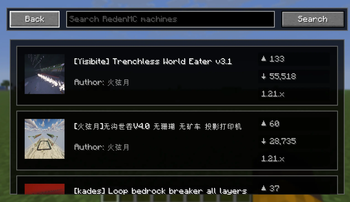
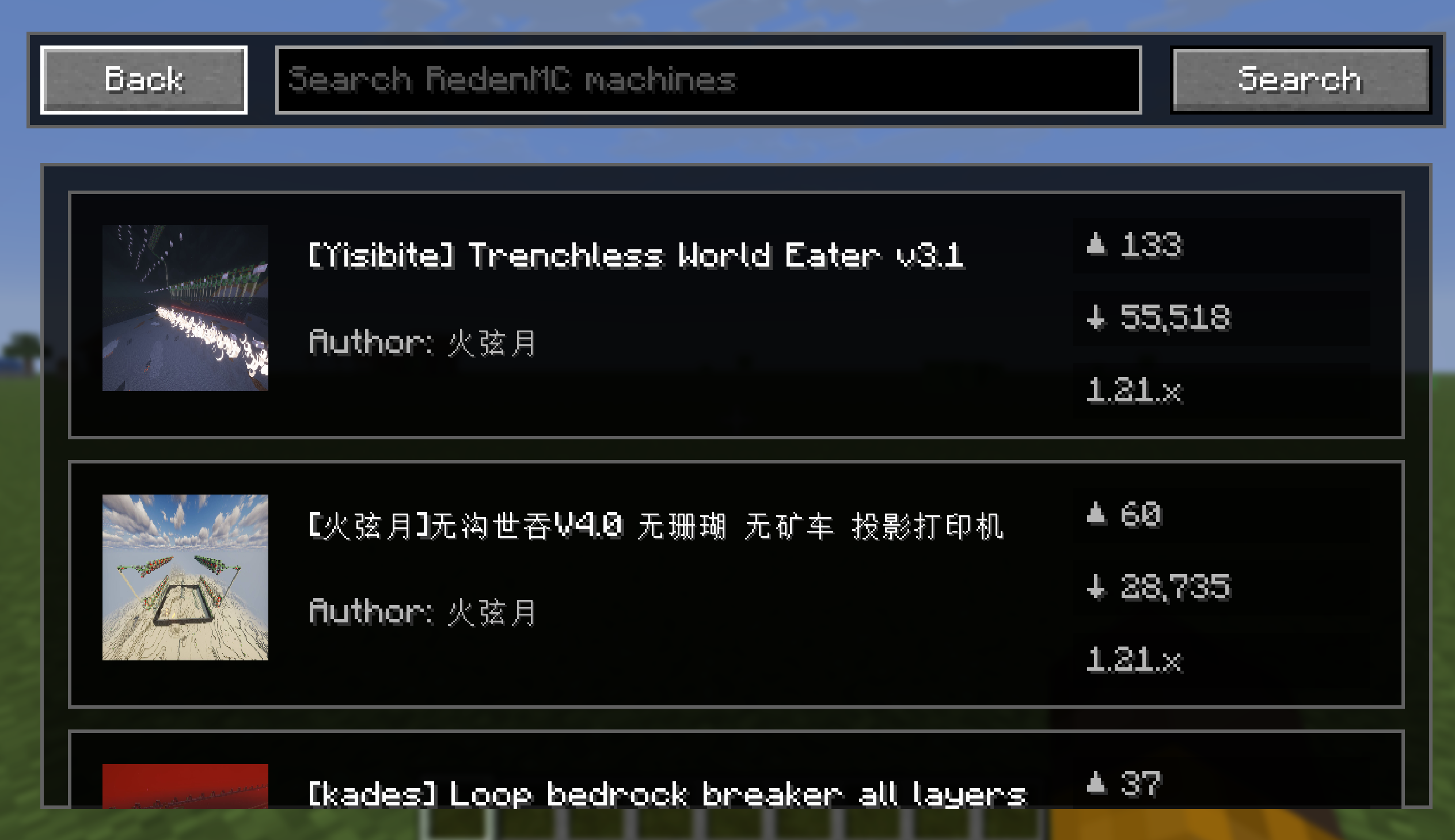
redenmc.comasynchronously without blocking the client render thread.Shows machine thumbnails, names, authors, upvotes, downloads, and the target
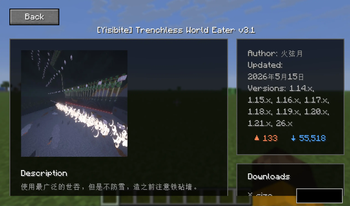
1.21.xversion marker.Opens a detail screen with image, description, author, upload date, versions, likes, downloads, and download controls.
Downloads ordinary
LitematicaShareattachments to.minecraft/schematics/Downloads.Supports generated
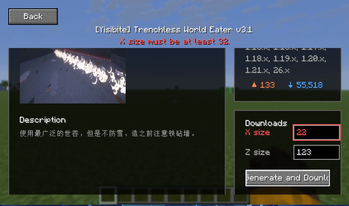
LitematicaGendownloads with dynamic X/Y/Z size inputs andmin(n),max(n),mod(n1,n2)validation.Includes English and Simplified Chinese translations.
从 Litematica 主菜单、模组菜单配置按钮或默认的
O快捷键打开 RedenMC 搜索界面。异步搜索
redenmc.com,不会阻塞客户端渲染线程。显示机器缩略图、名称、作者、点赞数、下载量以及目标
1.xx.x版本标记。打开包含图像、描述、作者、上传日期、版本、点赞数、下载量和下载控件的详情界面。
直接把投影文件下载到投影文件夹
schematics下十分的良心。支持使用动态 X/Y/Z 尺寸输入和
min(n)、max(n)、mod(n1,n2)验证的LitematicaGen生成的下载文件。包含英文和简体中文翻译。
Requirements前置
- Fabric API
- MaLiLib
- Litematica
- Mod Menu
Available Versions
How to Install LitematicaSearcher on Your Server
Order Server
Order a Minecraft Java server with at least 3 GB RAM (4 GB recommended).
Set fabric Loader
In the panel under "Egg", select the fabric loader and matching Minecraft version (1.21.11).
Install Mod
Open the mod browser in the dashboard and search for "LitematicaSearcher". Click "Install" – done! Alternatively, upload the .jar via SFTP to the /mods folder.
Compatibility
Mod Loaders
Minecraft Versions
1.21.11
Server-side
✓ RequiredRecommended RAM
4 GB(min. 3 GB)Frequently Asked Questions
LitematicaSearcher server crashes on startup – what to do?
Most common cause: wrong fabric version or insufficient RAM. Check the server log (latest.log) for "OutOfMemoryError" or "Mixin" errors. With Mado Hosting: ensure at least 3 GB RAM is allocated and the loader matches the mod version (1.21.11). You can switch loaders with one click in the panel.
Is LitematicaSearcher compatible with fabric?
LitematicaSearcher officially supports fabric for Minecraft 1.21.11. The Mado dashboard automatically detects incompatible loader combinations.
Server lagging with LitematicaSearcher – how to optimize performance?
Recommended RAM: 4 GB (per 8 players). Use /spark profiler to check if LitematicaSearcher consumes the most tick time. Common fixes: reduce server view-distance to 8-10, install "performant" or "starlight" as supplementary mods on Forge. With Mado Hosting, your server runs on NVMe SSDs with dedicated CPU cores for minimal latency.
Similar Mods




![[ETF] Entity Texture Features](https://cdn.modrinth.com/data/BVzZfTc1/af683d206d50b05258d865b0d6e4aa2f2cee12f2_96.webp)

Rent Modded Server
Install LitematicaSearcher with just one click on your server.