
LiteVision
Instant, flicker-free night vision for Paper and Fabric — lightweight, configurable, and built for modern servers and clients.
Screenshots


About this Mod
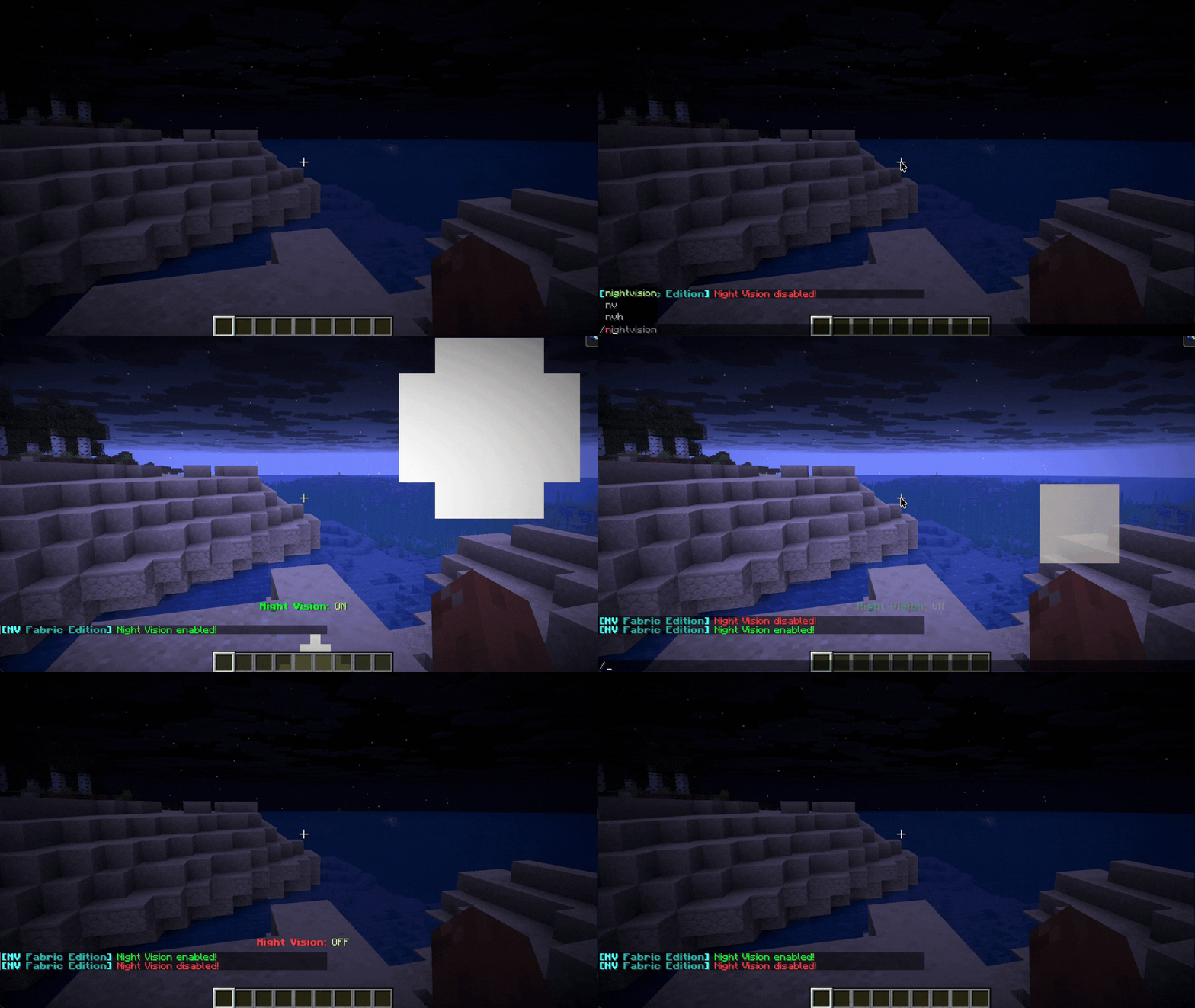
🌙 LiteVision – Instant, Flicker-Free Night Vision(NEW)
A lightweight night vision solution for Paper (and forks) and Fabric.
Potion spam. Command abuse. Unnecessary overhead.
Just clean, reliable night vision with full control for servers and players.
🎯 Why LiteVision?
- Instant toggle – No delay or flicker
- Clean visuals – No clunky potion reapplication
- Persistent state – Remembers your setting after relog/restart
- Per-world control – Enable or restrict by dimension
- Works client-side or server-side
Designed to be simple, stable, and efficient.

✨ Features
🔥 Smart Hotkey (Paper Exclusive)
Hold a torch in either hand and press F to toggle night vision instantly.
💡 Native Implementation
Uses Minecraft’s built-in systems for stable and glitch-free rendering.
🌫 Optional Transitions
Configurable fade-in / fade-out effects for smoother visual switching.
🎨 Optional Visual & Audio Feedback
- Action bar notifications
- Optional particles (Glow / Smoke)
- Custom toggle sounds
All effects are fully configurable or can be disabled.
.gif)
⚙️ Server Controls
- 🌍 World / Dimension whitelist & blacklist
- ☀️ Auto-disable in bright areas
- 🛡 Anti-spam cooldown protection
- 🛠 Fully configurable behavior via config file
Built to avoid unnecessary load and keep TPS stable.
📋 Commands & Permissions
| Command | Description | Permission |
|---|---|---|
/nv |
Toggle night vision | nightvision.use |
/nv reload |
Reload configuration | nightvision.reload |
/nv help |
Show help menu | nightvision.use |
🧠 Technical Notes
- Modular manager system (Config, NightVision, PlayerData)
- Event-driven design
- Lightweight footprint
- Designed for long-term stability on modern Paper & Fabric versions
🚀 Installation
- Download the correct version for your platform (Fabric or Paper) and Minecraft version. Use fabric loader
0.18.4only if using fabric. - Place the file in your
mods(Fabric) orplugins(Paper) folder. - Restart your server or game.
- Edit the generated config file if customization is needed (server-side).
Available Versions
How to Install LiteVision on Your Server
Order Server
Order a Minecraft Java server with at least 3 GB RAM (4 GB recommended).
Set fabric Loader
In the panel under "Egg", select the fabric loader and matching Minecraft version (1.21.11).
Install Mod
Open the mod browser in the dashboard and search for "LiteVision". Click "Install" – done! Alternatively, upload the .jar via SFTP to the /mods folder.
Compatibility
Mod Loaders
Minecraft Versions
1.21.11, 1.21.10, 1.21.9 (+32 more)
Server-side
✗ UnsupportedRecommended RAM
4 GB(min. 3 GB)Frequently Asked Questions
LiteVision server crashes on startup – what to do?
Most common cause: wrong fabric version or insufficient RAM. Check the server log (latest.log) for "OutOfMemoryError" or "Mixin" errors. With Mado Hosting: ensure at least 3 GB RAM is allocated and the loader matches the mod version (1.21.11). You can switch loaders with one click in the panel.
Is LiteVision compatible with fabric and folia and paper and purpur?
LiteVision officially supports fabric, folia, paper, purpur for Minecraft 1.21.11, 1.21.10, 1.21.9. The Mado dashboard automatically detects incompatible loader combinations.
Server lagging with LiteVision – how to optimize performance?
Recommended RAM: 4 GB (per 8 players). Use /spark profiler to check if LiteVision consumes the most tick time. Common fixes: reduce server view-distance to 8-10, install "performant" or "starlight" as supplementary mods on Forge. With Mado Hosting, your server runs on NVMe SSDs with dedicated CPU cores for minimal latency.
Similar Mods




![[ETF] Entity Texture Features](https://cdn.modrinth.com/data/BVzZfTc1/af683d206d50b05258d865b0d6e4aa2f2cee12f2_96.webp)

Rent Modded Server
Install LiteVision with just one click on your server.