Screenshots

About this Mod
Lithonate
Tweaks to update your suppression.
Requirements
Functionalities
Features
Auto Anti Ghost Blocks
Automatically request resending of surrounding blocks when player places or breaks a block.
Better Block Placement Against Signs
Place blocks directly on signs without interactions or holding shift.
Better Dusts & Rails Placement On Trapdoors
One-click close opened trapdoors and place redstone dusts, rails on them.
Bigger Banner & Sign Block Hitboxes
Make hitboxes of banner, sign blocks full-cuboidal.
Bigger Cocoa Block Hitboxes
Make hitboxes of cocoa blocks full-cuboidal.
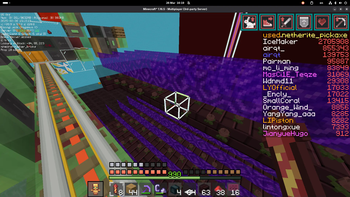
Highlight Block Outlines
Render block outlines thicker with color inversion.
Highlight Block Outlines Show Through
Whether to show outlines through blocks for tweakHighlightBlockOutlines.
Highlight Block Outlines Width
Customize line width for tweakHighlightBlockOutlines.
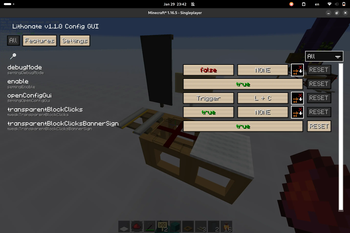
Transparent Block Clicks
Make rails, redstone dusts, carpets transparent from clicks. Hold shift to disable this temporarily.
Transparent Block Clicks for Banners & Signs
Make banners, signs also transparent from clicks when using transparentBlockClicksBannerSign.
Transparent Block Clicks No Opening Trapdoors
Prevent accidentally opening trapdoors when holding redstone dusts, rails when using transparentBlockClicksBannerSign.
Transparent Wither Rose Hitboxes
Make hitboxes of wither roses empty.
Disables
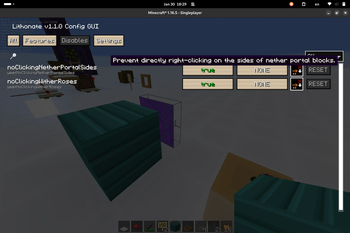
No Clicking Nether Portal Sides
Prevent directly right-clicking on the sides of nether portal blocks.
No Clicking Wither Roses
Prevent directly left-/right-clicking on wither roses.
No Breaking Nether Bricks Under Wither Roses
Prevent breaking nether bricks with wither roses on them.
Credits
shedaniel/CustomSelectionBox-New
DarkKronicle/BetterBlockOutline
Fallen-Breath/tweakermore
gbl/AntiGhost
Ivan-1F/tweakerplus
Available Versions
How to Install Lithonate on Your Server
Order Server
Order a Minecraft Java server with at least 3 GB RAM (4 GB recommended).
Set fabric Loader
In the panel under "Egg", select the fabric loader and matching Minecraft version (1.16.5).
Install Mod
Open the mod browser in the dashboard and search for "Lithonate". Click "Install" – done! Alternatively, upload the .jar via SFTP to the /mods folder.
Compatibility
Mod Loaders
Minecraft Versions
1.16.5
Server-side
✗ UnsupportedRecommended RAM
4 GB(min. 3 GB)Frequently Asked Questions
Lithonate server crashes on startup – what to do?
Most common cause: wrong fabric version or insufficient RAM. Check the server log (latest.log) for "OutOfMemoryError" or "Mixin" errors. With Mado Hosting: ensure at least 3 GB RAM is allocated and the loader matches the mod version (1.16.5). You can switch loaders with one click in the panel.
Is Lithonate compatible with fabric?
Lithonate officially supports fabric for Minecraft 1.16.5. The Mado dashboard automatically detects incompatible loader combinations.
Server lagging with Lithonate – how to optimize performance?
Recommended RAM: 4 GB (per 8 players). Use /spark profiler to check if Lithonate consumes the most tick time. Common fixes: reduce server view-distance to 8-10, install "performant" or "starlight" as supplementary mods on Forge. With Mado Hosting, your server runs on NVMe SSDs with dedicated CPU cores for minimal latency.
Similar Mods




![[ETF] Entity Texture Features](https://cdn.modrinth.com/data/BVzZfTc1/af683d206d50b05258d865b0d6e4aa2f2cee12f2_96.webp)
![[EMF] Entity Model Features](https://cdn.modrinth.com/data/4I1XuqiY/6e5bbd0d06b1741bfdab6c0cfab6de8fdaf0064c_96.webp)
Rent Modded Server
Install Lithonate with just one click on your server.