
Living Sponge
Drain and Fill the Oceans with Living Sponges!
Screenshots
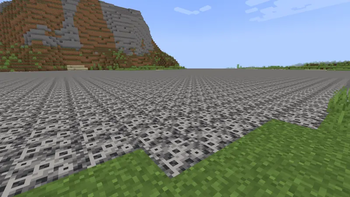
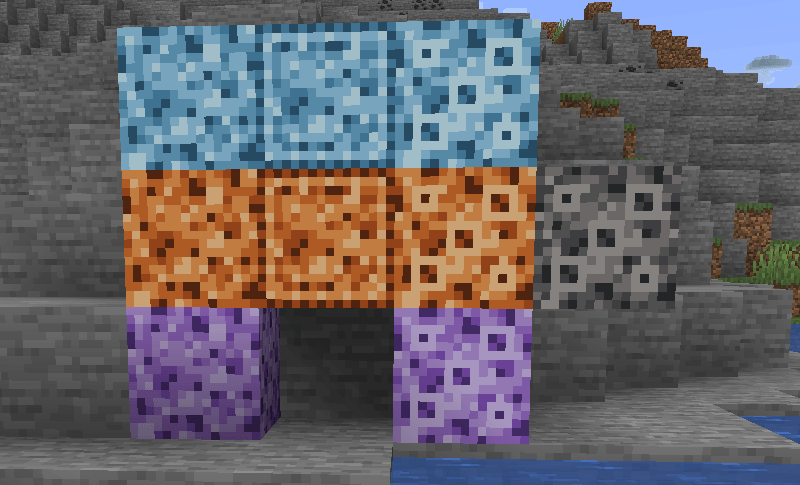
About this Mod
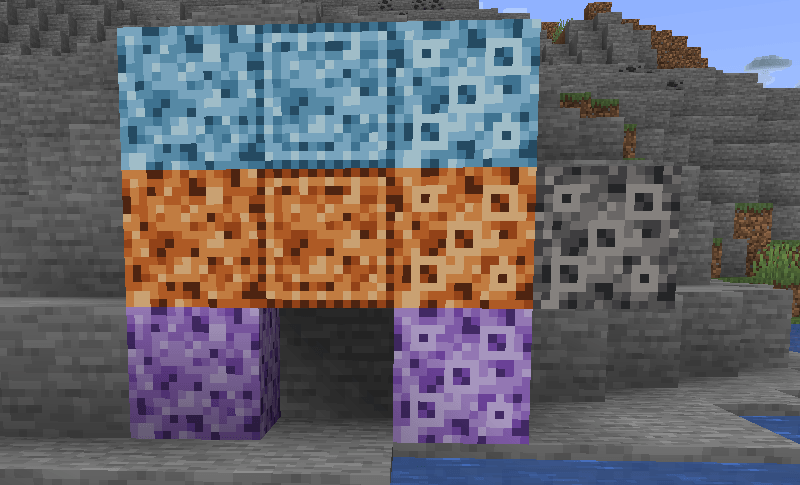
Living Sponge
Living Sponge adds self-spreading sponge utilities for water and lava: drain fluid spaces, trace borders, and solidify areas into usable structures.
Main Uses
1) Drain and Clear
Use Neutral sponges when you want to remove fluid without leaving structural remains behind.
Best for:
- clearing work areas
- cutting into lakes or oceans
- cleaning fluid spaces before building

2) Build Walls and Borders
Use Wall-Forming sponges when you want a colony to leave a border shell of Sponge Remains on old-age death.
Best for:
- outlining basins
- tracing perimeter walls
- building underwater houses
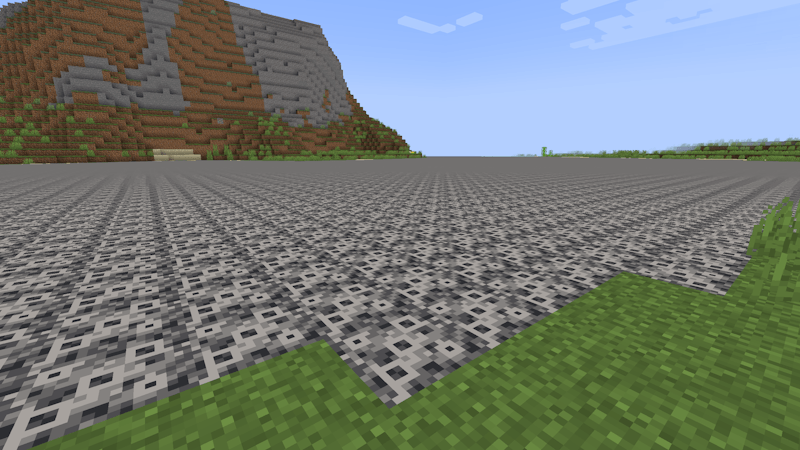
3) Solidify and Fill
Use Solidifying sponges when you want colonies to leave Sponge Remains across the whole grown area.
Best for:
- building platforms in fluid
- filling underwater or lava-filled spaces
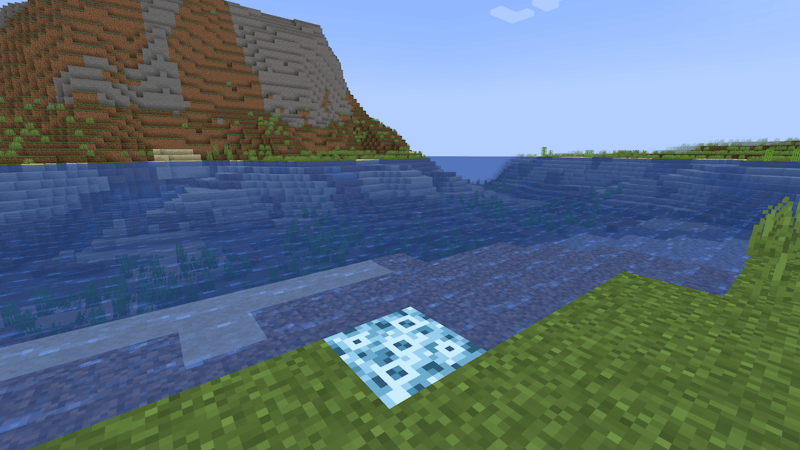
Result:
Sponge Types
Every living sponge is defined by four trait slots:
Growth MediumWaterLava
SpreadVolume- spreads through the body of the fluidFlat- spreads only across exposed flat fluid surfaces
OutputNeutral- leaves nothing on old-age deathWall-Forming- leaves border remainsSolidifying- leaves remains everywhere
RadiusStandard-8Expanded-16Huge-256
Tooltips show these traits directly.
Also, by default, the mod adds a custom sponge recipe:
Any Wool+Kelp+Seagrass->Sponge
Configuration
The mod is designed to be configurable without code changes.
Current configurable areas include:
- lifecycle timings
- spread timings and cooldowns
- flat diagonal spread
- radius values
- creative sponge behavior
- wall-forming shell thickness
- custom vanilla sponge recipe toggle
Links
- Source code: https://github.com/Goldsk1n/LivingSponge
- Report bugs / suggest features: https://github.com/Goldsk1n/LivingSponge/issues
Available Versions
How to Install Living Sponge on Your Server
Order Server
Order a Minecraft Java server with at least 3 GB RAM (4 GB recommended).
Set forge Loader
In the panel under "Egg", select the forge loader and matching Minecraft version (1.21.1).
Install Mod
Open the mod browser in the dashboard and search for "Living Sponge". Click "Install" – done! Alternatively, upload the .jar via SFTP to the /mods folder.
Compatibility
Mod Loaders
Minecraft Versions
1.21.1, 1.20.1
Server-side
✓ RequiredRecommended RAM
4 GB(min. 3 GB)Frequently Asked Questions
Living Sponge server crashes on startup – what to do?
Most common cause: wrong forge version or insufficient RAM. Check the server log (latest.log) for "OutOfMemoryError" or "Mixin" errors. With Mado Hosting: ensure at least 3 GB RAM is allocated and the loader matches the mod version (1.21.1). You can switch loaders with one click in the panel.
Is Living Sponge compatible with forge and neoforge?
Living Sponge officially supports forge, neoforge for Minecraft 1.21.1, 1.20.1. The Mado dashboard automatically detects incompatible loader combinations.
Server lagging with Living Sponge – how to optimize performance?
Recommended RAM: 4 GB (per 8 players). Use /spark profiler to check if Living Sponge consumes the most tick time. Common fixes: reduce server view-distance to 8-10, install "performant" or "starlight" as supplementary mods on Forge. With Mado Hosting, your server runs on NVMe SSDs with dedicated CPU cores for minimal latency.
Similar Mods




![[ETF] Entity Texture Features](https://cdn.modrinth.com/data/BVzZfTc1/af683d206d50b05258d865b0d6e4aa2f2cee12f2_96.webp)
![[EMF] Entity Model Features](https://cdn.modrinth.com/data/4I1XuqiY/6e5bbd0d06b1741bfdab6c0cfab6de8fdaf0064c_96.webp)
Rent Modded Server
Install Living Sponge with just one click on your server.