
LlamaBlocks
Building Blocks, Farming Items, Generation Features, Redstone Features, and much more!
Screenshots


About this Mod
LlamaBlocks
LlamaBlocks is a complex, multi-year long development, MCreator mod which adds a ton of features. These include 702 variants of custom building blocks, the complex Computer block with a calculator and much more, a password system for improved game-immersion, many custom storage items, a custom Banana farming item with some cool gimmicks, a custom damaging fluid named Acid, and more!

Building Blocks
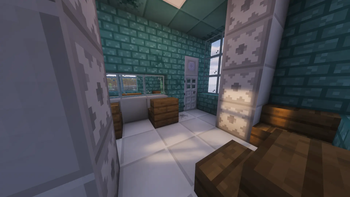
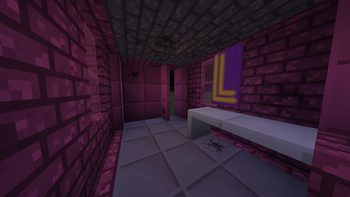
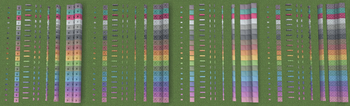
There are Custom Bricks and "Large Tiles" added in LlamaBlocks. Both come in 19 colors: all 16 vanilla colors (White, Light Gray, Gray, Black, Brown, Red, Orange, Yellow, Lime, Green, Cyan, Light Blue, Blue, Purple, Magenta, Pink), plus Industrial (Netherite-colored), Cherry (hot pink), and Teal variants. On top of that, every Brick and Large Tile has a cracked equivalent.
There are also Tiles (Black and White) and Ceiling Tiles (Blue and Light Gray).
Each color variant or tile type has a corresponding block set, which includes the following: full block, stair, slab, wall, fence, fence gate, trapdoor, pressure plate, and button.

Banana-Adjacent Features
The Banana
The banana is a somewhat basic food item in terms of nutrition, but you can eat them very fast. Banana Plants naturally generate in Banana Patches.
The Golden Banana
When you surround a Banana with 8 gold in a crafting table, you get a Golden Banana. These have more saturation and hunger restoration, give you regeneration for a split second (just enough for you to heal once), and grant the Luck effect for 45 seconds after eating.
The Banana Plant
This is a naturally spawning plant that works similarly to something like sugar cane, but it grows 5 blocks high, can be bonemealed, and drops a combination of Bananas, Banana Plants, and bonemeal.
Farm Scraps
Farm Scraps are non-plantable items that can be used to duplicate some seeds, be composted, and be crafted into brown dye.

Acid
Acid is a fluid that naturally generates in Acid Lakes in the Outer End Islands and can be accessed in the Creative menu. When you step into acid, it damages you instantly, similar to lava. However, it's not based on fire and has a custom damage system.

The Backpacks
Backpacks are items that store items like a chest, but are kept in your inventory instead of being placed as a block.
The Backpack
This is the cheaper-to-craft, but less functional, variant of the backpack. It can store 3 rows of items, but that's pretty much it.
The Netherite Backpack
The Netherite Backpack is an upgrade to the Backpack which:
- Has 4 rows of items
- Cannot burn, which protects your items if you drop them or die in fire or lava
- Has a Delete Items button
The Variable Light
This is a block that, when a neighboring block is updated, sets its light level to the maximum redstone power being input into it.

The Secure Storage Block
This is like a barrel, but:
- It has 7 rows of items
- There is a button that deletes all items, with an option to hide it to prevent accidental deletions
- It supports passwords using the Password System

The Password System
The Secure Storage Block, Computer, and Authenticator all support passwords. By default, the password is blank. When there is no password set yet, the Computer and Secure Storage Block skip the password screen, but the Authenticator instead requires the user to leave the password field blank. The user can change passwords using the Password Changer, though they need to enter the existing password.
Important Security Concerns
- Operators can see any password, meaning that passwords are not actually private.
- Passwords are basically stored in plaintext, meaning it is very unsafe to use a real password in LlamaBlocks.
More specifically, passwords are stored in an NBT text tag named
access_password, which can be easily viewed using the vanilla/datacommand.

The Authenticator
This asks for a password using the Password System and, if successful, gives a redstone pulse for 0.75 seconds.
The Computer
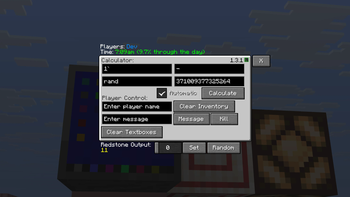
The Computer offers a variety of features for information, math, player management, and more. This includes a calculator, a player messaging system, a redstone output slider, formatted in-game time display, and a list of players.

Available Versions
How to Install LlamaBlocks on Your Server
Order Server
Order a Minecraft Java server with at least 4 GB RAM (6 GB recommended).
Set neoforge Loader
In the panel under "Egg", select the neoforge loader and matching Minecraft version (26.1.2).
Install Mod
Open the mod browser in the dashboard and search for "LlamaBlocks". Click "Install" – done! Alternatively, upload the .jar via SFTP to the /mods folder.
Compatibility
Mod Loaders
Minecraft Versions
26.1.2, 1.21.8, 1.21.1
Server-side
✓ RequiredRecommended RAM
6 GB(min. 4 GB)Frequently Asked Questions
LlamaBlocks server crashes on startup – what to do?
Most common cause: wrong neoforge version or insufficient RAM. Check the server log (latest.log) for "OutOfMemoryError" or "Mixin" errors. With Mado Hosting: ensure at least 4 GB RAM is allocated and the loader matches the mod version (26.1.2). You can switch loaders with one click in the panel.
Is LlamaBlocks compatible with neoforge?
LlamaBlocks officially supports neoforge for Minecraft 26.1.2, 1.21.8, 1.21.1. The Mado dashboard automatically detects incompatible loader combinations.
Server lagging with LlamaBlocks – how to optimize performance?
Recommended RAM: 6 GB (per 5 players). Use /spark profiler to check if LlamaBlocks consumes the most tick time. Common fixes: reduce server view-distance to 8-10, install "performant" or "starlight" as supplementary mods on Forge. With Mado Hosting, your server runs on NVMe SSDs with dedicated CPU cores for minimal latency.
Similar Mods

![[ETF] Entity Texture Features](https://cdn.modrinth.com/data/BVzZfTc1/af683d206d50b05258d865b0d6e4aa2f2cee12f2_96.webp)
![[EMF] Entity Model Features](https://cdn.modrinth.com/data/4I1XuqiY/6e5bbd0d06b1741bfdab6c0cfab6de8fdaf0064c_96.webp)



Rent Modded Server
Install LlamaBlocks with just one click on your server.