
Location Tooltip
A mod that allows players to see and set a location UI element for their world.
Screenshots



About this Mod
Location Display Mod




A location display system for Minecraft that shows players their current area at the top of their screen. Works well for servers with shopping districts, themed areas, player shops, and points of interest.
Heavily inspired by the Origin Realms location system. The core concept isn't mine, but all the code and assets are written from scratch. I'm still pretty new to modding so development may be slow — open to collaboration if anyone's interested.
All releases on Modrinth.
Overview
Adds a location indicator to the HUD that automatically updates as you move between defined regions — from "Wilderness" to "Shopping District" to individual shop names.
Features
Location Display
- HUD element at the top of the screen showing your current area
- Fade transitions when crossing region boundaries
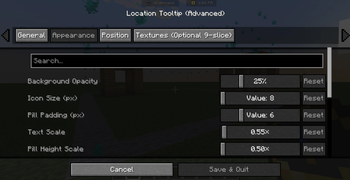
- Adjustable color, size, position, and style
Region Management
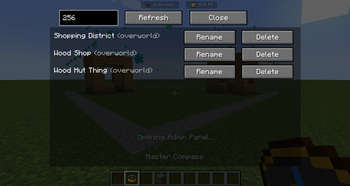
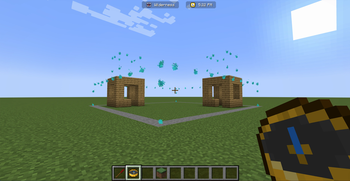
- Click-and-drag visual editor for defining region boundaries
- Full XYZ boundary support (not just 2D)
- Nested/hierarchical regions with priority-based display
- Region type categories (city, shop, wilderness, dungeon, etc.)
Permissions
- Players can create and name their own regions
- Admin controls for full region management and overrides
- Region ownership tracking
Nested Region Example
Shopping District (Priority: 1)
  ├── Bob's Emporium (Priority: 2)
  │   ├── Weapons Section (Priority: 3)
  │   └── Armor Section (Priority: 3)
  └── Alice's Bakery (Priority: 2)
Links
Roadmap
- Waypoint system integration
- Minimap compatibility
Support
If you find a bug or have a feature request, open an issue. If you want to contribute, PRs are welcome.
Available Versions
How to Install Location Tooltip on Your Server
Order Server
Order a Minecraft Java server with at least 3 GB RAM (4 GB recommended).
Set fabric Loader
In the panel under "Egg", select the fabric loader and matching Minecraft version (1.20.1).
Install Mod
Open the mod browser in the dashboard and search for "Location Tooltip". Click "Install" – done! Alternatively, upload the .jar via SFTP to the /mods folder.
Compatibility
Mod Loaders
Minecraft Versions
1.20.1
Server-side
✗ UnsupportedRecommended RAM
4 GB(min. 3 GB)Frequently Asked Questions
Location Tooltip server crashes on startup – what to do?
Most common cause: wrong fabric version or insufficient RAM. Check the server log (latest.log) for "OutOfMemoryError" or "Mixin" errors. With Mado Hosting: ensure at least 3 GB RAM is allocated and the loader matches the mod version (1.20.1). You can switch loaders with one click in the panel.
Is Location Tooltip compatible with fabric?
Location Tooltip officially supports fabric for Minecraft 1.20.1. The Mado dashboard automatically detects incompatible loader combinations.
Server lagging with Location Tooltip – how to optimize performance?
Recommended RAM: 4 GB (per 8 players). Use /spark profiler to check if Location Tooltip consumes the most tick time. Common fixes: reduce server view-distance to 8-10, install "performant" or "starlight" as supplementary mods on Forge. With Mado Hosting, your server runs on NVMe SSDs with dedicated CPU cores for minimal latency.
Similar Mods




![[ETF] Entity Texture Features](https://cdn.modrinth.com/data/BVzZfTc1/af683d206d50b05258d865b0d6e4aa2f2cee12f2_96.webp)
![[EMF] Entity Model Features](https://cdn.modrinth.com/data/4I1XuqiY/6e5bbd0d06b1741bfdab6c0cfab6de8fdaf0064c_96.webp)
Rent Modded Server
Install Location Tooltip with just one click on your server.