
Locked In Slots
Lock your inventory slots. Protect your tools. Prevent accidents, fully client-side.
Screenshots
About this Mod








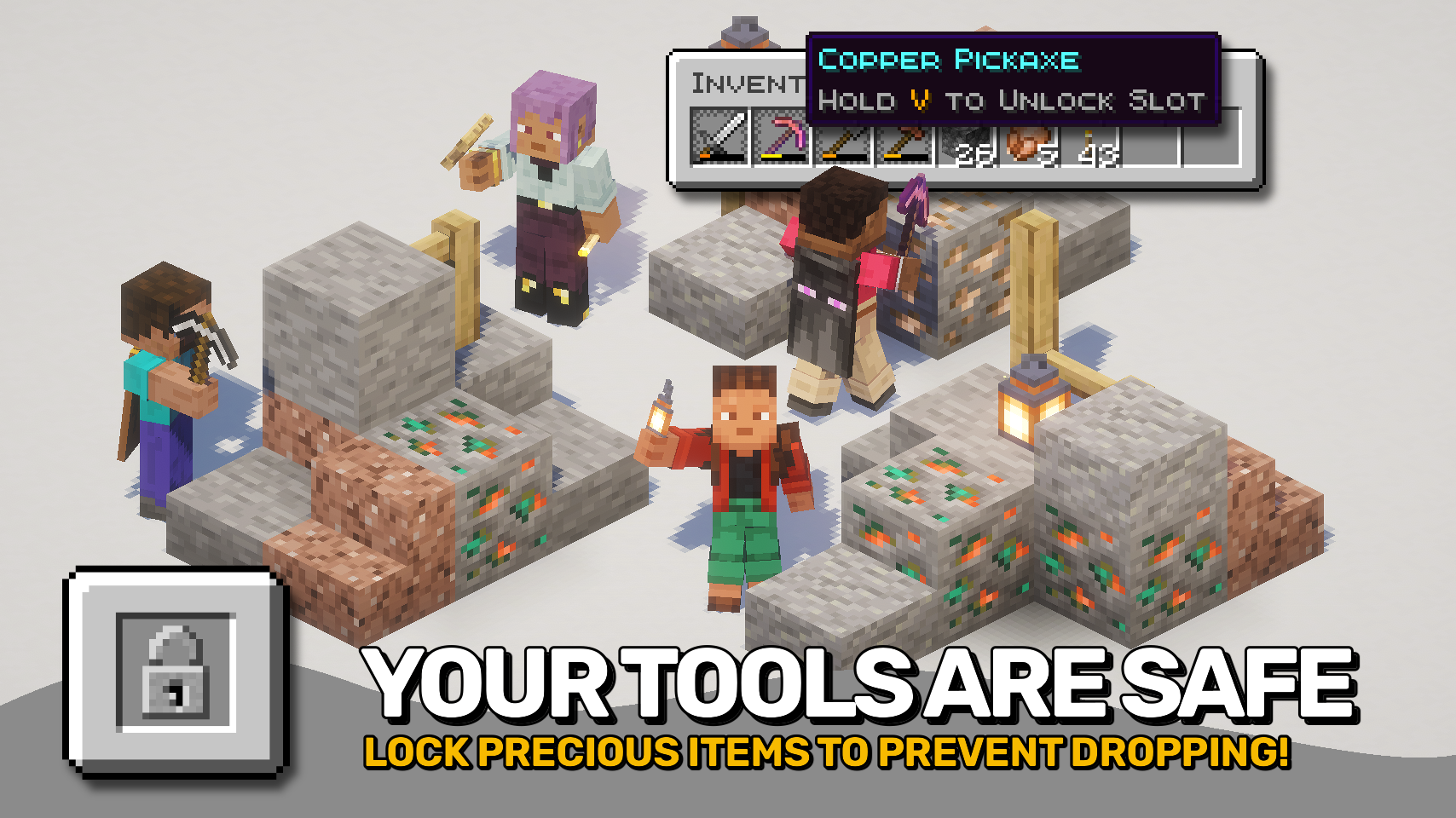
Locked In Slots helps protect your most important items from accidental inventory mistakes. 🔒 Simply hover a slot and press the lock key to toggle its locked state. Locked slots keep valuable tools, weapons, and other items safely in place until you decide otherwise.
No more accidentally dropping your pickaxe, moving your sword into a chest, or replacing an important hotbar slot during a hectic adventure. Once a slot is locked, its contents stay exactly where they belong. 🛡️
Best of all, the mod is fully client side and works in both singleplayer and on multiplayer servers. ✨

- 🔒 Quick Slot Locking: Lock or unlock inventory slots with a configurable key while hovering them.
- 🎯 Hotbar Support: Lock the selected hotbar slot even when no inventory screen is open.
- 🛡️ Prevent Item Pickup: Locked items cannot be picked up or moved out of their slot.
- 🚫 No Accidental Drops: Pressing Q will no longer drop items from locked slots.
- 🔄 Prevent Item Swapping: Locked slots cannot be replaced with other items.
- 📦 Allow Stack Growth: Stackable items can still receive additional matching items while remaining protected.
- 💡 Helpful Unlock Hints: Optional tooltips remind you how to unlock protected slots.
- ⚙️ Flexible Configuration: Customize lock timing, slot restrictions, supported slot types, and more.
- 🌍 Fully Client Side: Works seamlessly in singleplayer and on servers without requiring installation on the server.


⏩ INSTALLATION REQUIRED ON CLIENT
⏩ REQUIRES PUZZLES LIB TO BE INSTALLED (FABRIC & NEOFORGE)
⏩ REQUIRES FABRIC API TO BE INSTALLED (FABRIC)
⏩ REQUIRES FORGE CONFIG API PORT TO BE INSTALLED (FABRIC)

If available for a mod, configuration is possible directly from in-game using the mod menu (requires Mod Menu by Prospector to be installed on Fabric).
For manual configuration using an external text editor all files are found at .minecraft/config, named as MOD_ID-client.toml, MOD_ID-common.toml, or MOD_ID-server.toml, depending on the type of config. Not all types might exist for a mod, if any at all.

🌟 Big thanks to D4rkness_King and their SlotLock mod for inspiring this project.




Available Versions
How to Install Locked In Slots on Your Server
Order Server
Order a Minecraft Java server with at least 3 GB RAM (4 GB recommended).
Set fabric Loader
In the panel under "Egg", select the fabric loader and matching Minecraft version (26.2).
Install Mod
Open the mod browser in the dashboard and search for "Locked In Slots". Click "Install" – done! Alternatively, upload the .jar via SFTP to the /mods folder.
Compatibility
Mod Loaders
Minecraft Versions
26.2, 26.1.2, 26.1.1 (+1 more)
Server-side
✗ UnsupportedRecommended RAM
4 GB(min. 3 GB)Frequently Asked Questions
Locked In Slots server crashes on startup – what to do?
Most common cause: wrong fabric version or insufficient RAM. Check the server log (latest.log) for "OutOfMemoryError" or "Mixin" errors. With Mado Hosting: ensure at least 3 GB RAM is allocated and the loader matches the mod version (26.2). You can switch loaders with one click in the panel.
Is Locked In Slots compatible with fabric and neoforge?
Locked In Slots officially supports fabric, neoforge for Minecraft 26.2, 26.1.2, 26.1.1. The Mado dashboard automatically detects incompatible loader combinations.
Server lagging with Locked In Slots – how to optimize performance?
Recommended RAM: 4 GB (per 8 players). Use /spark profiler to check if Locked In Slots consumes the most tick time. Common fixes: reduce server view-distance to 8-10, install "performant" or "starlight" as supplementary mods on Forge. With Mado Hosting, your server runs on NVMe SSDs with dedicated CPU cores for minimal latency.
Similar Mods




![[ETF] Entity Texture Features](https://cdn.modrinth.com/data/BVzZfTc1/af683d206d50b05258d865b0d6e4aa2f2cee12f2_96.webp)
![[EMF] Entity Model Features](https://cdn.modrinth.com/data/4I1XuqiY/6e5bbd0d06b1741bfdab6c0cfab6de8fdaf0064c_96.webp)
Rent Modded Server
Install Locked In Slots with just one click on your server.