
LogConsole
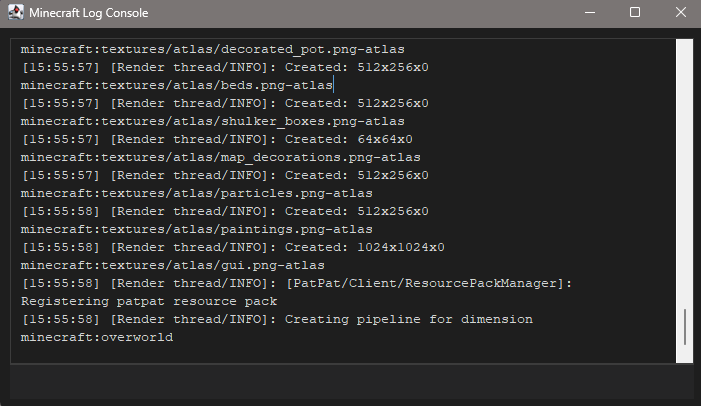
This mod opens a console window when you launch Minecraft. It also allows you to interact with Minecraft itself, which can be very convenient.
Screenshots
About this Mod
What the mod does, what it's for, and what can be added later. What it does: a separate log window (Windows, Swing) with duplicate Minecraft logs, command entry from the window, colorized output (ANSI and §), log filters, color and font settings.
Why it's useful: easy log viewing without cmd, macros via /import, quick actions (/press, /click, /look, /go, /slot, /atack, etc.) without manually editing files.
Limitations (stability): /go and part of /atack depend on server permissions; /press and clicks depend on window focus; a separate .exe editor is not included in this build.
Future ideas: a separate small Java launcher (.exe) just for the editor; syntax highlighting in the editor; macro key bindings; script profiles; integration with Mod Menu again (no API conflicts).
Libraries: no additional ones required - just JDK and what Fabric/Minecraft already supports (Gson, etc.).
Available Versions
How to Install LogConsole on Your Server
Order Server
Order a Minecraft Java server with at least 3 GB RAM (4 GB recommended).
Set fabric Loader
In the panel under "Egg", select the fabric loader and matching Minecraft version (1.21.8).
Install Mod
Open the mod browser in the dashboard and search for "LogConsole". Click "Install" – done! Alternatively, upload the .jar via SFTP to the /mods folder.
Compatibility
Mod Loaders
Minecraft Versions
1.21.8, 1.21.7, 1.21.6
Server-side
✗ UnsupportedRecommended RAM
4 GB(min. 3 GB)Frequently Asked Questions
LogConsole server crashes on startup – what to do?
Most common cause: wrong fabric version or insufficient RAM. Check the server log (latest.log) for "OutOfMemoryError" or "Mixin" errors. With Mado Hosting: ensure at least 3 GB RAM is allocated and the loader matches the mod version (1.21.8). You can switch loaders with one click in the panel.
Is LogConsole compatible with fabric?
LogConsole officially supports fabric for Minecraft 1.21.8, 1.21.7, 1.21.6. The Mado dashboard automatically detects incompatible loader combinations.
Server lagging with LogConsole – how to optimize performance?
Recommended RAM: 4 GB (per 8 players). Use /spark profiler to check if LogConsole consumes the most tick time. Common fixes: reduce server view-distance to 8-10, install "performant" or "starlight" as supplementary mods on Forge. With Mado Hosting, your server runs on NVMe SSDs with dedicated CPU cores for minimal latency.
Similar Mods




Rent Modded Server
Install LogConsole with just one click on your server.