
LotTweaks
A Minecraft mod that adds quality-of-life tools for Creative-mode builders.
Screenshots
About this Mod
LotTweaks
LotTweaks is a Minecraft mod that adds quality-of-life tools for Creative-mode builders. Reach across an entire build with one keystroke, cycle between related blocks (stone → granite → diorite) with the scroll wheel, replace blocks in place, and pick distant blocks at a glance.
Features
Reach Extension
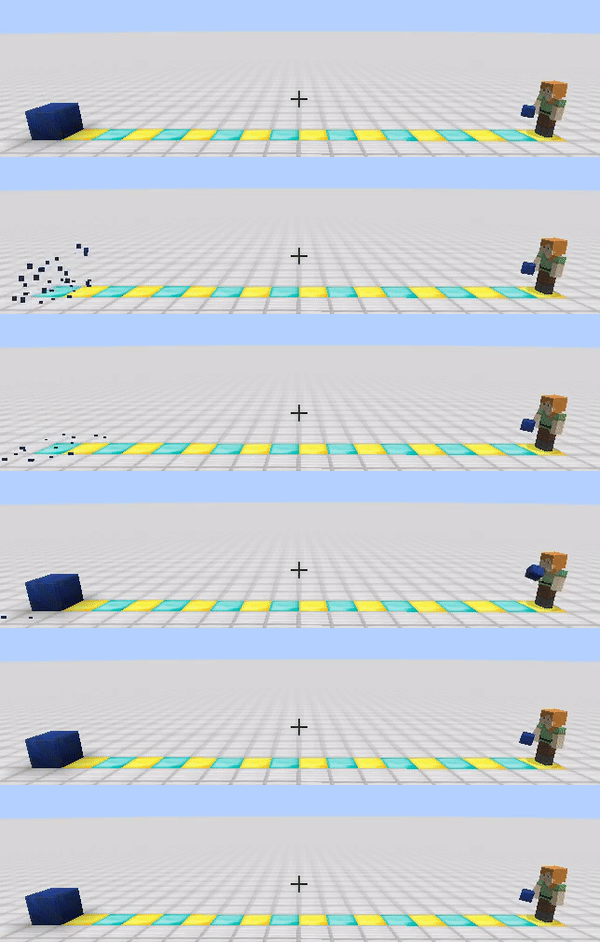
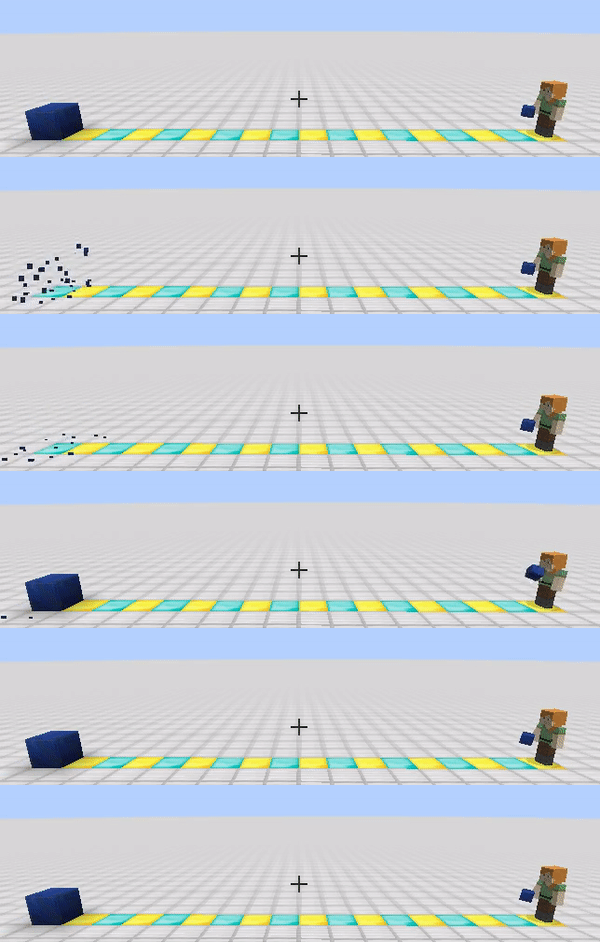
Break, place, and pick blocks up to 100+ blocks away. Hold the key (default: U) and scroll the mouse wheel to adjust the range on the fly.
Both client and server need this mod installed.
Palette
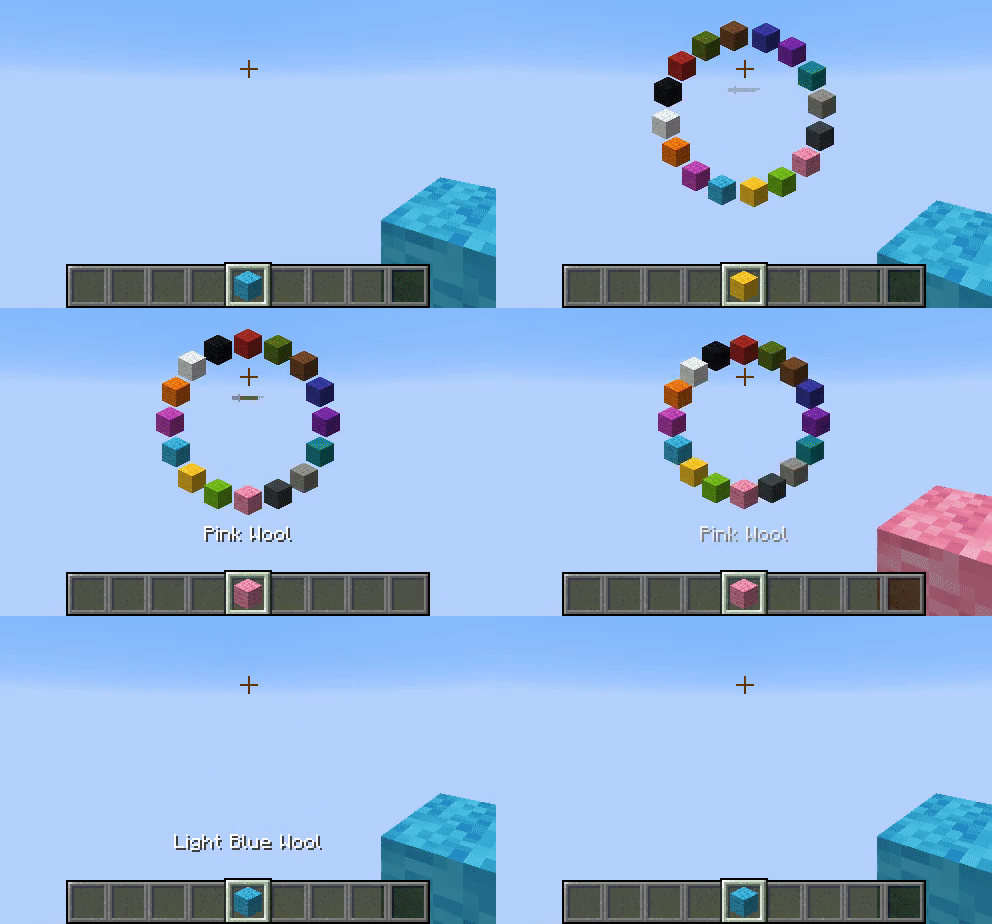
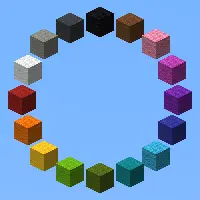
Hold the key (default: R) and scroll to swap the held item for the next one in the same item group — for example, stone → granite → diorite, or oak planks → birch planks. Double-tap to switch between palette groups.
Item groups are defined in LotTweaks-ItemGroups.json and can be edited freely. Items with components such as enchantments or custom names are supported, so an enchanted bow or a renamed item can be registered as its own palette entry.
Client-side only.
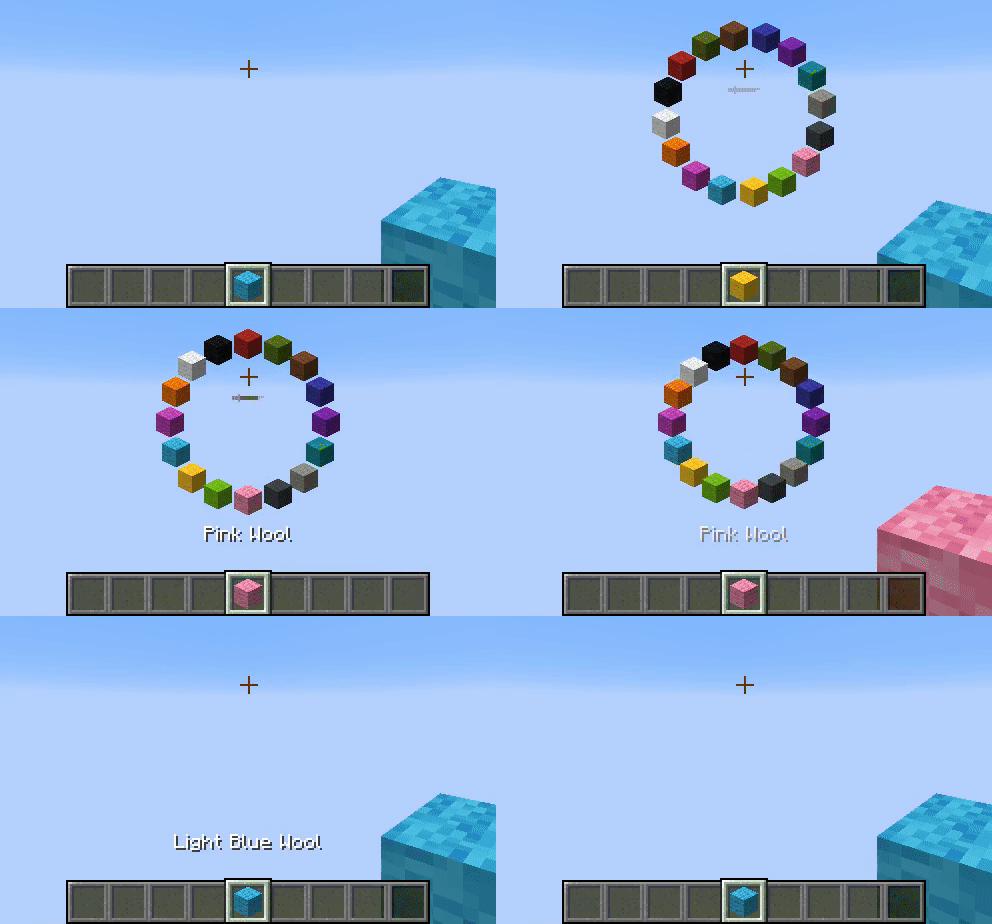
Replace Block
Press the key (default: G) while looking at a block to replace it with the item in your main hand.
Both client and server need this mod installed.
Smart Pick
Press the key (default: V) to pick the block you are looking at, even when it is well beyond the vanilla pick range. Long-press the key and scroll to pick from your recent pick-block history instead.
Client-side only.
Default Keybindings
| Key | Action | Required side |
|---|---|---|
| V | Smart Pick | Client |
| R | Palette | Client |
| G | Replace Block | Client + Server |
| U | Reach Extension | Client + Server |
All keys can be rebound from the standard Minecraft Controls screen.
Commands
All commands are client-side.
/lottweaks add— Register the items in your hotbar as a new entry in the primary palette group./lottweaks add 2— Register the items in your hotbar as a new entry in the secondary palette group./lottweaks reload— Reload item groups fromLotTweaks-ItemGroups.json.
Configuration
Item groups are stored in LotTweaks-ItemGroups.json inside your config/ directory. The file is created with sensible defaults the first time you launch the game.
To customize:
- Edit
LotTweaks-ItemGroups.jsondirectly, or use/lottweaks add. - Run
/lottweaks reloadto apply the changes. - If the file contains errors, the offending lines are reported in chat and in the log.
To reset to defaults:
- Delete
LotTweaks-ItemGroups.json. - Restart Minecraft. A fresh default config will be regenerated.
Migrating from older versions:
Older text-based configs (LotTweaks-BlockGroups.txt and LotTweaks-BlockGroups2.txt) are automatically migrated to the new JSON format on first launch.
FAQ
Reach Extension or Replace Block isn't working.
Make sure the same version of LotTweaks is installed on the server. These two features require both sides.
Does this mod work with blocks added by other mods?
Probably yes for standard blocks, but blocks from other mods are not officially supported.
Can I share a customized item-groups config with others?
Yes — feel free to distribute your LotTweaks-ItemGroups.json.
Recent Changes
- 2.4.x — Items with components (enchantments, custom names, etc.) can now be registered as distinct palette entries. Configs are stored as
LotTweaks-ItemGroups.json(legacy.txtconfigs are auto-migrated). - 2.3.7 — Internal rename to clearer feature names:
ExPick→ Smart Pick,Rotate→ Palette,AdjustRange→ Reach Extension,Replace→ Replace Block. No functional changes. - 2.3.2 — Fixed Smart Pick not working for distant blocks.
- 2.3.0 — Migrated to the reach-entity-attribute library to reduce conflicts with other mods.
- 2.2.2 — Added option
SHOW_BLOCKCONFIG_ERROR_LOG_TO_CHAT. - 2.2.1 — Added pick-from-history to Smart Pick. 2.2.2+ clients can connect to 2.2.1 servers.
Discord

Disclaimer
THE SOFTWARE IS PROVIDED "AS IS", WITHOUT WARRANTY OF ANY KIND, EXPRESS OR IMPLIED, INCLUDING BUT NOT LIMITED TO THE WARRANTIES OF MERCHANTABILITY, FITNESS FOR A PARTICULAR PURPOSE AND NONINFRINGEMENT. IN NO EVENT SHALL THE AUTHORS OR COPYRIGHT HOLDERS BE LIABLE FOR ANY CLAIM, DAMAGES OR OTHER LIABILITY, WHETHER IN AN ACTION OF CONTRACT, TORT OR OTHERWISE, ARISING FROM, OUT OF OR IN CONNECTION WITH THE SOFTWARE OR THE USE OR OTHER DEALINGS IN THE SOFTWARE.
Available Versions
How to Install LotTweaks on Your Server
Order Server
Order a Minecraft Java server with at least 3 GB RAM (4 GB recommended).
Set fabric Loader
In the panel under "Egg", select the fabric loader and matching Minecraft version (26.1.2).
Install Mod
Open the mod browser in the dashboard and search for "LotTweaks". Click "Install" – done! Alternatively, upload the .jar via SFTP to the /mods folder.
Compatibility
Mod Loaders
Minecraft Versions
26.1.2, 1.21.11
Server-side
~ OptionalRecommended RAM
4 GB(min. 3 GB)Frequently Asked Questions
LotTweaks server crashes on startup – what to do?
Most common cause: wrong fabric version or insufficient RAM. Check the server log (latest.log) for "OutOfMemoryError" or "Mixin" errors. With Mado Hosting: ensure at least 3 GB RAM is allocated and the loader matches the mod version (26.1.2). You can switch loaders with one click in the panel.
Is LotTweaks compatible with fabric?
LotTweaks officially supports fabric for Minecraft 26.1.2, 1.21.11. The Mado dashboard automatically detects incompatible loader combinations.
Server lagging with LotTweaks – how to optimize performance?
Recommended RAM: 4 GB (per 8 players). Use /spark profiler to check if LotTweaks consumes the most tick time. Common fixes: reduce server view-distance to 8-10, install "performant" or "starlight" as supplementary mods on Forge. With Mado Hosting, your server runs on NVMe SSDs with dedicated CPU cores for minimal latency.
Similar Mods




![[ETF] Entity Texture Features](https://cdn.modrinth.com/data/BVzZfTc1/af683d206d50b05258d865b0d6e4aa2f2cee12f2_96.webp)
![[EMF] Entity Model Features](https://cdn.modrinth.com/data/4I1XuqiY/6e5bbd0d06b1741bfdab6c0cfab6de8fdaf0064c_96.webp)
Rent Modded Server
Install LotTweaks with just one click on your server.