
Low Health Warning
A lightweight client-side Minecraft QoL mod that shows a clear Low Health warning above your hotbar when your health gets dangerously low.
Screenshots
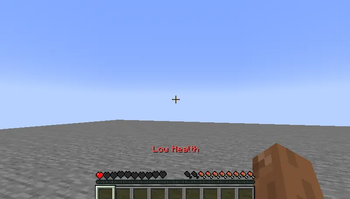
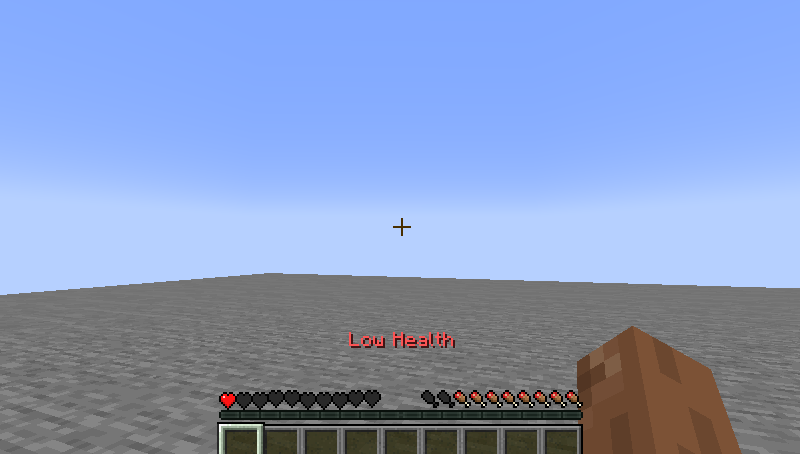
About this Mod
Low Health Warning is a lightweight client-side Minecraft QoL mod designed to keep you aware of dangerous health levels without getting in the way of gameplay.
When your health drops below a safe point, the mod displays a clear “Low Health” message above your hotbar, giving you an instant visual warning when things start to get risky. Whether you are exploring caves, fighting mobs, playing survival, or dealing with intense PvP moments, this simple warning helps you react faster before it is too late.
The mod is built to be clean, fast, and non-intrusive. It does not add complicated menus, unnecessary effects, or heavy features. It simply does one useful job and does it well: warning you when your health is low.
Perfect for players who want a small quality-of-life improvement that feels natural in Minecraft while staying lightweight and easy to use.
Available Versions
How to Install Low Health Warning on Your Server
Order Server
Order a Minecraft Java server with at least 3 GB RAM (4 GB recommended).
Set fabric Loader
In the panel under "Egg", select the fabric loader and matching Minecraft version (1.21.11).
Install Mod
Open the mod browser in the dashboard and search for "Low Health Warning". Click "Install" – done! Alternatively, upload the .jar via SFTP to the /mods folder.
Compatibility
Mod Loaders
Minecraft Versions
1.21.11, 1.21.8, 1.21.5 (+2 more)
Server-side
✗ UnsupportedRecommended RAM
4 GB(min. 3 GB)Frequently Asked Questions
Low Health Warning server crashes on startup – what to do?
Most common cause: wrong fabric version or insufficient RAM. Check the server log (latest.log) for "OutOfMemoryError" or "Mixin" errors. With Mado Hosting: ensure at least 3 GB RAM is allocated and the loader matches the mod version (1.21.11). You can switch loaders with one click in the panel.
Is Low Health Warning compatible with fabric?
Low Health Warning officially supports fabric for Minecraft 1.21.11, 1.21.8, 1.21.5. The Mado dashboard automatically detects incompatible loader combinations.
Server lagging with Low Health Warning – how to optimize performance?
Recommended RAM: 4 GB (per 8 players). Use /spark profiler to check if Low Health Warning consumes the most tick time. Common fixes: reduce server view-distance to 8-10, install "performant" or "starlight" as supplementary mods on Forge. With Mado Hosting, your server runs on NVMe SSDs with dedicated CPU cores for minimal latency.
Similar Mods




![[ETF] Entity Texture Features](https://cdn.modrinth.com/data/BVzZfTc1/af683d206d50b05258d865b0d6e4aa2f2cee12f2_96.webp)
![[EMF] Entity Model Features](https://cdn.modrinth.com/data/4I1XuqiY/6e5bbd0d06b1741bfdab6c0cfab6de8fdaf0064c_96.webp)
Rent Modded Server
Install Low Health Warning with just one click on your server.