
LowKey Anti ItemFrame
LowKey AntiItemFrame client-side Fabric mod that prevents accidental right-click interactions with item frames and decorated pots.
Screenshots
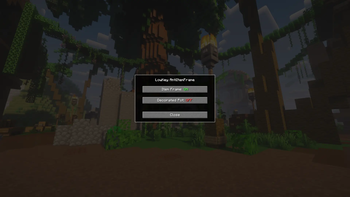
About this Mod
LowKey AntiItemFrame is a lightweight client-side Fabric mod that eliminates the frustration of accidentally interacting with item frames and decorated pots while playing.
Ever walked past a decorated display and accidentally shoved an item into a frame, or emptied a decorated pot without meaning to? This mod prevents exactly that. With a single keybind you get instant access to a clean settings GUI where you can control what gets blocked and what doesn't — no config files, no restarts needed.
Features:
Item Frame protection — completely blocks right-click interaction with item frames, preventing items from being inserted, removed, or rotated
Decorated Pot protection — blocks right-click interaction with decorated pots, preventing items from being inserted into them
In-game GUI — press V (default) to open the settings screen and toggle each option independently
Keybind rebinding — the GUI keybind can be changed at any time in the standard Minecraft Controls menu under the LowKey AntiItemFrame category
Zero performance impact — purely client-side, no server required, no background processing
Both toggles can be switched on and off at any time during gameplay, making it easy to temporarily allow interactions when you actually need them.
Available Versions
How to Install LowKey Anti ItemFrame on Your Server
Order Server
Order a Minecraft Java server with at least 3 GB RAM (4 GB recommended).
Set fabric Loader
In the panel under "Egg", select the fabric loader and matching Minecraft version (1.20.1).
Install Mod
Open the mod browser in the dashboard and search for "LowKey Anti ItemFrame". Click "Install" – done! Alternatively, upload the .jar via SFTP to the /mods folder.
Compatibility
Mod Loaders
Minecraft Versions
1.20.1
Server-side
✗ UnsupportedRecommended RAM
4 GB(min. 3 GB)Frequently Asked Questions
LowKey Anti ItemFrame server crashes on startup – what to do?
Most common cause: wrong fabric version or insufficient RAM. Check the server log (latest.log) for "OutOfMemoryError" or "Mixin" errors. With Mado Hosting: ensure at least 3 GB RAM is allocated and the loader matches the mod version (1.20.1). You can switch loaders with one click in the panel.
Is LowKey Anti ItemFrame compatible with fabric?
LowKey Anti ItemFrame officially supports fabric for Minecraft 1.20.1. The Mado dashboard automatically detects incompatible loader combinations.
Server lagging with LowKey Anti ItemFrame – how to optimize performance?
Recommended RAM: 4 GB (per 8 players). Use /spark profiler to check if LowKey Anti ItemFrame consumes the most tick time. Common fixes: reduce server view-distance to 8-10, install "performant" or "starlight" as supplementary mods on Forge. With Mado Hosting, your server runs on NVMe SSDs with dedicated CPU cores for minimal latency.
Similar Mods






Rent Modded Server
Install LowKey Anti ItemFrame with just one click on your server.