
lwjgl3ify
Run Minecraft 1.7.10 using LWJGL3 and Modern Java (17 and newer)
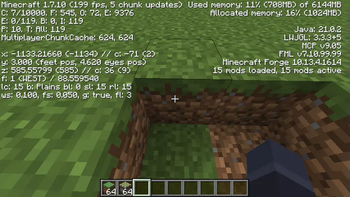
Screenshots
About this Mod
LWJGL3ify
Brings LWJGL3 and modern Java versions to Minecraft 1.7.10. Bundles RetroFuturaBootstrap as a flexible early load plugin system.
To use, just make sure the main jar is in the mods/ directory and configure to launch with Java 8 as usual. On startup, a window should appear prompting you to select a modern Java version to relaunch with, and the JVM settings for that Java installation. If none appear, you should download a modern Java version from your preferred vendor and install it, Java 17 and 21 are the currently recommended versions.
Compatibility
While the mods strives for maximum compatibility, there will inevitably be mods that currently do not work with lwjgl3ify, please check if our issue tracker has them listed and if not open an issue, including the crash report if any, game logs and information about what doesn't work properly.
Tweaking configs
If you want to tweak your window options, raw mouse input, OpenGL context properties or other more advanced settings, check out the config file in config/lwjgl3ify.cfg after the first startup, or the lwjgl3ify Mod Options in game.
Server installation
First, install a working Forge server, from a modpack zip or using forge's installer. Then, install the mod jar (and unimixins, hodgepodge and gtnhlib as needed) in mods/, and download the forgePatches jar. Put the forgePatches jar in the same folder as your forge-universal and minecraft server jars. Thermos/Crucible/Hybrid servers are not supported!. Lwjgl3ify also depends on Unimixins. Rename the forgePatches jar to just lwjgl3ify-forgePatches.jar. Grab java9args.txt from the sources of this mod. You can now launch the server with a command like the following, assuming the first java executable on your PATH is java 17/21/newer:
java -Xmx6G -Xms6G @java9args.txt -jar lwjgl3ify-forgePatches.jar nogui
How does it work? (Very technical details)
There are a few components to enabling modern Java and LWJGL usage on old Minecraft versions, lwjgl3ify implements these specifically:
- A game relauncher to modify the library list loaded into the java classpath - to install LWJGL3, and our forgePatches jar that includes libraries such as ASM 9 or new Apache Commons.
- A custom server launcher jar with the modified
Class-PathMETA-INF manifest entry (integrated into our forgePatches jar) - A Free and Open Source replacement for launchwrapper with a java 9+-compatible classpath discovery mechanism and wider-reaching transformer capabilities at https://github.com/GTNewHorizons/RetroFuturaBootstrap.
- A lot of add-opens flags for the JVM to allow reflection into JVM internals. Unfortunately a lot of libraries and mods depend on this to work, even weird ones like
java.textorniointernals in case of Netty. - A partially auto-generated compatibility shim redirecting lwjgl2 api calls into the matching lwjgl3 calls (in
src/main/java/org/lwjglx,src/generated/java/org/lwjglx), the generator is insrc/util/java - Dummy
org/lwjgl/*classes matching the classes removed from lwjgl3 (e.g. Display) for mods that rely on finding them under that location in the classpath - e.g. for mixin metadata - Replacement GL vendor information provider for crash reports, the old one caused JVM crashes if it was used from a thread without a valid OpenGL context
- Asm transformers:
- Asm transformer renaming any access to org/lwjgl to org/lwjglx after all other transformations have been done to the class - in
LwjglRedirectTransformer.java javax/xml/bind->jakarta/xml/bind/asm transformer and a shaded version of jakarta.xml.bind, because that API was removed from JRE 11- Extensible enum transformer (copied under the lgpl license from Forge for minecraft 1.19.3) to replace a lot of the EnumHelper usages
- Object holders unfinalizer, to remove the need for overwriting
static finalfields in Forge. FixConstantPoolInterfaceMethodRefHelperis a transformer to fix a javac 8/asm 5.0 reobfuscator bug which generated wrong entries in the constant pool if method handles to interface methods were used
- Asm transformer renaming any access to org/lwjgl to org/lwjglx after all other transformations have been done to the class - in
- Mixins:
- Object holder modifications to no longer write to
static finalfields - JarDiscoverer change to ignore
module-info.classandMETA-INF/versions/*classes because it's not Java 9-aware - PostMixinTransformInjector used to move our asm transformer to run after the mixin processing
- Object holder modifications to no longer write to
UnsafeHacksclass from modern forge, modified to work in more usecases, for replacing somestatic finalwrites where it was not feasible/easy to remove final.- Forge patches, which are modified classes from Forge that cannot be transformed because they are loaded too early - so we load a
forgePatchesjar before Forge in the classpath to replace them:- EventSubscriptionTransformer: the format of subclass annotation descriptors has slightly changed in Java 17, this makes the annotation discovery compatible with both
- TerminalTransformer: modify to accept classfiles newer than what asm5 supported
- ClassPatchManager: switches the Pack200 implementation to an Apache Commons Compress one because it was removed from newer JDKs
- TracingPrintStream: commons-compress closes System.out, this blocks this from happening
- CoreModManager: work around the fact that the system classloader is no longer a URLClassLoader
- FMLSecurityManager: fix some array index out of bounds exceptions, it is also deprecated in java 17 and will need to be replaced once a new API is available
- EnumHelper: replace all the enumhelper apis with new variants using the extensible enum transformer and unsafe hacks.
- Additional performance-enhancing mixins making use of LWJGL3 features:
- STB_image-based image loader, much faster than Image4J
- STB_rectpack-based texture sticher, it's nearly instant with tens of thousands of textures, compared to the vanilla code which takes many seconds to stitch that many textures into an atlas
Available Versions
How to Install lwjgl3ify on Your Server
Order Server
Order a Minecraft Java server with at least 3 GB RAM (4 GB recommended).
Set forge Loader
In the panel under "Egg", select the forge loader and matching Minecraft version (1.7.10).
Install Mod
Open the mod browser in the dashboard and search for "lwjgl3ify". Click "Install" – done! Alternatively, upload the .jar via SFTP to the /mods folder.
Compatibility
Mod Loaders
Minecraft Versions
1.7.10
Server-side
~ OptionalRecommended RAM
4 GB(min. 3 GB)Frequently Asked Questions
lwjgl3ify server crashes on startup – what to do?
Most common cause: wrong forge version or insufficient RAM. Check the server log (latest.log) for "OutOfMemoryError" or "Mixin" errors. With Mado Hosting: ensure at least 3 GB RAM is allocated and the loader matches the mod version (1.7.10). You can switch loaders with one click in the panel.
Is lwjgl3ify compatible with forge?
lwjgl3ify officially supports forge for Minecraft 1.7.10. The Mado dashboard automatically detects incompatible loader combinations.
Server lagging with lwjgl3ify – how to optimize performance?
Recommended RAM: 4 GB (per 8 players). Use /spark profiler to check if lwjgl3ify consumes the most tick time. Common fixes: reduce server view-distance to 8-10, install "performant" or "starlight" as supplementary mods on Forge. With Mado Hosting, your server runs on NVMe SSDs with dedicated CPU cores for minimal latency.
Similar Mods


Rent Modded Server
Install lwjgl3ify with just one click on your server.