
Lyngarr's Wandering Pets
A mod that lets you switch between following and wandering mode for your pets
Screenshots
About this Mod
Lyngarr's Wandering Pets 🐕🐈⬛🦜
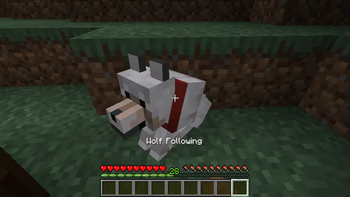
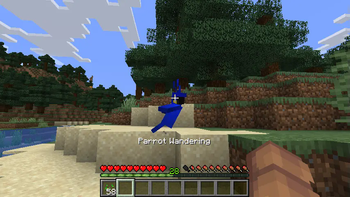
Lyngarr's Wandering Pets is a simple mod that lets your tamed pets roam freely within a defined area. Just sneak + right-click on your pet to toggle between Wandering and Following mode.
2.0.0 Features
- Per-pet home points: When you toggle a pet to Wandering mode, it sets a home at the current location.
- 32-block wandering radius: Your pet will explore within a 32-block radius and automatically return in the home area if it strays too far.
- Different dimensions support: Each pet remembers separate home points for different dimensions (Overworld, Nether, End, etc.).
- Adjusted cat behavior: The vanilla behavior of cats that make them sit on furniture is a bit nerfed while in wandering mode, otherwise they would just sit and basically never move.
Configuration
As of 2.1.0, you can change which pets are able to wander via the wanderable_mobs field in the lyngarrwanderingpets.properties file in the config folder.
The default value is wanderable_mobs=minecraft:parrot,minecraft:cat,minecraft:wolf. You can safely remove any pet from the default ones, but adding any will most likely break things, do so at your own risk.
This mod is server-side, meaning you can install it on a server without requiring players to have Fabric or any additional mods. It also works perfectly in singleplayer.



Available Versions
How to Install Lyngarr's Wandering Pets on Your Server
Order Server
Order a Minecraft Java server with at least 3 GB RAM (4 GB recommended).
Set fabric Loader
In the panel under "Egg", select the fabric loader and matching Minecraft version (26.1.2).
Install Mod
Open the mod browser in the dashboard and search for "Lyngarr's Wandering Pets". Click "Install" – done! Alternatively, upload the .jar via SFTP to the /mods folder.
Compatibility
Mod Loaders
Minecraft Versions
26.1.2, 1.21.11, 1.21.10 (+6 more)
Server-side
✓ RequiredRecommended RAM
4 GB(min. 3 GB)Frequently Asked Questions
Lyngarr's Wandering Pets server crashes on startup – what to do?
Most common cause: wrong fabric version or insufficient RAM. Check the server log (latest.log) for "OutOfMemoryError" or "Mixin" errors. With Mado Hosting: ensure at least 3 GB RAM is allocated and the loader matches the mod version (26.1.2). You can switch loaders with one click in the panel.
Is Lyngarr's Wandering Pets compatible with fabric?
Lyngarr's Wandering Pets officially supports fabric for Minecraft 26.1.2, 1.21.11, 1.21.10. The Mado dashboard automatically detects incompatible loader combinations.
Server lagging with Lyngarr's Wandering Pets – how to optimize performance?
Recommended RAM: 4 GB (per 8 players). Use /spark profiler to check if Lyngarr's Wandering Pets consumes the most tick time. Common fixes: reduce server view-distance to 8-10, install "performant" or "starlight" as supplementary mods on Forge. With Mado Hosting, your server runs on NVMe SSDs with dedicated CPU cores for minimal latency.
Similar Mods




Rent Modded Server
Install Lyngarr's Wandering Pets with just one click on your server.