
Magmatic Exile
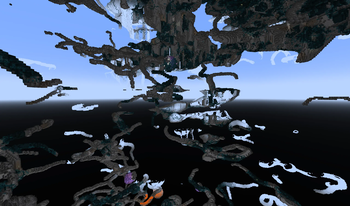
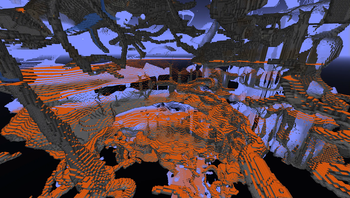
Banish that pesky glowfluid from the realms deep below! Fixes below -54 Lava generation.
Screenshots
About this Mod
This attempts to fix MC-237017, a bug that fills all caves below -54 with lava.
With this mod, the lava level is tied to the bedrock level instead of being hardcoded, making it possible to generate caves hundreds of blocks deep.
Serverside only.
NORMAL VERSION:
This has no real use if you don't use a datapack or other means of deepening your world below -64!
PLUS VERSION:
work in progressIncludes a datapack to expand your world from 640 to -512 making it effectively 1152 blocks tall.
It also includes rudimentary support for ores W.I.P.! but some things might still be out of place.DISCLAIMER: Your computer will die!
ADDONS / SUPPORT
Most mods should work well and expand into the deeper world, some may only generate in the normal range tho.
I suggest checking out Volcanic Caverns by F1ashFyre as it goes really well together because the caverns will only generate at the low end of the world.
Quark Stuff also seems to generate fine in the deep parts of the world.
Direct mod support for many mods structures & ores will be added eventually and listed here. If your mods generation scales dynamically and works with this, be sure to contact me through github so i can add it here!
This is a direct forge port of:
https://github.com/Andrew6rant/MC-237017-Fix
Ore distribution taken and modified from:
https://modrinth.com/datapack/larger-ore-veins-deluxe/versions
Available Versions
How to Install Magmatic Exile on Your Server
Order Server
Order a Minecraft Java server with at least 4 GB RAM (6 GB recommended).
Set forge Loader
In the panel under "Egg", select the forge loader and matching Minecraft version (1.19.2).
Install Mod
Open the mod browser in the dashboard and search for "Magmatic Exile". Click "Install" – done! Alternatively, upload the .jar via SFTP to the /mods folder.
Compatibility
Mod Loaders
Minecraft Versions
1.19.2
Server-side
✓ RequiredRecommended RAM
6 GB(min. 4 GB)Frequently Asked Questions
Magmatic Exile server crashes on startup – what to do?
Most common cause: wrong forge version or insufficient RAM. Check the server log (latest.log) for "OutOfMemoryError" or "Mixin" errors. With Mado Hosting: ensure at least 4 GB RAM is allocated and the loader matches the mod version (1.19.2). You can switch loaders with one click in the panel.
Is Magmatic Exile compatible with forge?
Magmatic Exile officially supports forge for Minecraft 1.19.2. The Mado dashboard automatically detects incompatible loader combinations.
Server lagging with Magmatic Exile – how to optimize performance?
Recommended RAM: 6 GB (per 5 players). Use /spark profiler to check if Magmatic Exile consumes the most tick time. Common fixes: reduce server view-distance to 8-10, install "performant" or "starlight" as supplementary mods on Forge. With Mado Hosting, your server runs on NVMe SSDs with dedicated CPU cores for minimal latency.
Similar Mods




Rent Modded Server
Install Magmatic Exile with just one click on your server.