
Mannequins
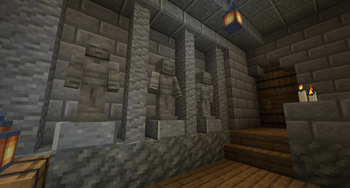
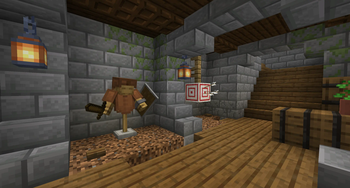
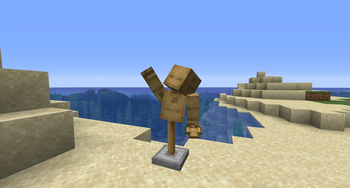
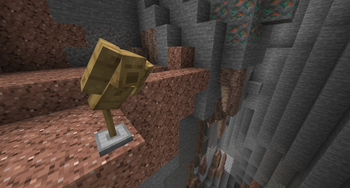
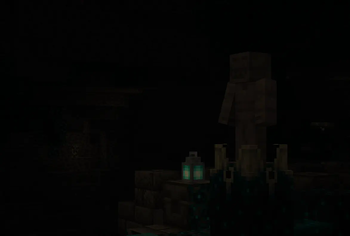
Strike a pose! Mannequins adds a decorative Mannequin and Statue which can be posed and fitted to your hearts content.
Screenshots
About this Mod
👋 Mannequins — Strike a pose!

The Mannequin is the perfect companion for all your training needs. These wooden dummies can be posed, suited up with armor for that extra style, and even fought to test out the great strength of your best weapons. Want something a little more static? The Statue can provide everything the Mannequin can, but frozen in place by the stone. The Statue doesn't move when punched and it even has legs! (no, you cannot put anything on them or pose the legs. sorry!) Everything is easy to use and intuitive so even beginners can pose their mannequins with ease.
📦 Features:
- Easy to use posing GUI with scroll bars for absolute precision
- Equip a chestplate and/or a helmet to show off your style
- Give your mannequin something to show in it's main or off hand
- The Mannequin and Statue can be given unique personalities! Sneak right-click them with an axe or pickaxe respectively to cycle through multiple faces.
- The Mannequin has a unique attack animation when punched and particles to visualize the damage you've caused
🧍 How to use:
It's quite simple! First of course you need to craft either the Mannequin or the Statue, then you place it down and right click it for all the customization you could want! On the left you have 4 slots for each item it can hold, in the center you can select which part you want to rotate, and lastly on the right you have 3 scroll bars for each axis; X, Y, and Z! Use your mouse's scroll wheel for super precision, or be brave with sliding it down with the click or drag of your mouse.


Available Versions
How to Install Mannequins on Your Server
Order Server
Order a Minecraft Java server with at least 3 GB RAM (4 GB recommended).
Set neoforge Loader
In the panel under "Egg", select the neoforge loader and matching Minecraft version (1.21.1).
Install Mod
Open the mod browser in the dashboard and search for "Mannequins". Click "Install" – done! Alternatively, upload the .jar via SFTP to the /mods folder.
Compatibility
Mod Loaders
Minecraft Versions
1.21.1
Server-side
✓ RequiredRecommended RAM
4 GB(min. 3 GB)Frequently Asked Questions
Mannequins server crashes on startup – what to do?
Most common cause: wrong neoforge version or insufficient RAM. Check the server log (latest.log) for "OutOfMemoryError" or "Mixin" errors. With Mado Hosting: ensure at least 3 GB RAM is allocated and the loader matches the mod version (1.21.1). You can switch loaders with one click in the panel.
Is Mannequins compatible with neoforge?
Mannequins officially supports neoforge for Minecraft 1.21.1. The Mado dashboard automatically detects incompatible loader combinations.
Server lagging with Mannequins – how to optimize performance?
Recommended RAM: 4 GB (per 8 players). Use /spark profiler to check if Mannequins consumes the most tick time. Common fixes: reduce server view-distance to 8-10, install "performant" or "starlight" as supplementary mods on Forge. With Mado Hosting, your server runs on NVMe SSDs with dedicated CPU cores for minimal latency.
Similar Mods

![[ETF] Entity Texture Features](https://cdn.modrinth.com/data/BVzZfTc1/af683d206d50b05258d865b0d6e4aa2f2cee12f2_96.webp)
![[EMF] Entity Model Features](https://cdn.modrinth.com/data/4I1XuqiY/6e5bbd0d06b1741bfdab6c0cfab6de8fdaf0064c_96.webp)



Rent Modded Server
Install Mannequins with just one click on your server.