Map Art Copyright Forked
A small server side mod designed to note the author who created the map. Allows to disable map copying.
About this Mod
Map art Copyright
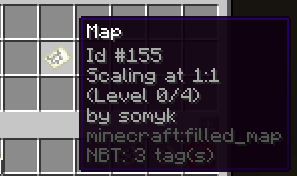
Server-side mod designed to note the author who created the map. Allows to disable map copying.
Default config values:
# You can change how many of them are displayed
maxPlayersInLore: 3

# Nobody can make a copy of a map (except authors if 'authorsCanCopy' is 'true')
disableCopy: true
authorsCanCopy: true

# Main author can transfer a canvas to the public domain (all players can copy the canvas).
# Doesn't work if `disableCopy` is `false`
publicDomainFeature: true

# Allows to clean a map with a bucket or a bottle of water in a cartography table
cleanMap: false
You can manage config in-game with the command /map-art config <config-value>.
To use this command you need the permission map-art-copyright.change-config.
(Alternatively, you can change it manually in config/map-art-copyright/map-art-copyright.yml)
Also you can change config/map-art-copyright/lang.yml file, which translates mod's text.
To use /map-art add <player> or /map-art remove <player> you need to be main author (the first who created filled map) or have the map-art-copyright.add-author, map-art-copyright.remove-author permissions.
Also you can allow anybody to copy your art with /map-art change-accessibility command. After transferring art to public domain it can also be crafted by crafter. You can use the command again to remove your art from public domain.
This mod uses fabric-permission-api.
To manage these permission, you can use LuckPerms or any other mod that can be used in this way.
Available Versions
How to Install Map Art Copyright Forked on Your Server
Order Server
Order a Minecraft Java server with at least 3 GB RAM (4 GB recommended).
Set fabric Loader
In the panel under "Egg", select the fabric loader and matching Minecraft version (26.1.2).
Install Mod
Open the mod browser in the dashboard and search for "Map Art Copyright Forked". Click "Install" – done! Alternatively, upload the .jar via SFTP to the /mods folder.
Compatibility
Mod Loaders
Minecraft Versions
26.1.2
Server-side
✓ RequiredRecommended RAM
4 GB(min. 3 GB)Frequently Asked Questions
Map Art Copyright Forked server crashes on startup – what to do?
Most common cause: wrong fabric version or insufficient RAM. Check the server log (latest.log) for "OutOfMemoryError" or "Mixin" errors. With Mado Hosting: ensure at least 3 GB RAM is allocated and the loader matches the mod version (26.1.2). You can switch loaders with one click in the panel.
Is Map Art Copyright Forked compatible with fabric?
Map Art Copyright Forked officially supports fabric for Minecraft 26.1.2. The Mado dashboard automatically detects incompatible loader combinations.
Server lagging with Map Art Copyright Forked – how to optimize performance?
Recommended RAM: 4 GB (per 8 players). Use /spark profiler to check if Map Art Copyright Forked consumes the most tick time. Common fixes: reduce server view-distance to 8-10, install "performant" or "starlight" as supplementary mods on Forge. With Mado Hosting, your server runs on NVMe SSDs with dedicated CPU cores for minimal latency.
Similar Mods




Rent Modded Server
Install Map Art Copyright Forked with just one click on your server.