
Create Aeronautics: Sable Mass Mod Compatibility
Compatibility pack that adds simulation properties for blocks from other mods.
Screenshots
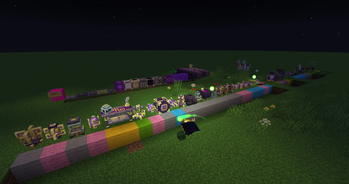
About this Mod
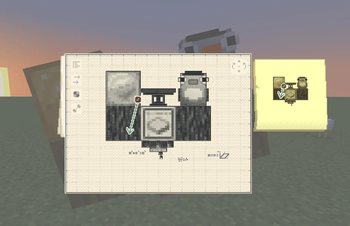
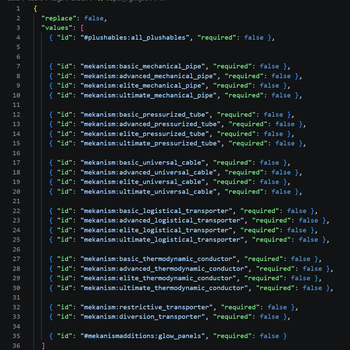
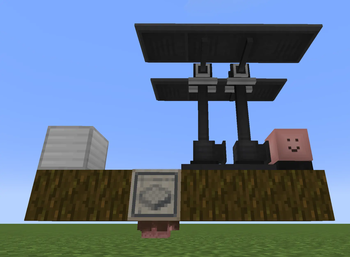
This project adds (and modifies some) Sable properties to blocks from the mods listed below such as mass, bounciness etc. so that they feel right when used on simulated contraptions.
Currently Supported Mods:
- ↗ Mekanism
- ↗ Farmer's Delight
- ↗ Supplementaries
- ↗ Ars Nouveau
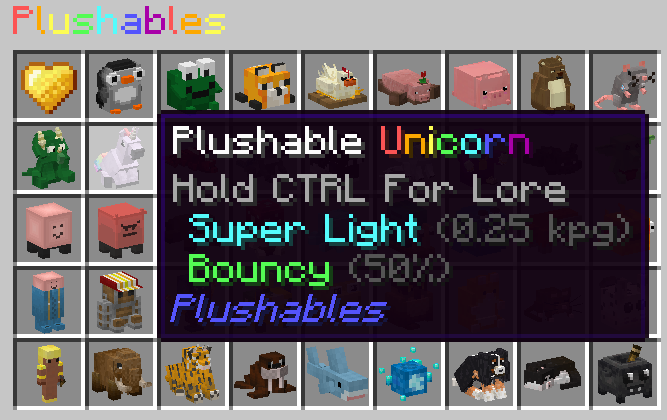
- ↗ Plushables
- ↗ Bronze
- ↗ Quark
- ↗ Create: Framed
Altered Properties
By default, Sable marks all #c:storage_blocks as super_heavy. This works great for things like blocks of iron, diamond, steel, tumblestone but not as well for blocks like a sugar cube or straw bale.
This datapack makes opinionated decisions regarding these blocks, such as changing all hay/straw/rice type blocks to 1kpg, food crates from farmer's delight to 2kpg, ars nouveau's magebloom blocks to 1kpg and more.
There's a precedent to this thinking, as Sable itself changes some blocks in this tag group to have a lower mass than 4kpg, such as slime, copper, bone blocks, as well as Create's cardboard block, which is also part of c:storage_blocks.
Feel free to suggest mods to include on Discord
Available Versions
How to Install Create Aeronautics: Sable Mass Mod Compatibility on Your Server
Order Server
Order a Minecraft Java server with at least 4 GB RAM (6 GB recommended).
Set datapack Loader
In the panel under "Egg", select the datapack loader and matching Minecraft version (1.21.1).
Install Mod
Open the mod browser in the dashboard and search for "Create Aeronautics: Sable Mass Mod Compatibility". Click "Install" – done! Alternatively, upload the .jar via SFTP to the /mods folder.
Compatibility
Mod Loaders
Minecraft Versions
1.21.1, 1.21
Server-side
✓ RequiredRecommended RAM
6 GB(min. 4 GB)Frequently Asked Questions
Create Aeronautics: Sable Mass Mod Compatibility server crashes on startup – what to do?
Most common cause: wrong datapack version or insufficient RAM. Check the server log (latest.log) for "OutOfMemoryError" or "Mixin" errors. With Mado Hosting: ensure at least 4 GB RAM is allocated and the loader matches the mod version (1.21.1). You can switch loaders with one click in the panel.
Is Create Aeronautics: Sable Mass Mod Compatibility compatible with datapack and fabric and neoforge?
Create Aeronautics: Sable Mass Mod Compatibility officially supports datapack, fabric, neoforge for Minecraft 1.21.1, 1.21. The Mado dashboard automatically detects incompatible loader combinations.
Server lagging with Create Aeronautics: Sable Mass Mod Compatibility – how to optimize performance?
Recommended RAM: 6 GB (per 5 players). Use /spark profiler to check if Create Aeronautics: Sable Mass Mod Compatibility consumes the most tick time. Common fixes: reduce server view-distance to 8-10, install "performant" or "starlight" as supplementary mods on Forge. With Mado Hosting, your server runs on NVMe SSDs with dedicated CPU cores for minimal latency.
Similar Mods




![[ETF] Entity Texture Features](https://cdn.modrinth.com/data/BVzZfTc1/af683d206d50b05258d865b0d6e4aa2f2cee12f2_96.webp)
![[EMF] Entity Model Features](https://cdn.modrinth.com/data/4I1XuqiY/6e5bbd0d06b1741bfdab6c0cfab6de8fdaf0064c_96.webp)
Rent Modded Server
Install Create Aeronautics: Sable Mass Mod Compatibility with just one click on your server.