
MC-249136 Fix
A hacky fix for server lag spikes when generating shipwreck buried treasure map / explorer map loot.
Screenshots
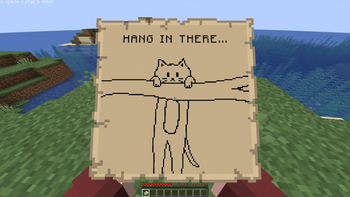
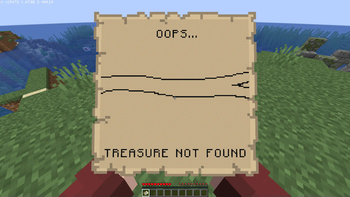
About this Mod
NOTICEMC-249136 appears to have been fixed in newer versions of Minecraft! As such, I've decided not to update this mod for 1.20.5-onwards. If you still encounter problems with treasure maps in 1.20.5+, please create an issue to let me know! |
MC-249136 Fix



This mod implements a minimal hacky fix for MC-249136, a significant server lag spike that occurs when locating buried treasure structures for shipwreck loot.
To avoid this lag spike, structure location is moved into a separate thread that does not block the server tick loop. This does nothing to improve the structure location performance, but it does at least prevent it from significantly impeding gameplay.

Configuration
The map "loading" images can be customized by placing 128x128 PNG files in /config/mc249136/map_loading.png and /config/mc249136/map_not_found.png.
For performance reasons, these images will draw all pixels as black unless they are fully transparent (i.e. rgba(0,0,0,0)). Minecraft's map color palette is difficult and expensive to calculate - so this mod literally just does an if (rgb != 0) to draw the image.
Known issues:
- This mod does not handle state persistence, and only updates loaded maps once they are inside a player's inventory.
This means that it is possible to prevent a treasure map from loading by breaking the chest, leaving it in item entity
form, and then restarting the server.
Available Versions
How to Install MC-249136 Fix on Your Server
Order Server
Order a Minecraft Java server with at least 3 GB RAM (4 GB recommended).
Set fabric Loader
In the panel under "Egg", select the fabric loader and matching Minecraft version (1.20.4).
Install Mod
Open the mod browser in the dashboard and search for "MC-249136 Fix". Click "Install" – done! Alternatively, upload the .jar via SFTP to the /mods folder.
Compatibility
Mod Loaders
Minecraft Versions
1.20.4, 1.20.3, 1.20.2 (+7 more)
Server-side
✓ RequiredRecommended RAM
4 GB(min. 3 GB)Frequently Asked Questions
MC-249136 Fix server crashes on startup – what to do?
Most common cause: wrong fabric version or insufficient RAM. Check the server log (latest.log) for "OutOfMemoryError" or "Mixin" errors. With Mado Hosting: ensure at least 3 GB RAM is allocated and the loader matches the mod version (1.20.4). You can switch loaders with one click in the panel.
Is MC-249136 Fix compatible with fabric and quilt?
MC-249136 Fix officially supports fabric, quilt for Minecraft 1.20.4, 1.20.3, 1.20.2. The Mado dashboard automatically detects incompatible loader combinations.
Server lagging with MC-249136 Fix – how to optimize performance?
Recommended RAM: 4 GB (per 8 players). Use /spark profiler to check if MC-249136 Fix consumes the most tick time. Common fixes: reduce server view-distance to 8-10, install "performant" or "starlight" as supplementary mods on Forge. With Mado Hosting, your server runs on NVMe SSDs with dedicated CPU cores for minimal latency.
Similar Mods


Rent Modded Server
Install MC-249136 Fix with just one click on your server.