
MCLLM
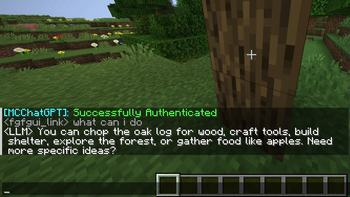
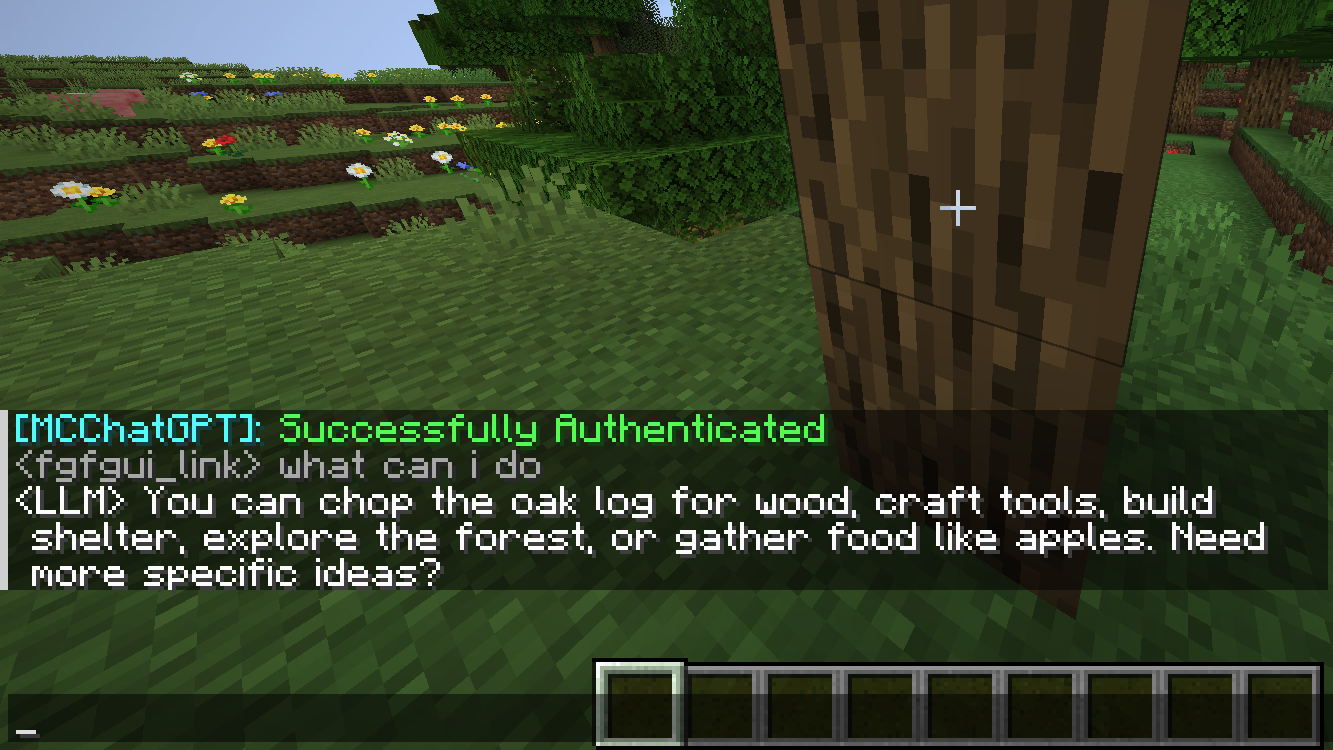
MCLLM is a fork of MCChatGPT for players who want to use non-OpenAI LLM servers. You are not locked into OpenAI's service and can use alternatives like DeepSeek, Claude, Gemini, among others.
Screenshots
About this Mod
MCLLM
If you like this project, please consider giving it a ⭐ on GitHub!
This is a fork of MCChatGPT.
Unlike the original, the base URI is no longer hardcoded—you can now configure it via a file, making it compatible with nearly any LLM service, not just OpenAI.
How to Use
Download the JAR file compatible with your Minecraft version from Modrinth or GitHub, and place it in your
modsfolder.
(Make sure the appropriate mod loader is installed.)Download the required dependencies from the same source and also place them in the
modsfolder.
(They are usually listed on the Modrinth.)- Supported platforms: Fabric (>= 1.20.1), Forge (1.19.4–1.20.1), and NeoForge (>= 1.21.1)
Launch the game once to generate the configuration file.
Open
config/mcllm.jsonand edit the following fields:baseurl: Set this to the endpoint of your preferred LLM service, e.g.https://api.deepseek.com/v1model: Specify the model name, e.g.deepseek-chat
Re-launch the game, then run:
/mcllm-auth YourToken
This securely stores your token (it will be encrypted in the config file).Use
/ask YourQuestionto send a message to the LLM.
The LLM’s reply will appear in your local chat—only you can see it.
Available Versions
How to Install MCLLM on Your Server
Order Server
Order a Minecraft Java server with at least 3 GB RAM (4 GB recommended).
Set fabric Loader
In the panel under "Egg", select the fabric loader and matching Minecraft version (26.1.2).
Install Mod
Open the mod browser in the dashboard and search for "MCLLM". Click "Install" – done! Alternatively, upload the .jar via SFTP to the /mods folder.
Compatibility
Mod Loaders
Minecraft Versions
26.1.2, 1.21.11, 1.21.5 (+3 more)
Server-side
✗ UnsupportedRecommended RAM
4 GB(min. 3 GB)Frequently Asked Questions
MCLLM server crashes on startup – what to do?
Most common cause: wrong fabric version or insufficient RAM. Check the server log (latest.log) for "OutOfMemoryError" or "Mixin" errors. With Mado Hosting: ensure at least 3 GB RAM is allocated and the loader matches the mod version (26.1.2). You can switch loaders with one click in the panel.
Is MCLLM compatible with fabric and forge and neoforge?
MCLLM officially supports fabric, forge, neoforge for Minecraft 26.1.2, 1.21.11, 1.21.5. Note: Forge and Fabric mods are NOT cross-compatible – pick one loader and stick with it. The Mado dashboard automatically detects incompatible loader combinations.
Server lagging with MCLLM – how to optimize performance?
Recommended RAM: 4 GB (per 8 players). Use /spark profiler to check if MCLLM consumes the most tick time. Common fixes: reduce server view-distance to 8-10, install "performant" or "starlight" as supplementary mods on Forge. With Mado Hosting, your server runs on NVMe SSDs with dedicated CPU cores for minimal latency.
Similar Mods




![[ETF] Entity Texture Features](https://cdn.modrinth.com/data/BVzZfTc1/af683d206d50b05258d865b0d6e4aa2f2cee12f2_96.webp)
![[EMF] Entity Model Features](https://cdn.modrinth.com/data/4I1XuqiY/6e5bbd0d06b1741bfdab6c0cfab6de8fdaf0064c_96.webp)
Rent Modded Server
Install MCLLM with just one click on your server.