Memory - Recover Lost Revival Architecture
A mod that aims to help other people reconstruct lost revival architecture. The first recreated house is the real house of the famous Bulgarian revolutioner Georgi Rakovski.
Screenshots
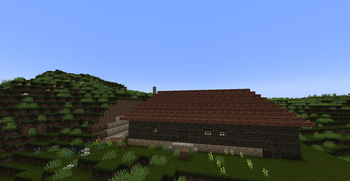
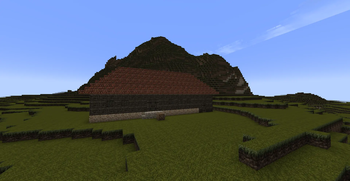
About this Mod
What is Memory?
It starts as a project from a small group of students and their senior teacher of hisory and civilizations from Sofia VHSE "John Atanasoff" for The Second National Conference "Virtues of the soul and the will".
The theme is Rakovski, so we decided our first house, which is a structure in the game, to be Rakovski's lost house, where he has lived. The only sources we found for the real house was just one sketch, made by memories, in The National Library "Cyril and Methodius", which has a Bulgarian Historical Archive.
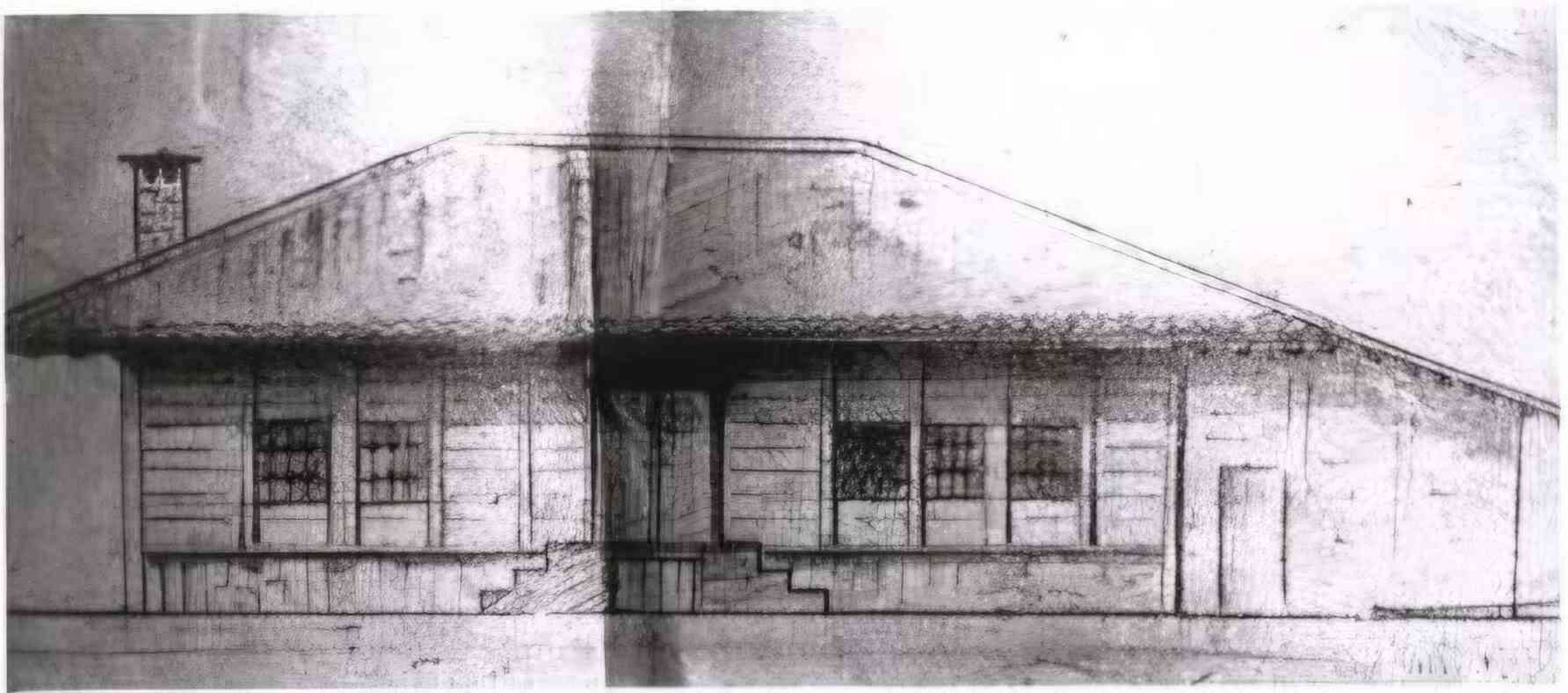
Fig. 1: Sketch of the original house of Georgi Rakovski made by Decho Iliev's memories
So we made two remakes of the house - one in Blender and the other is this project.
Available Versions
How to Install Memory - Recover Lost Revival Architecture on Your Server
Order Server
Order a Minecraft Java server with at least 4 GB RAM (6 GB recommended).
Set neoforge Loader
In the panel under "Egg", select the neoforge loader and matching Minecraft version (1.21.1).
Install Mod
Open the mod browser in the dashboard and search for "Memory - Recover Lost Revival Architecture". Click "Install" – done! Alternatively, upload the .jar via SFTP to the /mods folder.
Compatibility
Mod Loaders
Minecraft Versions
1.21.1
Server-side
✓ RequiredRecommended RAM
6 GB(min. 4 GB)Frequently Asked Questions
Memory - Recover Lost Revival Architecture server crashes on startup – what to do?
Most common cause: wrong neoforge version or insufficient RAM. Check the server log (latest.log) for "OutOfMemoryError" or "Mixin" errors. With Mado Hosting: ensure at least 4 GB RAM is allocated and the loader matches the mod version (1.21.1). You can switch loaders with one click in the panel.
Is Memory - Recover Lost Revival Architecture compatible with neoforge?
Memory - Recover Lost Revival Architecture officially supports neoforge for Minecraft 1.21.1. The Mado dashboard automatically detects incompatible loader combinations.
Server lagging with Memory - Recover Lost Revival Architecture – how to optimize performance?
Recommended RAM: 6 GB (per 5 players). Use /spark profiler to check if Memory - Recover Lost Revival Architecture consumes the most tick time. Common fixes: reduce server view-distance to 8-10, install "performant" or "starlight" as supplementary mods on Forge. With Mado Hosting, your server runs on NVMe SSDs with dedicated CPU cores for minimal latency.
Similar Mods



Rent Modded Server
Install Memory - Recover Lost Revival Architecture with just one click on your server.