
Mercurizer
Better performance on low-end or potato PCs by modifying Sodium
Screenshots
About this Mod

A Sodium addon built for hardware that can’t handle Sodium.
Most “performance” mods assume you have a dedicated GPU and at least 8GB of RAM. Mercurizer doesn’t. It’s an addon for Sodium designed specifically for integrated graphics, 4GB of RAM, and the kind of PC that struggles with Windows 10.

Sodium is great, but it still has a performance floor that leaves many players behind — especially in developing countries, where a PC means integrated graphics and 4GB of RAM, not a GTX 1080 Ti.
Mercurizer goes further. Our goal is simple:
Give players with low-end or potato PCs the ability to play Minecraft at a smooth framerate.
And, what makes it different from normal Sodium?
- Optimized for integrated GPUs — Intel HD, AMD Vega iGPUs, and similar hardware that shares VRAM with system memory
- Aggressive draw-call reduction — integrated GPUs struggle with high draw-call volume, so Mercurizer cuts it down significantly
- Simplified GLSL shaders — complex shader operations heavily impact iGPU performance; Mercurizer keeps things lightweight
- Lower VRAM usage — on integrated graphics, VRAM and RAM share the same memory pool, so every megabyte matters
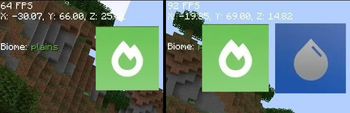
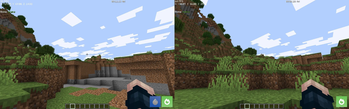
- Real low-end benchmarks — tested on actual budget hardware. We achieved a jump from 64 FPS to 92 FPS on integrated graphics — over 1.44x sodium's performance!
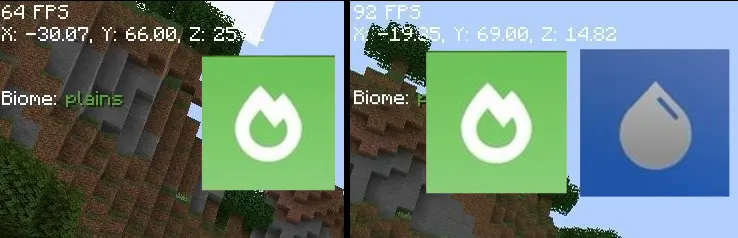
Specs: Macbook Air 2017, i5 5500u, 8GB RAM, Intel HD Graphics 6000, MacOS Monterrey

- Players using integrated graphics (Intel HD, AMD Vega, etc.)
- Players with 4GB of RAM or less
- Anyone who found Sodium wasn’t enough
- Players in developing countries where budget hardware is common

- Minecraft: 1.21.11, 26.1, 26.1.1 and 26.1.2 (Java Edition)
- Loader: Fabric
- Mecurizer needs to be installed alongside Sodium to work
- Fully Compatible with Iris, Sodium Extra and Reese's Sodium Options

Mercurizer is one of the cores optimization mods behind the Potato Optimizer modpack by Edonme Studios — an ultra-lightweight Minecraft modpack built for PCs that struggle to run modern modpacks.
Check it out: EdonMe

Made with love by Edonme Studios for every player who was told their PC was “too weak” to play.
Available Versions
How to Install Mercurizer on Your Server
Order Server
Order a Minecraft Java server with at least 3 GB RAM (4 GB recommended).
Set fabric Loader
In the panel under "Egg", select the fabric loader and matching Minecraft version (26.1.2).
Install Mod
Open the mod browser in the dashboard and search for "Mercurizer". Click "Install" – done! Alternatively, upload the .jar via SFTP to the /mods folder.
Compatibility
Mod Loaders
Minecraft Versions
26.1.2, 26.1.1, 26.1 (+1 more)
Server-side
✗ UnsupportedRecommended RAM
4 GB(min. 3 GB)Frequently Asked Questions
Mercurizer server crashes on startup – what to do?
Most common cause: wrong fabric version or insufficient RAM. Check the server log (latest.log) for "OutOfMemoryError" or "Mixin" errors. With Mado Hosting: ensure at least 3 GB RAM is allocated and the loader matches the mod version (26.1.2). You can switch loaders with one click in the panel.
Is Mercurizer compatible with fabric?
Mercurizer officially supports fabric for Minecraft 26.1.2, 26.1.1, 26.1. The Mado dashboard automatically detects incompatible loader combinations.
Server lagging with Mercurizer – how to optimize performance?
Recommended RAM: 4 GB (per 8 players). Use /spark profiler to check if Mercurizer consumes the most tick time. Common fixes: reduce server view-distance to 8-10, install "performant" or "starlight" as supplementary mods on Forge. With Mado Hosting, your server runs on NVMe SSDs with dedicated CPU cores for minimal latency.
Similar Mods


Rent Modded Server
Install Mercurizer with just one click on your server.