
Mibombo
Adds Mibombo, an explosive new hostile monster that throws custom TNTs!
Screenshots
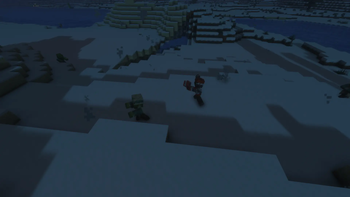
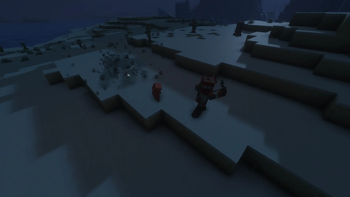
About this Mod
Mibombo Mod: Tactical Destruction!
Introducing the Mibombo Mod, a high-octane addition to your Minecraft world that unleashes a dangerous new tactical entity: the Mibombo Monster.
This specialized, hostile monster is no ordinary zombie. Equipped with advanced gear and a singular purpose—mass demolition—the Mibombo brings a new level of strategic threat to your world.
New Entity Features:
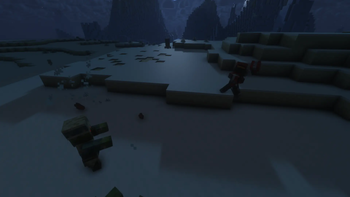
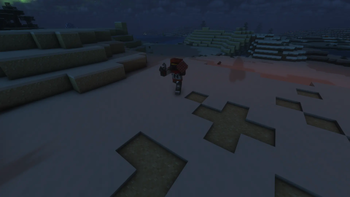
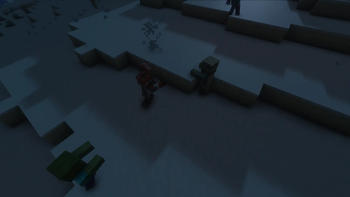
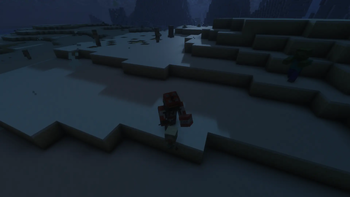
The Mibombo Monster: Dressed in a tactical orange jumpsuit with a clear 'THT' insignia, this entity is hard to miss. With a black gas mask and goggles, its intentions are purely destructive.
Tactical Arsenal: The Mibombo isn't just a physical threat; it's a demolitions expert. It uses a custom grappling hook on a heavy chain to scale defenses and cross complex terrain, making it incredibly agile.
Custom TNTs: Watch out for more than just standard TNT! The Mibombo throws its own range of custom explosive devices, from rapid-fire cluster bombs to specialized high-yield blocks, capable of leveling entire villages and creating massive, glowing craters.
Mod Experience: Prepare for a new kind of siege. Defend your bases with innovative strategies, create explosive countermeasures, and hunt down this tactical menace. The Mibombo Mod is all about tactical destruction and innovative gameplay. Can you survive the tactical onslaught?
Available Versions
How to Install Mibombo on Your Server
Order Server
Order a Minecraft Java server with at least 3 GB RAM (4 GB recommended).
Set fabric Loader
In the panel under "Egg", select the fabric loader and matching Minecraft version (1.21.11).
Install Mod
Open the mod browser in the dashboard and search for "Mibombo". Click "Install" – done! Alternatively, upload the .jar via SFTP to the /mods folder.
Compatibility
Mod Loaders
Minecraft Versions
1.21.11
Server-side
✓ RequiredRecommended RAM
4 GB(min. 3 GB)Frequently Asked Questions
Mibombo server crashes on startup – what to do?
Most common cause: wrong fabric version or insufficient RAM. Check the server log (latest.log) for "OutOfMemoryError" or "Mixin" errors. With Mado Hosting: ensure at least 3 GB RAM is allocated and the loader matches the mod version (1.21.11). You can switch loaders with one click in the panel.
Is Mibombo compatible with fabric?
Mibombo officially supports fabric for Minecraft 1.21.11. The Mado dashboard automatically detects incompatible loader combinations.
Server lagging with Mibombo – how to optimize performance?
Recommended RAM: 4 GB (per 8 players). Use /spark profiler to check if Mibombo consumes the most tick time. Common fixes: reduce server view-distance to 8-10, install "performant" or "starlight" as supplementary mods on Forge. With Mado Hosting, your server runs on NVMe SSDs with dedicated CPU cores for minimal latency.
Similar Mods
![[EMF] Entity Model Features](https://cdn.modrinth.com/data/4I1XuqiY/6e5bbd0d06b1741bfdab6c0cfab6de8fdaf0064c_96.webp)


Rent Modded Server
Install Mibombo with just one click on your server.