
Mine Piece HUD - One Piece Addon
An RPG-style interface for Mine Piece that organizes stats, skills, Haki, crews, and shortcuts. Compatible with HakMinePiece, UltimateMinePiece, and One Piece World Like, with support for English, Portuguese, Spanish, and Japanese.
Screenshots

About this Mod
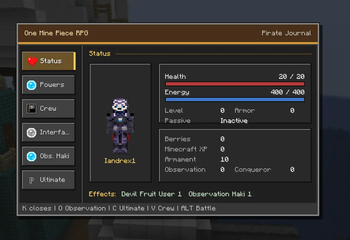
This addon enhances the Mine Piece experience with an RPG-inspired interface that brings important character information and features together in one convenient menu.
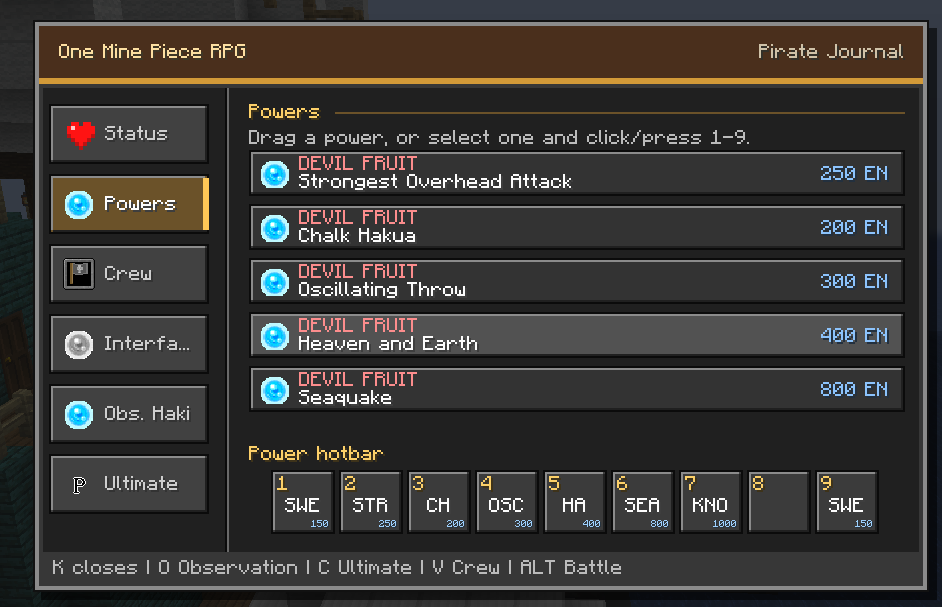
Track your stats, experience, currency, active effects, and character progression. Browse your powers, organize skills in a customizable hotbar, and easily switch between the standard Minecraft hotbar and your combat skill hotbar.
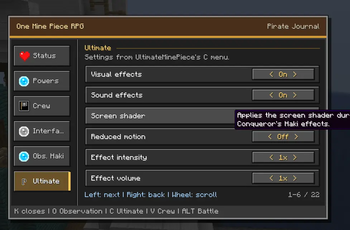
The menu also integrates Haki, crew, and interface settings, making your adventure more organized and accessible. Skills can display their energy cost, casting time, and cooldown, helping you prepare for every battle.
Compatible with:
- Mine Piece
- HakMinePiece
- UltimateMinePiece
- One Piece World Like
All integrations are optional. The addon will continue to work even when some compatible addons are not installed.
Available languages:
- English
- Portuguese
- Spanish
- Japanese
The interface automatically follows the player’s Minecraft language. It can also be changed directly from the menu, with English used as the fallback for unsupported languages.
A great choice for players who want a cleaner, more immersive, and RPG-inspired way to enjoy Mine Piece while keeping the familiar visual style of Minecraft.
Available Versions
How to Install Mine Piece HUD - One Piece Addon on Your Server
Order Server
Order a Minecraft Java server with at least 3 GB RAM (4 GB recommended).
Set forge Loader
In the panel under "Egg", select the forge loader and matching Minecraft version (1.20.1).
Install Mod
Open the mod browser in the dashboard and search for "Mine Piece HUD - One Piece Addon". Click "Install" – done! Alternatively, upload the .jar via SFTP to the /mods folder.
Compatibility
Mod Loaders
Minecraft Versions
1.20.1
Server-side
~ OptionalRecommended RAM
4 GB(min. 3 GB)Frequently Asked Questions
Mine Piece HUD - One Piece Addon server crashes on startup – what to do?
Most common cause: wrong forge version or insufficient RAM. Check the server log (latest.log) for "OutOfMemoryError" or "Mixin" errors. With Mado Hosting: ensure at least 3 GB RAM is allocated and the loader matches the mod version (1.20.1). You can switch loaders with one click in the panel.
Is Mine Piece HUD - One Piece Addon compatible with forge?
Mine Piece HUD - One Piece Addon officially supports forge for Minecraft 1.20.1. The Mado dashboard automatically detects incompatible loader combinations.
Server lagging with Mine Piece HUD - One Piece Addon – how to optimize performance?
Recommended RAM: 4 GB (per 8 players). Use /spark profiler to check if Mine Piece HUD - One Piece Addon consumes the most tick time. Common fixes: reduce server view-distance to 8-10, install "performant" or "starlight" as supplementary mods on Forge. With Mado Hosting, your server runs on NVMe SSDs with dedicated CPU cores for minimal latency.
Similar Mods




Rent Modded Server
Install Mine Piece HUD - One Piece Addon with just one click on your server.