
MineboundsQOL
Quality of Life mod for Minebounds prisons server
About this Mod
If you enjoy this mod, consider supporting development!



A comprehensive client-side quality-of-life mod for the Minebound Minecraft server. Track your earnings, monitor prestige progression, locate collectibles with waypoints, and streamline your chat — all from a sleek in-game overlay.
Everything is accessible through an in-game interface, toggled with INSERT or the /mbqol command.
✅ Features
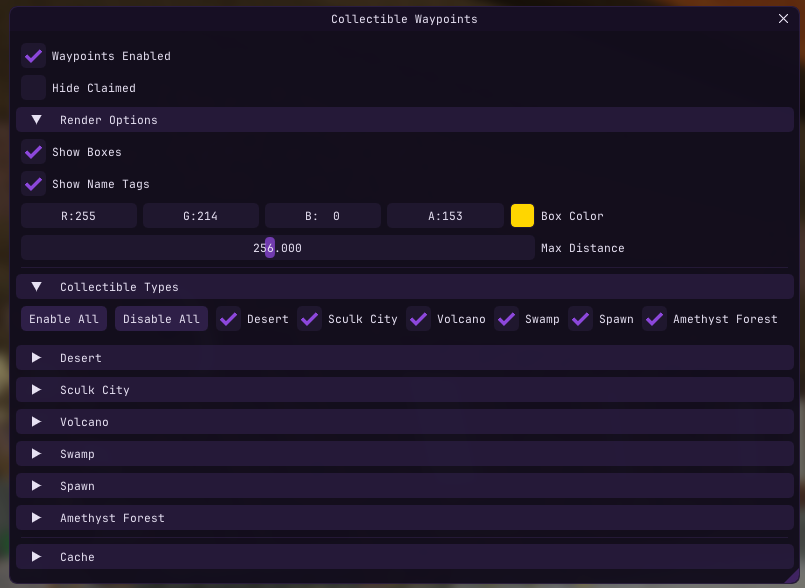
Collectible Waypoints
Find every collectible across the server with visual indicators rendered through walls.
- Box outlines on collectible locations
- Name tags with live distance display
- 28+ collectible types across 6 locations — Desert, Sculk City, Volcano, Swamp, Spawn, and Amethyst Forest
- Remembers discovered positions across sessions
- Automatically tracks which collectibles you've already claimed
- Per-type and per-location filtering with bulk enable/disable
- Configurable colors, render distance (16–512m), and hide-claimed toggle
Earnings Tracker
Know exactly how much you're making per hour.
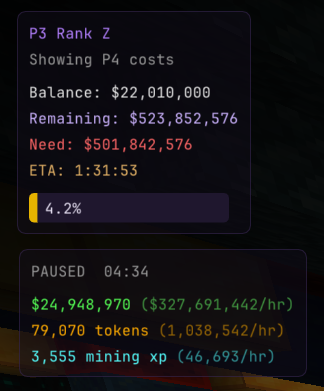
- Tracks money, tokens, and mining XP from chat messages in real-time
- Displays totals and per-hour rates in a compact HUD overlay
- Smart pause/resume — auto-pauses after inactivity, resumes on new earnings
- Configurable pause timeout, auto-reset timeout, and manual reset button
Prestige Progression Overlay
Always know how far you are from your next rank or prestige.
- Shows current prestige level, rank (A–Z), and balance
- Calculates remaining cost to next rank or prestige
- Progress bar with percentage to next prestige
- ETA based on your current earnings rate
Chat QOL
Small improvements that add up.
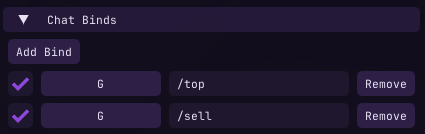
- Chat Binds — bind any key to send a message or command
- Auto-Sell — automatically runs
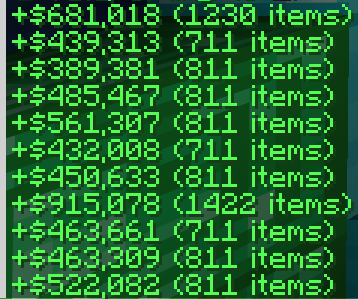
/sellwhen your inventory hits a configurable threshold - Minimal Sell Messages — condenses sell confirmations to
+$Y (X items) - Action Bar to Chat — redirects action bar messages into chat so you never miss them
- Before
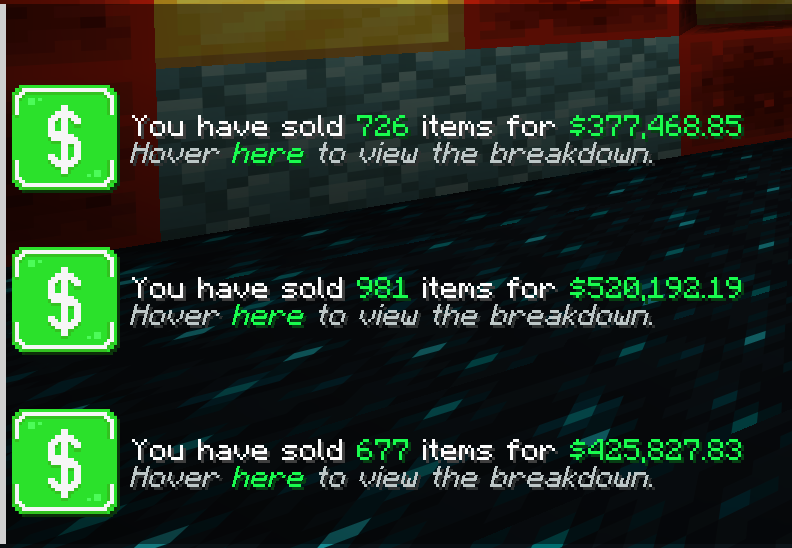
- After
Fullbright
Toggle fullbright from the Overlays menu.
📥 Installation
- Install Fabric Loader for Minecraft 1.21.11
- Install Fabric API and Fabric Language Kotlin
- Drop the jar into your
modsfolder
⌨️ Controls
| Control | Action |
|---|---|
INSERT |
Open/close the configuration GUI |
/mbqol |
Open/close the configuration GUI |
| Custom chat binds | Send configured messages or commands |
All settings are saved automatically.
⚠️ Disclaimer
This mod is designed for use on the Minebound server. Features like scoreboard parsing, prestige calculations, and collectible detection are tailored to Minebound's specific systems and may not function on other servers.
Available Versions
How to Install MineboundsQOL on Your Server
Order Server
Order a Minecraft Java server with at least 3 GB RAM (4 GB recommended).
Set fabric Loader
In the panel under "Egg", select the fabric loader and matching Minecraft version (1.21.11).
Install Mod
Open the mod browser in the dashboard and search for "MineboundsQOL". Click "Install" – done! Alternatively, upload the .jar via SFTP to the /mods folder.
Compatibility
Mod Loaders
Minecraft Versions
1.21.11
Server-side
✗ UnsupportedRecommended RAM
4 GB(min. 3 GB)Frequently Asked Questions
MineboundsQOL server crashes on startup – what to do?
Most common cause: wrong fabric version or insufficient RAM. Check the server log (latest.log) for "OutOfMemoryError" or "Mixin" errors. With Mado Hosting: ensure at least 3 GB RAM is allocated and the loader matches the mod version (1.21.11). You can switch loaders with one click in the panel.
Is MineboundsQOL compatible with fabric?
MineboundsQOL officially supports fabric for Minecraft 1.21.11. The Mado dashboard automatically detects incompatible loader combinations.
Server lagging with MineboundsQOL – how to optimize performance?
Recommended RAM: 4 GB (per 8 players). Use /spark profiler to check if MineboundsQOL consumes the most tick time. Common fixes: reduce server view-distance to 8-10, install "performant" or "starlight" as supplementary mods on Forge. With Mado Hosting, your server runs on NVMe SSDs with dedicated CPU cores for minimal latency.
Similar Mods




![[ETF] Entity Texture Features](https://cdn.modrinth.com/data/BVzZfTc1/af683d206d50b05258d865b0d6e4aa2f2cee12f2_96.webp)
![[EMF] Entity Model Features](https://cdn.modrinth.com/data/4I1XuqiY/6e5bbd0d06b1741bfdab6c0cfab6de8fdaf0064c_96.webp)
Rent Modded Server
Install MineboundsQOL with just one click on your server.