
MineboxAddons
Small utilities mod for the Minebox server
Screenshots

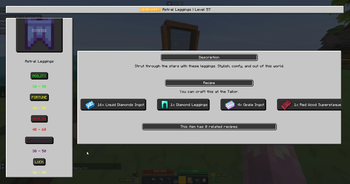
About this Mod
[MineboxAddons]

MineboxAddons is a simple utility mod for the Minebox server.
It adds many quality of life features and improvements to the experience on the server.
Features
Commands:
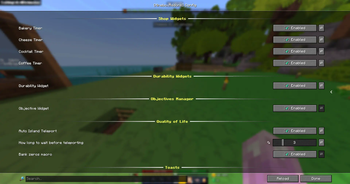
/items view [item name]- View the wiki page for the item in your hand or the name specified./items search [item name]- Search for an item in the wiki and quickly view its stats./items price (period) (direction) [item name]- View the buy or sell price of an item in the Bazaar for the latest Day, Week or Month./mba objective create <objective 1, objective 2, ... comma seperated>- Creates a widget to track a custom list of objectives. Simply separate each of your objectives with a comma, and it will display a scoreboard of the current step/mbaq <objective 1, objective 2, ... comma seperated>- Alias for above/mba objective next- Advances the current objective to the next step/mbaqn- Alias for above/mba config gui- Move or hide the HUD widgets
HUD Widgets
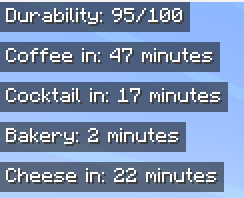
- Durability Widget: Displays the durability of the item in your hand, for example a Watering Can
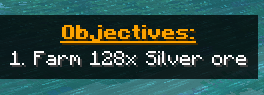
- Objective Tracker: Displays the current step of your objectives, as set by
/mba objective create - Bakery, Cheese, Coffee and Cocktail timers: Displays the time until the next refresh
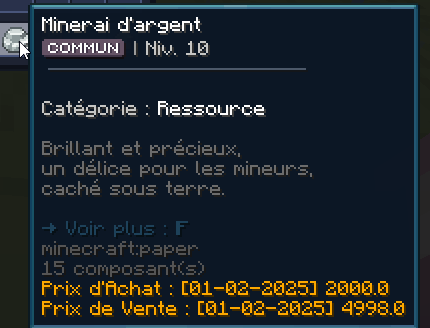
- Bazaar Price Tooltip: Hover over an item in your inventory and the bazaar price will be added to the tooltip
QoL Features
- Shop Toasts: Displays a toast notification and plays a sound when a shop opens
- Bank Macro: When in the bank menu, type "k", "m" or "b" to quickly type the respective amount of zeros without needing to do it manually
- Island Auto Teleport Macro: When you join the server, you can set a delay of 1-10 seconds before automatically running "/is"
Available Versions
How to Install MineboxAddons on Your Server
Order Server
Order a Minecraft Java server with at least 3 GB RAM (4 GB recommended).
Set fabric Loader
In the panel under "Egg", select the fabric loader and matching Minecraft version (1.21.3).
Install Mod
Open the mod browser in the dashboard and search for "MineboxAddons". Click "Install" – done! Alternatively, upload the .jar via SFTP to the /mods folder.
Compatibility
Mod Loaders
Minecraft Versions
1.21.3
Server-side
✗ UnsupportedRecommended RAM
4 GB(min. 3 GB)Frequently Asked Questions
MineboxAddons server crashes on startup – what to do?
Most common cause: wrong fabric version or insufficient RAM. Check the server log (latest.log) for "OutOfMemoryError" or "Mixin" errors. With Mado Hosting: ensure at least 3 GB RAM is allocated and the loader matches the mod version (1.21.3). You can switch loaders with one click in the panel.
Is MineboxAddons compatible with fabric?
MineboxAddons officially supports fabric for Minecraft 1.21.3. The Mado dashboard automatically detects incompatible loader combinations.
Server lagging with MineboxAddons – how to optimize performance?
Recommended RAM: 4 GB (per 8 players). Use /spark profiler to check if MineboxAddons consumes the most tick time. Common fixes: reduce server view-distance to 8-10, install "performant" or "starlight" as supplementary mods on Forge. With Mado Hosting, your server runs on NVMe SSDs with dedicated CPU cores for minimal latency.
Similar Mods




![[ETF] Entity Texture Features](https://cdn.modrinth.com/data/BVzZfTc1/af683d206d50b05258d865b0d6e4aa2f2cee12f2_96.webp)

Rent Modded Server
Install MineboxAddons with just one click on your server.