
Minecart Trains Fork
Add connectivity features for the minecart based on the original content.
Screenshots


About this Mod
Minecart Trains Fork
This mod was forked from Minecart Trains.
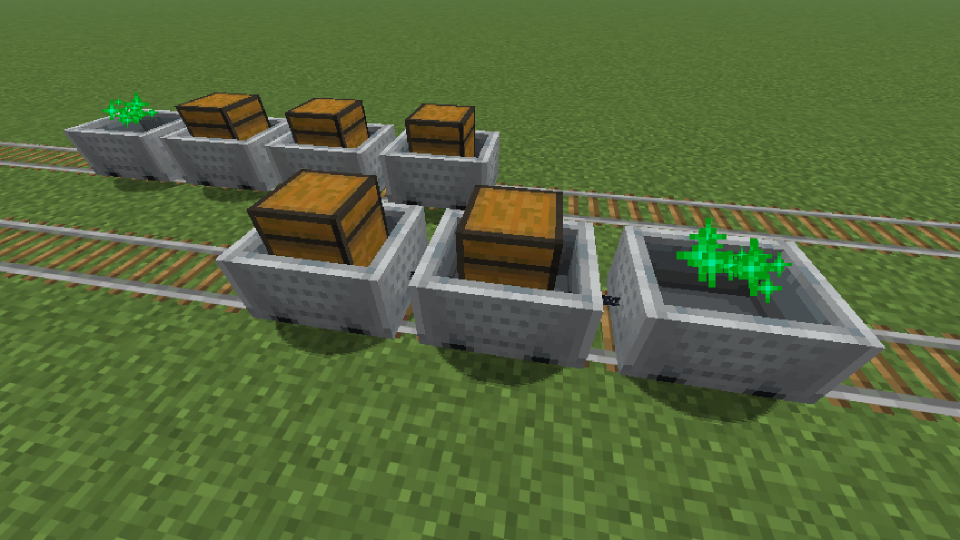
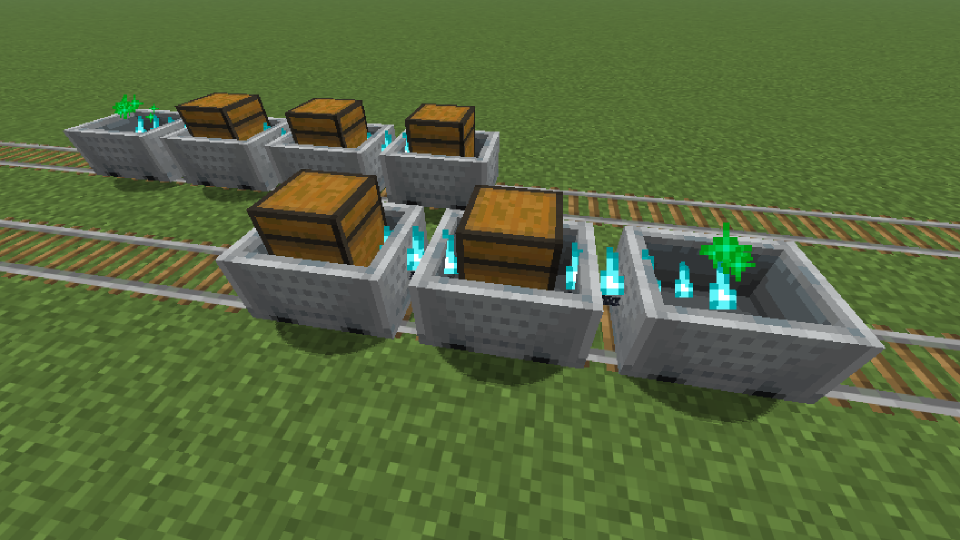
- This mod allows you to build more realistic Minecart trains in Minecraft while trying to stay close to vanilla mechanics.
- The Server is responsible for connecting the carts, and the Client is responsible for rendering the connection effect.
Loader



Environment

Compatibility
Fabric
| Server Mod | Relation | Description |
|---|---|---|
| Fabric API | Required | - |
| Cloth Config API | Optional | Train Behavior Configuration |
| Client Mod | Relation | Description |
|---|---|---|
| Fabric API | Required | - |
| Cloth Config API | Optional | Client Display Configuration |
| Mod Menu | Optional | Client Configuration Entry |
NeoForge / Forge
| Server Mod | Relation | Description |
|---|---|---|
| Cloth Config API | Optional | Train Behavior Configuration |
| Client Mod | Relation | Description |
|---|---|---|
| Cloth Config API | Optional | Client Display Configuration |
Progress
Check out the latest development progress here. Development Progress
Features
Train Behavior
- The child cart moves following the parent cart, Unaffected by certain additional forces.
- After installing
Cloth Config API, you can adjust certain features.
Train Formation
- Hold the Iron Chain in your Right Hand.
- Enter Sneaking mode, and Right-click on a Minecart.
- Enter Sneaking mode, and Right-click on another Minecart.
- Repeat the connection operation. (For example, if you need to connect from cart A to cart D, and A is the Leading cart. The order of clicking while stealthed is: A -> B; B -> C; C -> D. The subsequently selected vehicle will be towed by the previously selected vehicle.)
Train Decoupling
You can attempt to clear the train connection at Any Time, including in cases where the connection fails.
- Hold any Axe in your Right Hand.
- Enter Sneaking mode, and Right-click on a Minecart.
Configuration
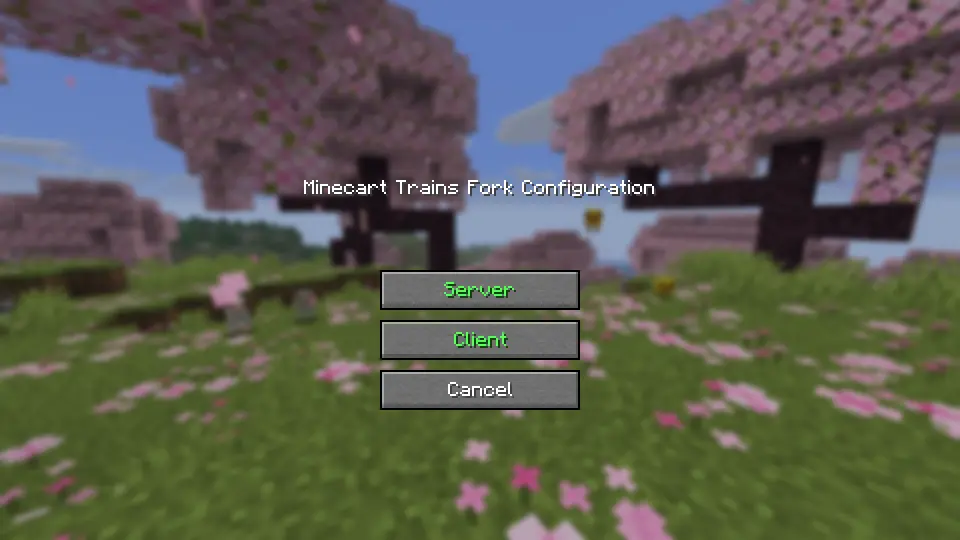
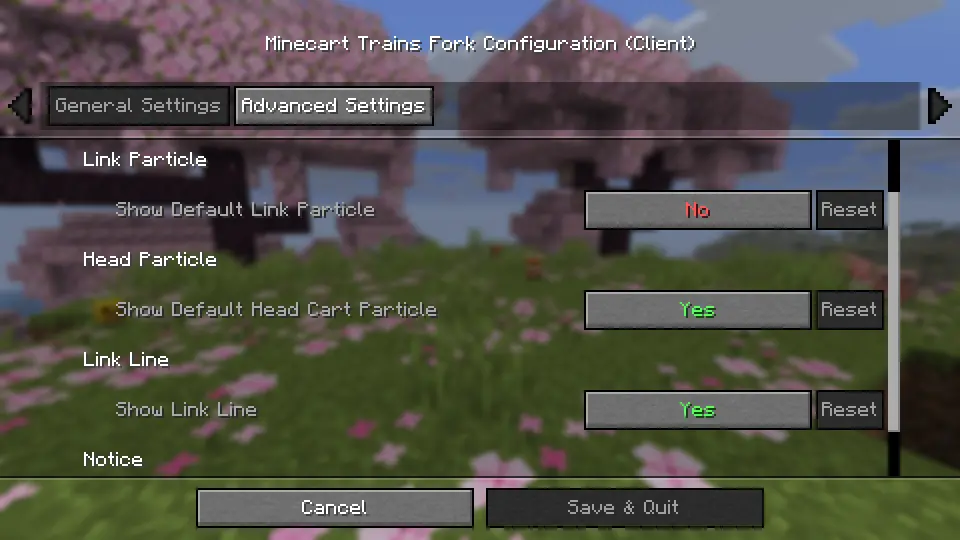
Configuration files that will be generated after installing Cloth Config API:
.../config/minecart-trains-fork-server.json.../config/minecart-trains-fork-client.json
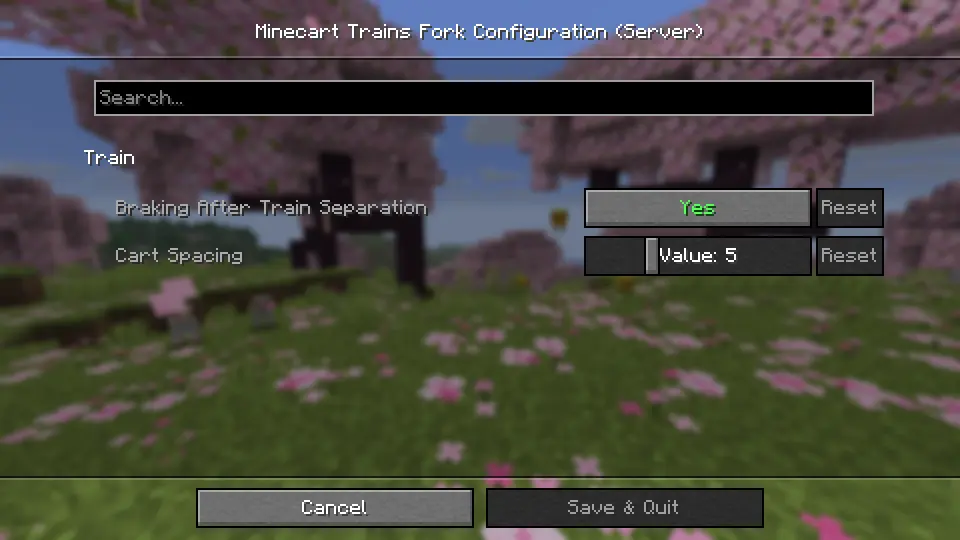
minecart-trains-fork-server.json
    [brakingAfterTrainSeparation] Value: true/false, Default: true
    [cartSpacing] Range: 3 - 10, Default: 5
Available Versions
How to Install Minecart Trains Fork on Your Server
Order Server
Order a Minecraft Java server with at least 3 GB RAM (4 GB recommended).
Set fabric Loader
In the panel under "Egg", select the fabric loader and matching Minecraft version (26.1.2).
Install Mod
Open the mod browser in the dashboard and search for "Minecart Trains Fork". Click "Install" – done! Alternatively, upload the .jar via SFTP to the /mods folder.
Compatibility
Mod Loaders
Minecraft Versions
26.1.2, 26.1.1, 26.1 (+29 more)
Server-side
✓ RequiredRecommended RAM
4 GB(min. 3 GB)Frequently Asked Questions
Minecart Trains Fork server crashes on startup – what to do?
Most common cause: wrong fabric version or insufficient RAM. Check the server log (latest.log) for "OutOfMemoryError" or "Mixin" errors. With Mado Hosting: ensure at least 3 GB RAM is allocated and the loader matches the mod version (26.1.2). You can switch loaders with one click in the panel.
Is Minecart Trains Fork compatible with fabric and forge and neoforge?
Minecart Trains Fork officially supports fabric, forge, neoforge for Minecraft 26.1.2, 26.1.1, 26.1. Note: Forge and Fabric mods are NOT cross-compatible – pick one loader and stick with it. The Mado dashboard automatically detects incompatible loader combinations.
Server lagging with Minecart Trains Fork – how to optimize performance?
Recommended RAM: 4 GB (per 8 players). Use /spark profiler to check if Minecart Trains Fork consumes the most tick time. Common fixes: reduce server view-distance to 8-10, install "performant" or "starlight" as supplementary mods on Forge. With Mado Hosting, your server runs on NVMe SSDs with dedicated CPU cores for minimal latency.
Similar Mods




Rent Modded Server
Install Minecart Trains Fork with just one click on your server.