
Mineclient
A lightweight mod that keeps the vanilla feeling, but adds some necessary tweaks and improvements
Screenshots
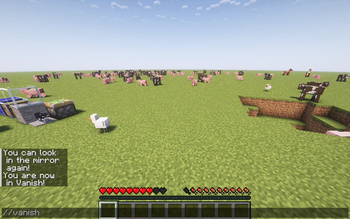
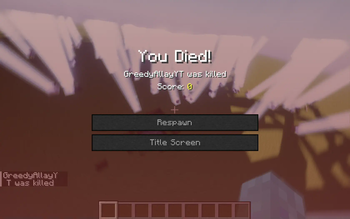
About this Mod

This mods adds some great improvements to the game, such as new commands, and some stuff to edit items data. The mod will get more features in the future, but this is the very test alpha of the mod. Or like they say in Minecraft: Here be dragons!
Here's a very funny YouTube Video About the mod, explaining how it works and entertaining at the same time!
commands usually start with two or three slashes.
List of current commands:
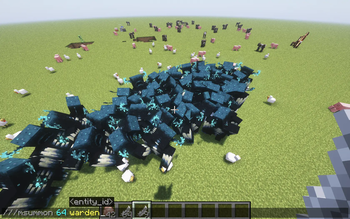
///msummon
Usage: ///msummon
Summon hundreds or even thousands of entities at once, for the ultimate lag party!
(requires OP [L3])
//explode
Usage: //explode
Creates massive explosions
(requires OP [L3])
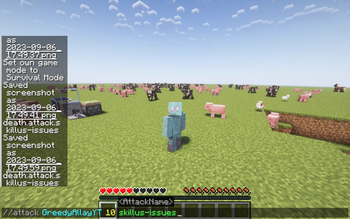
///attack
target to attack, amount of damage, name of the attack
(requires OP [3])
///despawn
target to despawn
| NOTE: You can despawn yourself, which will break the entire world (rejoin
to fix)(requires OP [L3])
//fire
[add: target to put on fire, amount of burning time] [extinguish, target to distinguish]
(requires OP [L3])
//invinc
makes you invincible
(requires OP [L3])
///forceitem
item to give, amount of that item (no limit!)
(requires OP [L3])
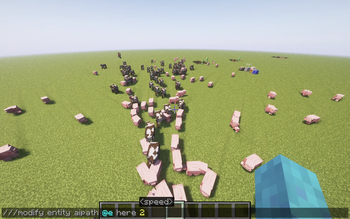
///modify
(nerds only :) (requires OP [L3])
///nbt
copy
will copy the nbt from the item from your main hand
(requires OP [L3])
//msg
player to message, should it show up in action bar? (above hotbar), your message
NOTE: this message is anonymous.
This does not require any privileges.
//smite
target - this will strike and kill annoying players
(requires OP [L3])
//vanish
gives you invisibility forever, type it again to become visible again!
(requires OP [L3])
//warp
dimension - teleport to the desired dimension!
(requires OP [L3])
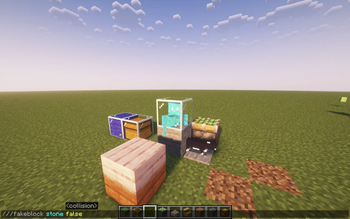
///fakeblock
usage: ///fakeblock
<collision?> Create (ghost) blocks that can be put even in the void!
(requires OP [L3])
single-slash commands
/gmc, /gma, /gms, /gmsp - change your gamemode. (requires OP [L3])
I probably missed some, but you can find that out! ;)
Available Versions
How to Install Mineclient on Your Server
Order Server
Order a Minecraft Java server with at least 3 GB RAM (4 GB recommended).
Set fabric Loader
In the panel under "Egg", select the fabric loader and matching Minecraft version (1.20.1).
Install Mod
Open the mod browser in the dashboard and search for "Mineclient". Click "Install" – done! Alternatively, upload the .jar via SFTP to the /mods folder.
Compatibility
Mod Loaders
Minecraft Versions
1.20.1, 1.20
Server-side
✗ UnsupportedRecommended RAM
4 GB(min. 3 GB)Frequently Asked Questions
Mineclient server crashes on startup – what to do?
Most common cause: wrong fabric version or insufficient RAM. Check the server log (latest.log) for "OutOfMemoryError" or "Mixin" errors. With Mado Hosting: ensure at least 3 GB RAM is allocated and the loader matches the mod version (1.20.1). You can switch loaders with one click in the panel.
Is Mineclient compatible with fabric?
Mineclient officially supports fabric for Minecraft 1.20.1, 1.20. The Mado dashboard automatically detects incompatible loader combinations.
Server lagging with Mineclient – how to optimize performance?
Recommended RAM: 4 GB (per 8 players). Use /spark profiler to check if Mineclient consumes the most tick time. Common fixes: reduce server view-distance to 8-10, install "performant" or "starlight" as supplementary mods on Forge. With Mado Hosting, your server runs on NVMe SSDs with dedicated CPU cores for minimal latency.
Similar Mods




Rent Modded Server
Install Mineclient with just one click on your server.