
MLS (Minecraft Lua Scripts)
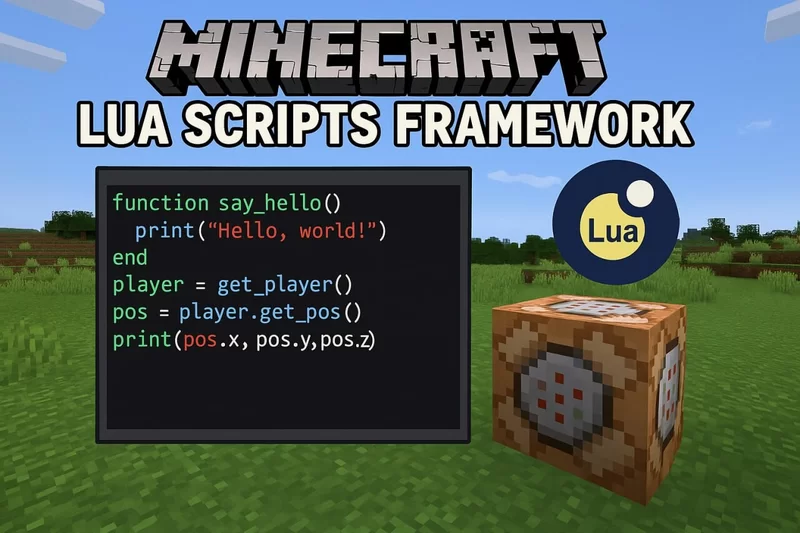
Minecraft Lua Scripts Framework is a lightweight mod that lets you use Lua to automate tasks and create dynamic systems, custom maps, and minigames beyond vanilla Minecraft.
Screenshots
About this Mod
MLS (Minecraft Lua Scripts)
Minecraft Lua Scripts (MLS) is a Forge mod that lets you write and run Lua scripts in Minecraft without creating a mod.
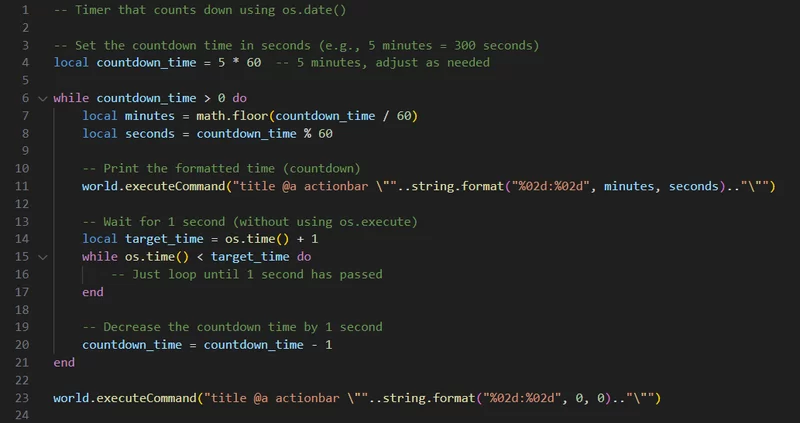
MLS is essentially a Lua adapter for the Forge API. Instead of setting up a mod project and recompiling on every change, you write .lua files, put them in the <game_dir>/luascripts/ folder, and execute them in-game with /script run. Scripts run in named threads, can be stopped individually or all at once, and have access to the game through a straightforward API — worlds, entities, players, redstone, commands, and more.
It's primarily aimed at map and minigame development. Complex event sequences, player detection zones, score tracking, coordinated multi-system logic — things that are painful or outright impossible to build with command blocks alone become quick to write and easy to iterate on.
-- detect players entering an area and trigger a command
local corner1 = {x = 100, y = 64, z = 100}
local corner2 = {x = 120, y = 70, z = 120}

while true do
    local players = world.getPlayersInSquare(corner1, corner2)
    if #players > 0 then
        world.executeCommand("say Welcome to the arena!")
    end
    local t = os.time() + 1
    while os.time() < t do end
end
No build tools. No Java. Just scripts.
For API documentation, please refer to the Website.
WARNING
This project is currently in its ALPHA stage, meaning it may contain bugs or incomplete features. If you encounter any issues, please report them via the Issues tab on GitHub.
Contributions are welcome! Feel free to submit pull requests or suggest improvements.
Available Versions
How to Install MLS (Minecraft Lua Scripts) on Your Server
Order Server
Order a Minecraft Java server with at least 3 GB RAM (4 GB recommended).
Set forge Loader
In the panel under "Egg", select the forge loader and matching Minecraft version (1.16.5).
Install Mod
Open the mod browser in the dashboard and search for "MLS (Minecraft Lua Scripts)". Click "Install" – done! Alternatively, upload the .jar via SFTP to the /mods folder.
Compatibility
Mod Loaders
Minecraft Versions
1.16.5
Server-side
✓ RequiredRecommended RAM
4 GB(min. 3 GB)Frequently Asked Questions
MLS (Minecraft Lua Scripts) server crashes on startup – what to do?
Most common cause: wrong forge version or insufficient RAM. Check the server log (latest.log) for "OutOfMemoryError" or "Mixin" errors. With Mado Hosting: ensure at least 3 GB RAM is allocated and the loader matches the mod version (1.16.5). You can switch loaders with one click in the panel.
Is MLS (Minecraft Lua Scripts) compatible with forge?
MLS (Minecraft Lua Scripts) officially supports forge for Minecraft 1.16.5. The Mado dashboard automatically detects incompatible loader combinations.
Server lagging with MLS (Minecraft Lua Scripts) – how to optimize performance?
Recommended RAM: 4 GB (per 8 players). Use /spark profiler to check if MLS (Minecraft Lua Scripts) consumes the most tick time. Common fixes: reduce server view-distance to 8-10, install "performant" or "starlight" as supplementary mods on Forge. With Mado Hosting, your server runs on NVMe SSDs with dedicated CPU cores for minimal latency.
Similar Mods




Rent Modded Server
Install MLS (Minecraft Lua Scripts) with just one click on your server.